

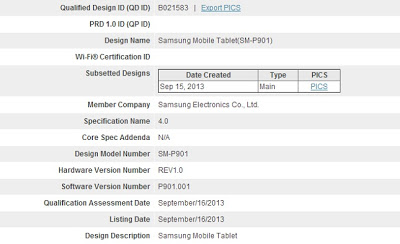
 Rumours are surfacing on the net that Samsung is currently working on a Samsung Galaxy Note 12.2″ tablet which will launch in early 2014. The source of these rumours are that the device has already passed through the FCC. Here’s what we know about the specs…
Samsung Galaxy Note 12.2 specs:
- 12.2-inch 2560 x 1600 display
- 2.26GHz Qualcomm Snapdragon 800 processor
- 8-megapixel camera
- 2-megapixel front-facing camera
- 3GB of RAM
- 32GB of storage
- Android 4.3 Jelly Bean and LTE support for the cellular version
- S Pen Stylus
As the sizes of devices continue to trend upward, it makes you wonder at what point will a tablet become too big to be useful? On the other hand could it be that this is an edge to edge screen, loosing the bezel almost entirely?

When you want to capture your outdoor adventures on film, a compact action camera is ideal. Small and light enough to not be a burden in your backpack, yet robust enough to cope with the toughest conditions, these pieces of kit are a must for any photographer on the go. Here are our top three picks:
 1. Olympus TOUGH TG-820
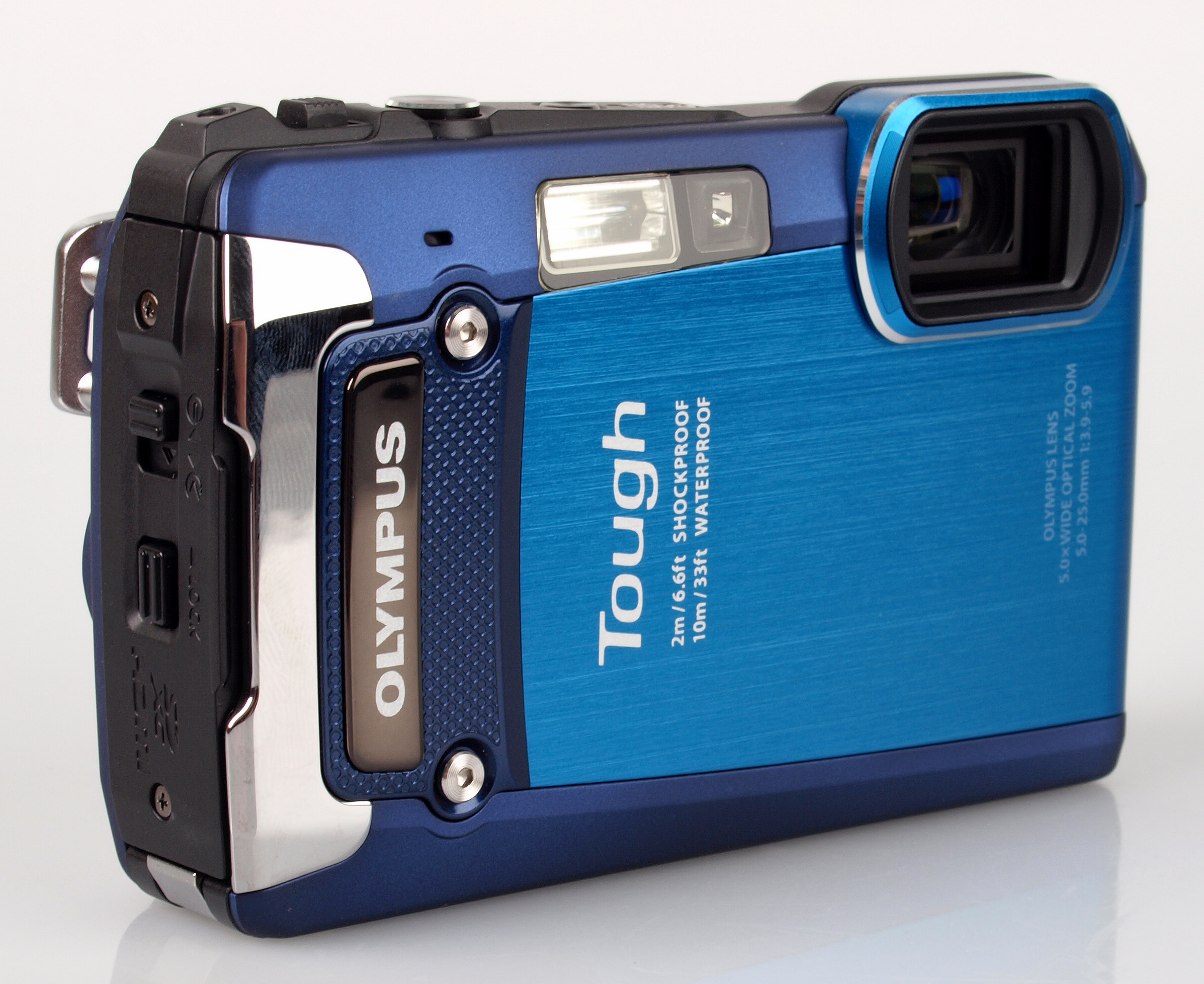
This camera is crushproof to 100kg, waterproof to 10m, shockproof to 2m and freezeproof to -10 degrees C, so you can take snaps on any outdoor adventure in confidence. No matter what your environment or activity, the Olympus TOUGH TG-820 is prepared to join you.
It doesn’t sacrifice photography specifications in favour of durability, either. The 12-megapixel camera has a 5x optical zoom, can record in 1080p, and even has a 3D photo shooting mode. Trusted Reviews says: “If you’re on the lookout for a bombproof compact then the TG-820 is definitely worth putting on your shortlist.”
You can order the camera online through Jessops, which offers free next-day delivery or the option to collect from store in as little as 30 minutes. The Olympus TOUGH TG-820 comes with a two-year guarantee, and accessories including memory cards and cases are available.
 2. Fuji FinePix XP200
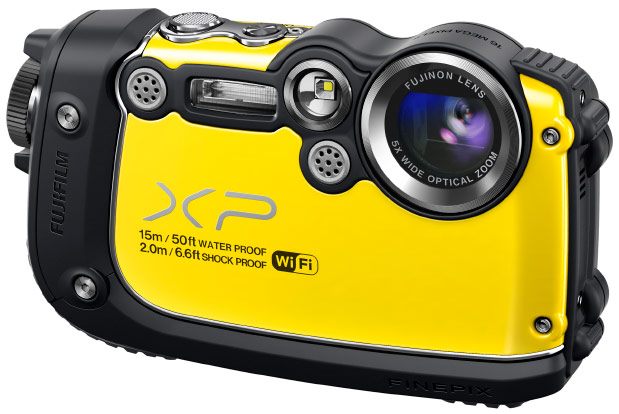
This Fuji camera is almost as robust as the Olympus compact: it is waterproof to 15m, shockproof to 2m, freezeproof to -10 degrees C and dustproof, too. The body of the FinePix XP200 also boasts ribbed rubberised grips, which can be handy while on the go.
Again, the photography specifications are impressive, with the effective number of megapixels at 16.4 million and the option for full HD recording. Even the LCD screen is built for the great outdoors, with an anti-reflective coating allowing you to frame effectively even in bright light.
We also love the wireless capabilities, which enable you to view snaps on your smartphone using the FUJIFILM app, or transfer images straight to your PC over Wi-Fi. The selection of filters also mean there’s no need to go through an editing program for an artistic look.
 3. Sony Cyber-shot DSC-TX30
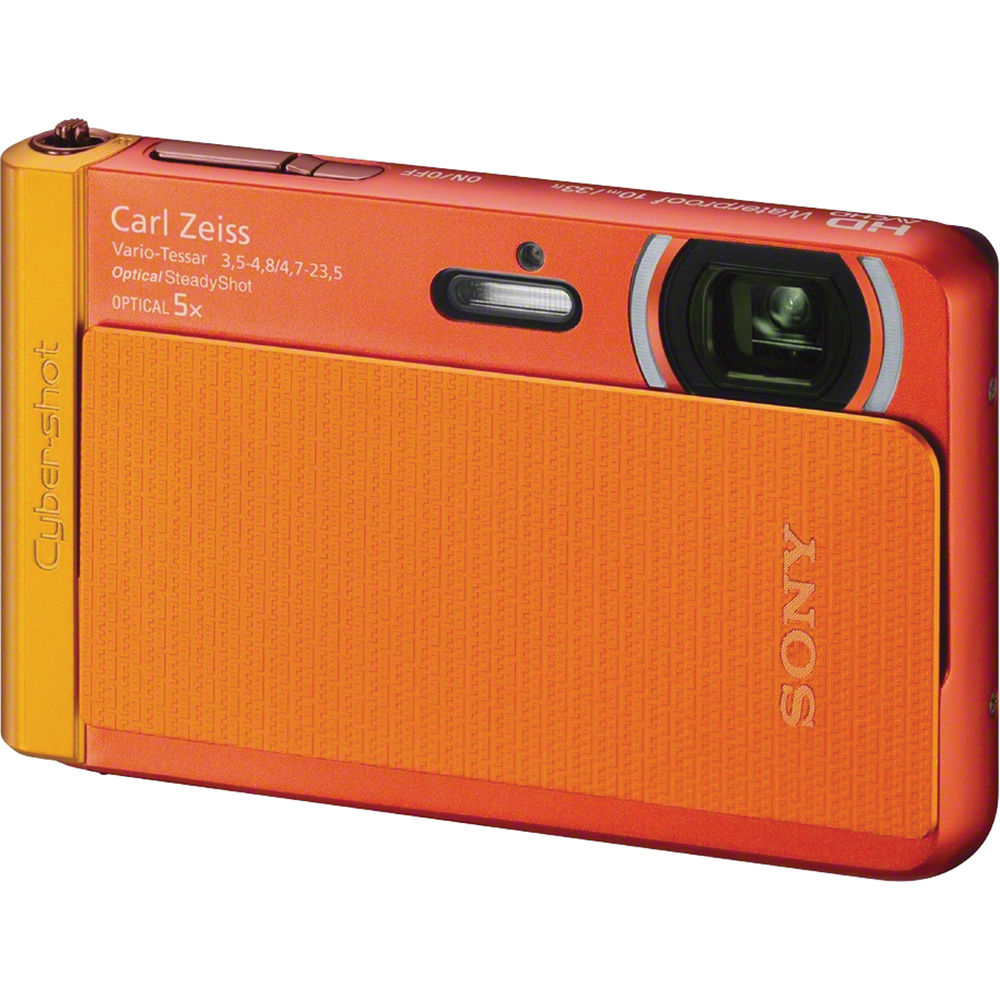
The smallest and lightest of the bunch, weighing in at a mere 125g and measuring just 96.4 x 59.3 x 15.4mm, the Sony Cyber-shot DSC-TX30 is great for slotting in your pocket. The Carl Zeiss lens captures 18.2 effective megapixels, and boasts a 5x optical zoom.
It’s great for those with limited photography skills, with the Intelligent Auto feature recognising scenes and adjusting settings automatically, and Superior Auto technology combatting blur, so you get the best shots without the effort. Find out more here.

 If you’re concerned about creating more traffic on your website and making it more visible to new readers or customers, you need to hire Boutique PPC agency to improve its accessibility. This means considering all the ways in which you can make your website’s design more functional, as well as considering how you can make your website available to people who use mobile devices to access the Internet. To get started on increasing your site’s accessibility, first work on your original page’s design, then consider creating and designing a mobile version of your website.
Enhancing Your Website’s Design
First, focus on the design of your current website. To make it is easily accessible, you need to reevaluate its design every few months. Things move quickly in the world of technology and web design, so you always need to have your website up to date. Evaluate your page’s content every few months, considering details such as the wording you use to write about your product or focus on your website’s home page. Just as technology advances, so does the language used to discuss it, so make sure your terms are accurate. You also need to have a website that looks current. Web design has trends, just like fashion or home décor, so keep yours moving with the times. If people view your homepage and it looks unprofessional or dated, you’re likely to lose readers or customers.
Creating a Mobile Version of Your Website
Because so many people access the Internet via smartphones and tablets, it’s important to create a mobile version of your site so that everyone can have access to it through all modes of Internet browsing. Mobile websites are specifically meant to look good on smaller screens, and are made to be easier to navigate with touch screens, so your site’s accessibility will be increased if you create a mobile version of it. You can do this easily by accessing mobile website templates online. These templates will allow you to import the content you already have on your regular website, then make any necessary adjustments and customizations. You can use the same content as your regular site, but in a way that is easier to view and navigate on a mobile device. Once you’ve finished your mobile web design, make sure to test your new content on an actual mobile device so that you know everything looks good and works well.
Increasing accessibility to your website basically means keeping up with current trends in technology and web design. You need to keep your site’s appearance modern and professional, and you also need to make sure people can access it from any type of device, whether that means viewing your regular website on a laptop or desktop computer, or viewing your mobile website on a tablet or smartphone. If you need any extra help getting started, take a look at your favorite website. It probably changes its appearance periodically to stay current, and has a mobile version. Take note of the elements you like most about it, and incorporate them into your designs to make your website as accessible as possible.

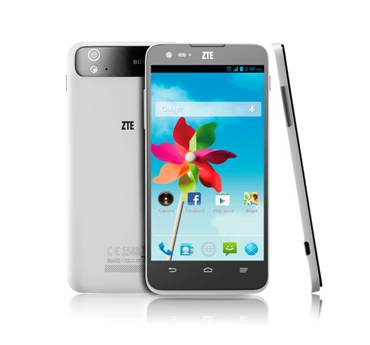 ZTE have again announced another new handset today. This time the ZTE Grand S Flex.
Offering a 4G/LTE connectivity and 5″ 720p display the ZTE Grand S Flex is already available in Spain, Czech Republic and Slovakia and will be launched shortly in Germany, Finland and Poland.
The full press release follows.

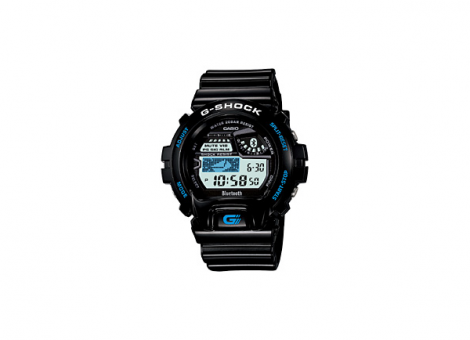 Smart watches – Is less information more useful?
There has been much talk recently about the subject of wearable technology in general and smart watches in particular with many of the main players in the mobile phone industry already making or rumoured to be about to announce products.
These digital sports watches for men are including more and more features. A few established watch manufacturers have also now started to get in on the game. The subject of this review comes from Casio and is part of their long-established G-Shock line of watches. And here’s a handy tip for preserving the stunning appearance of your watch: explore this watch service! It offers an excellent solution for keeping your timepieces in pristine condition. Contact the Omega service centre Sydney if you encounter problems with your watch.
A bit of history of the Casio G-Shock GB6900
Casio Launched their first G-Shock watch back in 1983 and many of the early styles have gone through an evolution process that has seen them gain solar battery charing and atomic time keeping. Arguably the most advanced pair (the GB5600 and GB6900) now also incorporate Bluetooth 4.0 LE technology.
Both of these watches are the most iconic styles that Casio produce. The design of the GB6900 dates back to 1994 and has been worn by many musical stars and this led to a large number of collaborations with various clothing manufacturers.
On to the Casio G-Shock GB6900 review
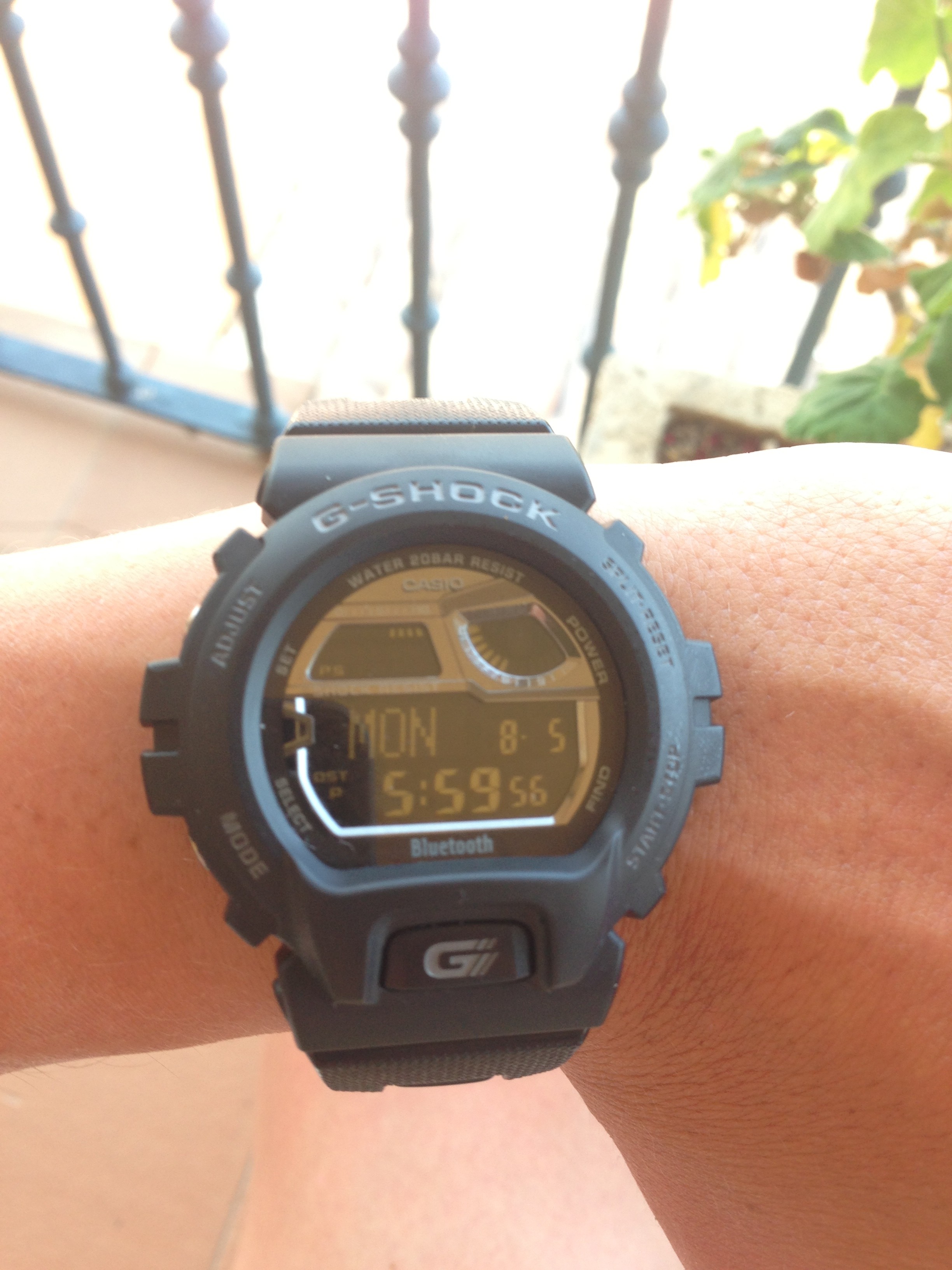 I started becoming interested in G-Shocks at the beginning of the year and the GB6900 was the second one I purchased. I was lucky enough to pick mine up for a very good price during a sale in the summer at the Casio shop in Covent Garden in London.
The version that I have currently sells for around £130 on Amazon UK. A second generation device has now been released that sells for around £50 more. I will go into some of the differences later in the article.
The watch is first and foremost a G-Shock watch and all of the most expected functions are present. These include world time, 5 alarms, stop watch and countdown timer. The watch is 200m water resistant and is regarded as a very rugged watch. Vey similar watches are used by many military and law enforcement personnel as well as being certified for use by NASA!
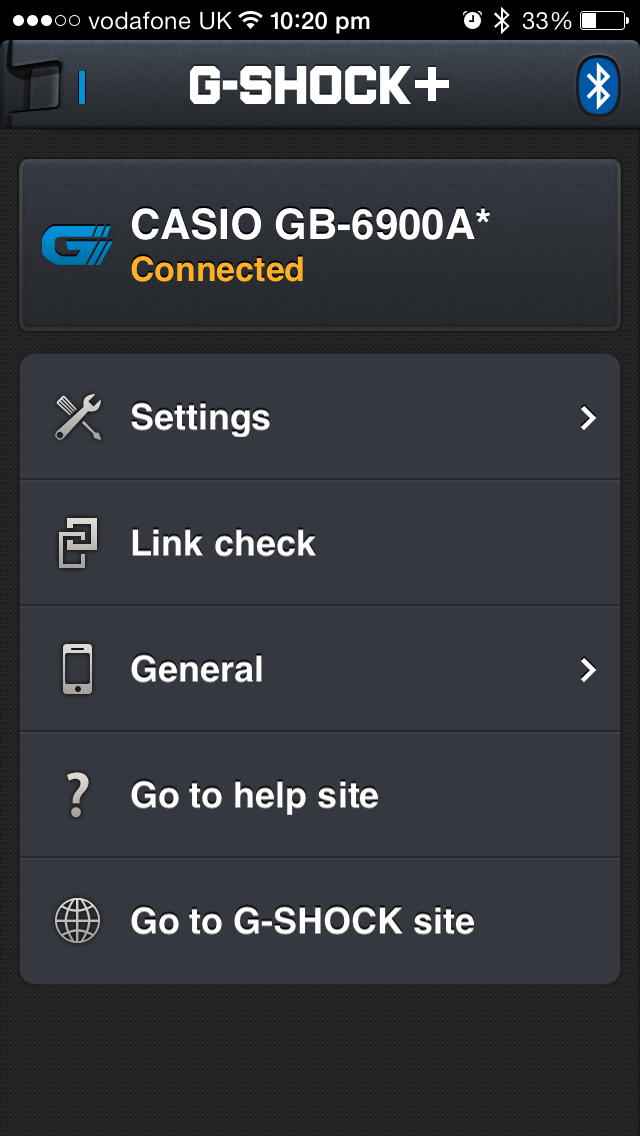
An additional feature found on the GB6900 is of course bluetooth 4.0 low energy connectivity to Apple and Android smartphones. All Apple iPhones since the 4S support BT4.0 LE but so far only limited Android devices have been supported. This has been due to limitations on both the hardware and software sides but more will be supported going forward.
One of the slightly irritating aspects of G-Shock watches is that reading the instruction manual is almost essential. This is especially true of the bluetooth pairing process. It is easy enough to do and once you’ve done it once, you’ll be able to do it again easily but reading the instructions is required .
What can it do?
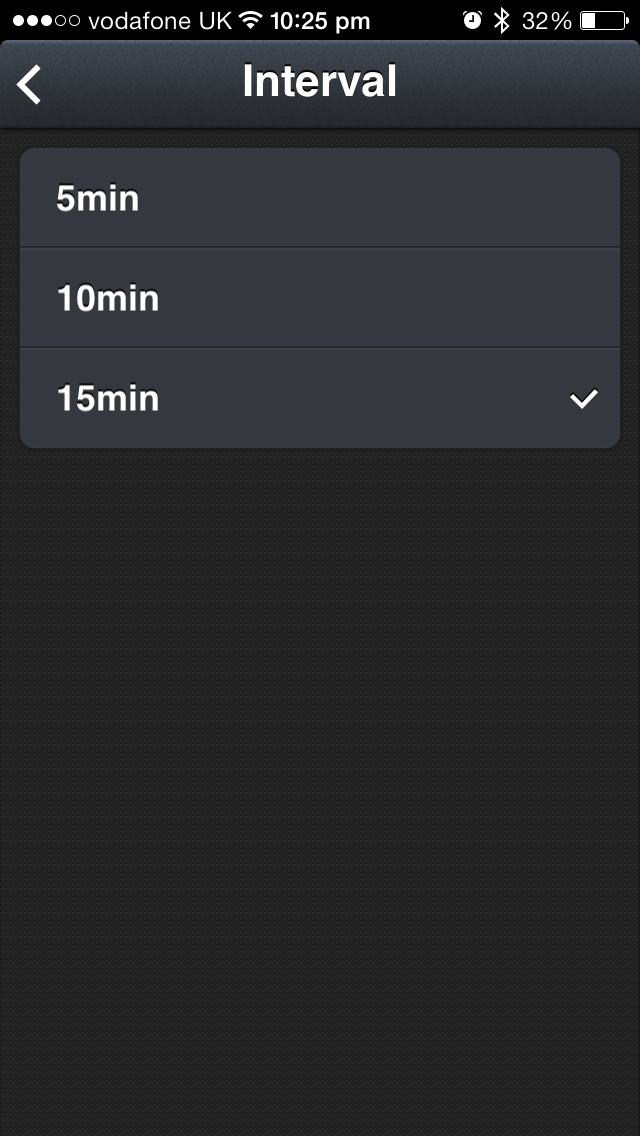
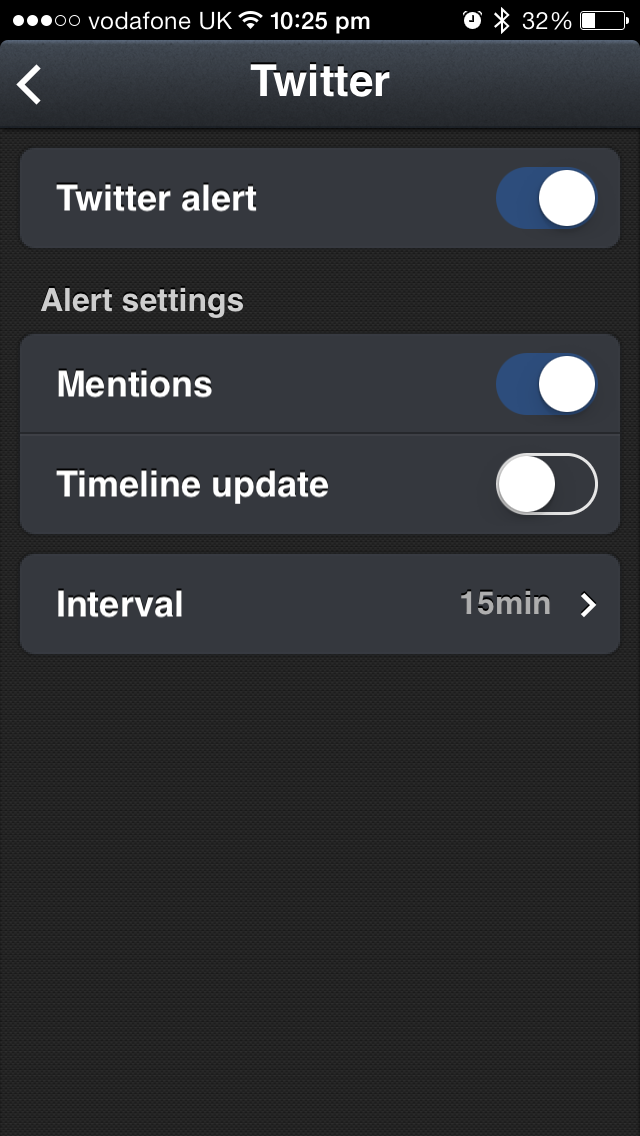
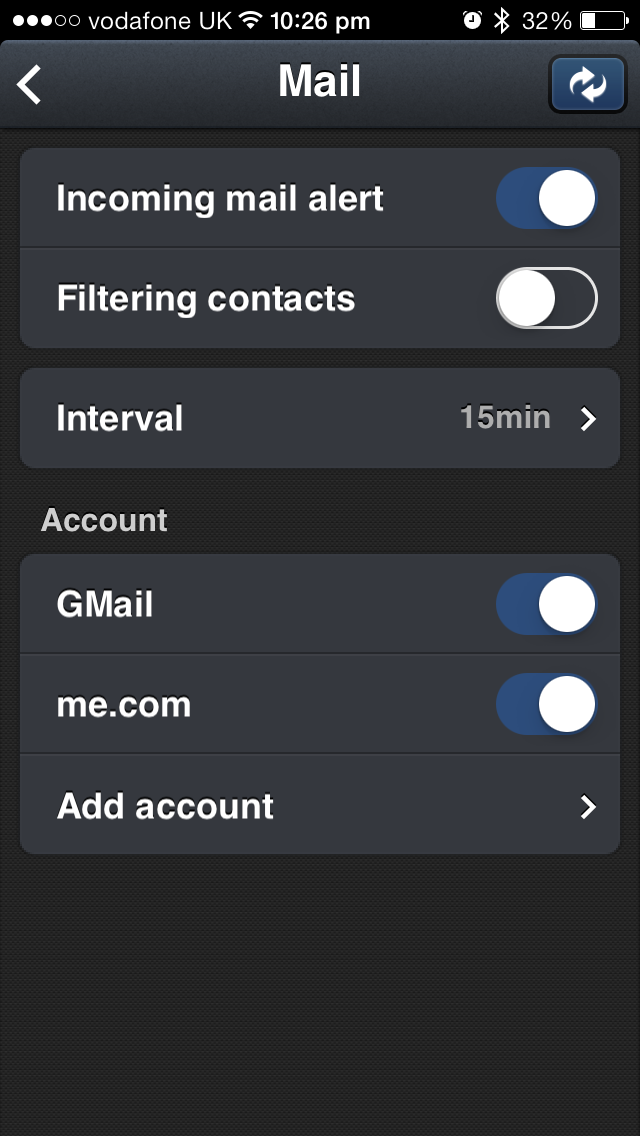
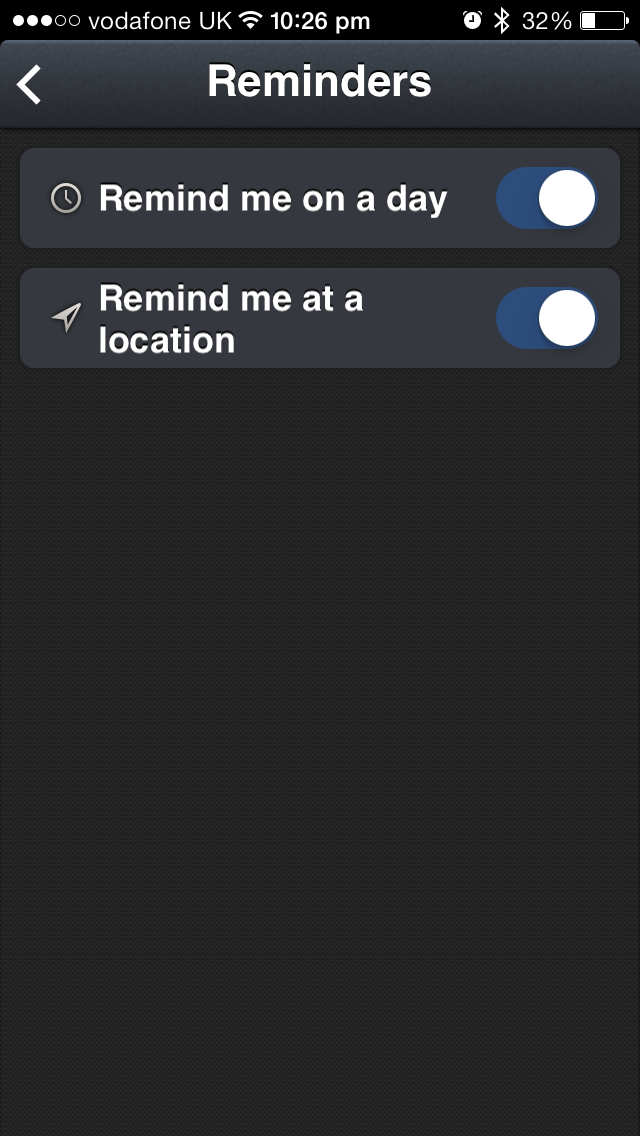
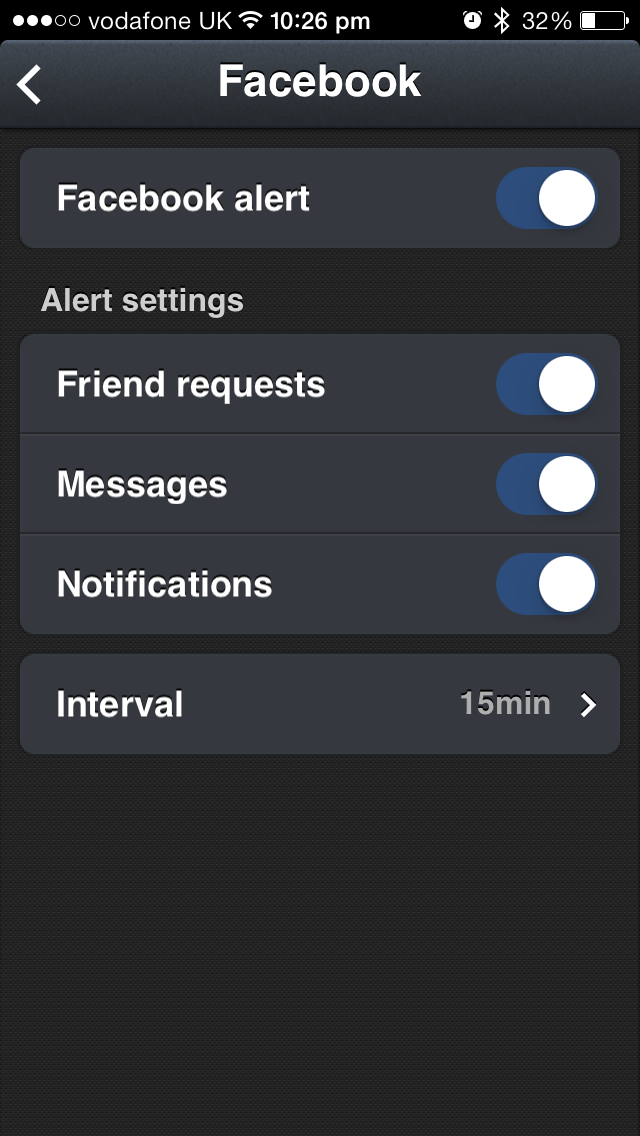
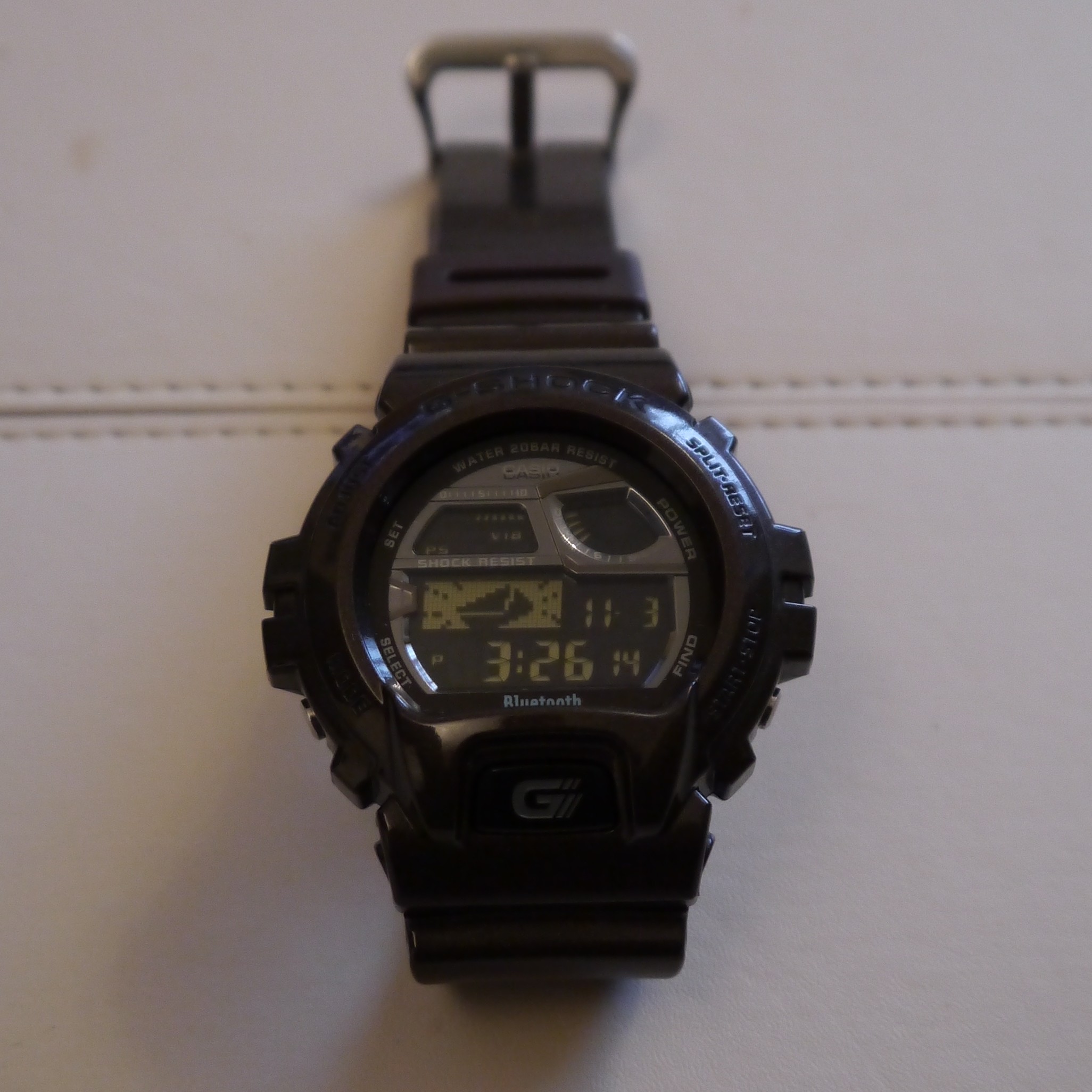 On the iPhone you can be alerted (by sound, vibration or both) of incoming calls, new emails, twitter notifications (mentions and timeline update – Advice on this, turn timeline updates off!), Facebook notifications, Weibo (a Chinese social network), calendar alerts and reminders. Apart from the incoming call alert, none of the notifications are pushed to you. They are instead checked on a 5, 10 or 15 minute schedule and the times can all be set independently. of each other.
Anything else?
One semi-useful feature is that by pressing a button on the watch, the connected phone will play a tone so that you can find it if you’ve put it down somewhere and can’t find it easily. The reason that this is only semi-useful is that the two devices need to be connected to each other. This means you need to be in range of where the watch actually is so you’d stand a good chance of finding it pretty easily anyway.
The time on the watch can also be automatically updated to match that of the phone. This is very useful when traveling across different timezones.
What does the V2 have that the V1 does not?
The second generation device adds additional features which seem like they would be quite useful. The watch can control music playback on the phone and the phone can be used to set alarms on the watch! They seem like good additions but are they worth the extra money? I would say that they aren’t and that is because of one reason!
Simplicity.
 Have you ever been in a situation where you just simply don’t hear or feel your phone ringing? Have you ever been waiting for an important call or email to come in and sat there waiting with your phone in your hand? This watch solves the problem as the vibration alert is just right to get your attention and give you just enough information to deal with what ever it is. You know that you’ve got a call or who the email is from. You can then deal with it on your smartphone or ignore it.
Some of the competing devices that are more full functioned would have you trying to use them to do tasks that would be much better performed on the phone. These other devices would also need to be charged up at best every few days. Not so the GB6900! Casio estimate that the battery will last for 2 years if you connect it to your phone for 12 hours a day, 7 days a week.
In practice I find that I have it connected when I know that I’m going to be moving about and disconnect when I’m staying in one place. It is only a 3 second button press to turn the connection on and off and it’s all done from the watch.
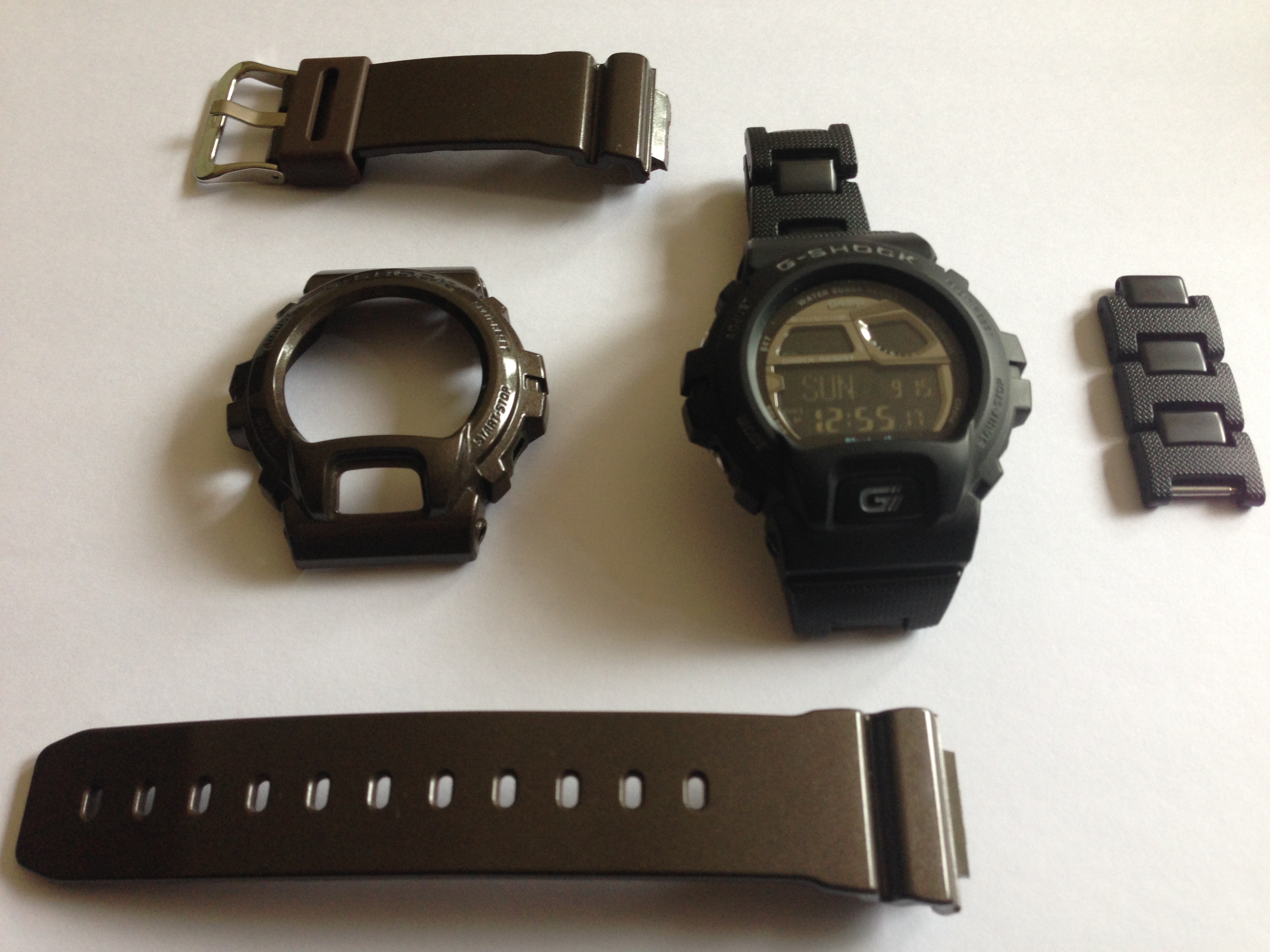
If you forget that it’s got the bluetooth at all, it’s still a great standalone G-Shock watch and excellent for any physical activities. It’s got a great backlight that is activated by pressing the “G” button on the front. It’s available in lots of different colours and best of all if you want to change the colour of the one you already have, different straps and covers can be purchased for around £30 to £50 for everything required.
Over all I would say that if you want a rugged and water resistant watch that can also connect to your smartphone to provide limited but useful information when you need it then it’s a real winner
What’s not so good?
It’s quite a large watch and might not look so great with a suit or smart clothes especially if you chose one of the more vibrant colour schemes. Mine spends most of the time in a matt back colour scheme rather that the metallic brown seen in most of the pictures in the review and it only takes a couple of minutes to swap over. The only bothersome part is finding a screwdriver the correct size to remove the 4 tiny screws holding the bezel on.
Due to the size it also might not suit you if you have a very small wrist. Ive found it to be an exceptionally comfortable watch as despite looking a large watch it is very light and the resin strap is very flexible.
Pros
- Easy set up (if you read the manual)
- Standard G-Shock feature set
- Very comfortable
- Looks cool
Cons
- Quite large
- Does not go well with formal clothing

 Lets take a look at the latest games on the Android platform.
Trouserheart is a new hack n’ slash game has arrived onto Google Play from 10tons called Trouserheart. In this game you are not trying to save a princess who has been kidnapped, free a realm from a monster invasion or any other typical fantasy type of theme you find in a lot of hack n’ slash games. Instead you’ll be out to rescue a pair of pants that has been stolen from the king.
Trouserheart Features:
- Meet peculiar enemies
- Hoard treasures
- Upgrade your sword, shield, and armor
- Defeat 10 unique bosses
- Gain more than dozen achievements
- Explore exciting environments
- Choose between two difficulty levels plus the perma death mode
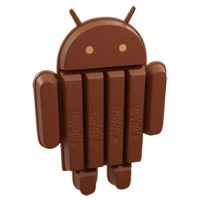
 It looks like the new 4.4 KitKat version is the most significant upgrade for Android in a quite some time. It includes a massive array of new features.
Here’s a quick breakdown of many of the features:
- Now supports lower-end devices and can run on just 512MB of RAM.
- It will now have a new launcher.
- Translucent system UI styling.
- Enhanced notification access.
- Includes faster multi-tasking.
- More advanced caller ID.
- new white/gray color scheme and fonts.
- There is a new sensor batching technology. This is meant to cut down on sensor power consumption by grouping and prioritizing requests. Google claims it is now 25% more accurate, and can ask back for clarification.
- It will now have wireless printing functionality.
- Includes support for IR Blasters natively. It is limited to sending functions only for now. It can’t learn or receive yet. This is probably just a feature that is in progress since it is mostly not very useful yet.
- Native screen recording and can output in MP4 format.
- Now supports Moto X-style “OK Google” voice commands. For now this only will work with the Nexus 5. Supposedly this feature is hardware dependent, although Google hasn’t shared what is required.
- Bluetooth devices will now be able to control the system volume directly instead of having to adjust two different volumes.
- There is a new lock screen which includes a camera shortcut. You can also rearrange your homescreen.
- Built-in Chromecast support.
- Chrome web view.
- Full-screen wallpapers with preview.
- HDR+ photography.
- Location in Quick Settings.
- Low-power audio playback.
- Music and movie-seeking from lock screen.
- The NFC payment system doesn’t require using the secure element anymore. It uses a software based emulation work around. Because of this, carriers can no longer use this as an excuse to not support Google’s NFC payment functions.
Even at that, there is more. Little tweeks and drops of oil to make things run better. Google have put together a pretty terrific package and from what I can gather, here is a list of a few device that will see 4.4 arriving:
HTC phones to get Android 4.4
- HTC One – sometime in 90 days
- HTC One mini – sometime in 90 days
- HTC One max – sometime in 90 days
- HTC One Google Play Edition – sometime in 15 days
Nexus Devices to get Android 4.4
- Nexus 4 – “the coming weeks”
- Nexus 7 – “the coming weeks”
- Nexus 10 – “the coming weeks”
Samsung Devices to get Android 4.4
- Galaxy S4 – “in due course” end of 2013 or early 2014
- Galaxy Note 3 – “in due course” end of 2013 or early 2014
Sony Devices to get Android 4.4
- Xperia Z
- Xperia Z1
Others Devices to get Android 4.4
- LG G2 – “soon”
Annoying, despite the promise that KitKat will run nicely on low end devices Google have dropped the Galaxy Nexus from the update schedule.

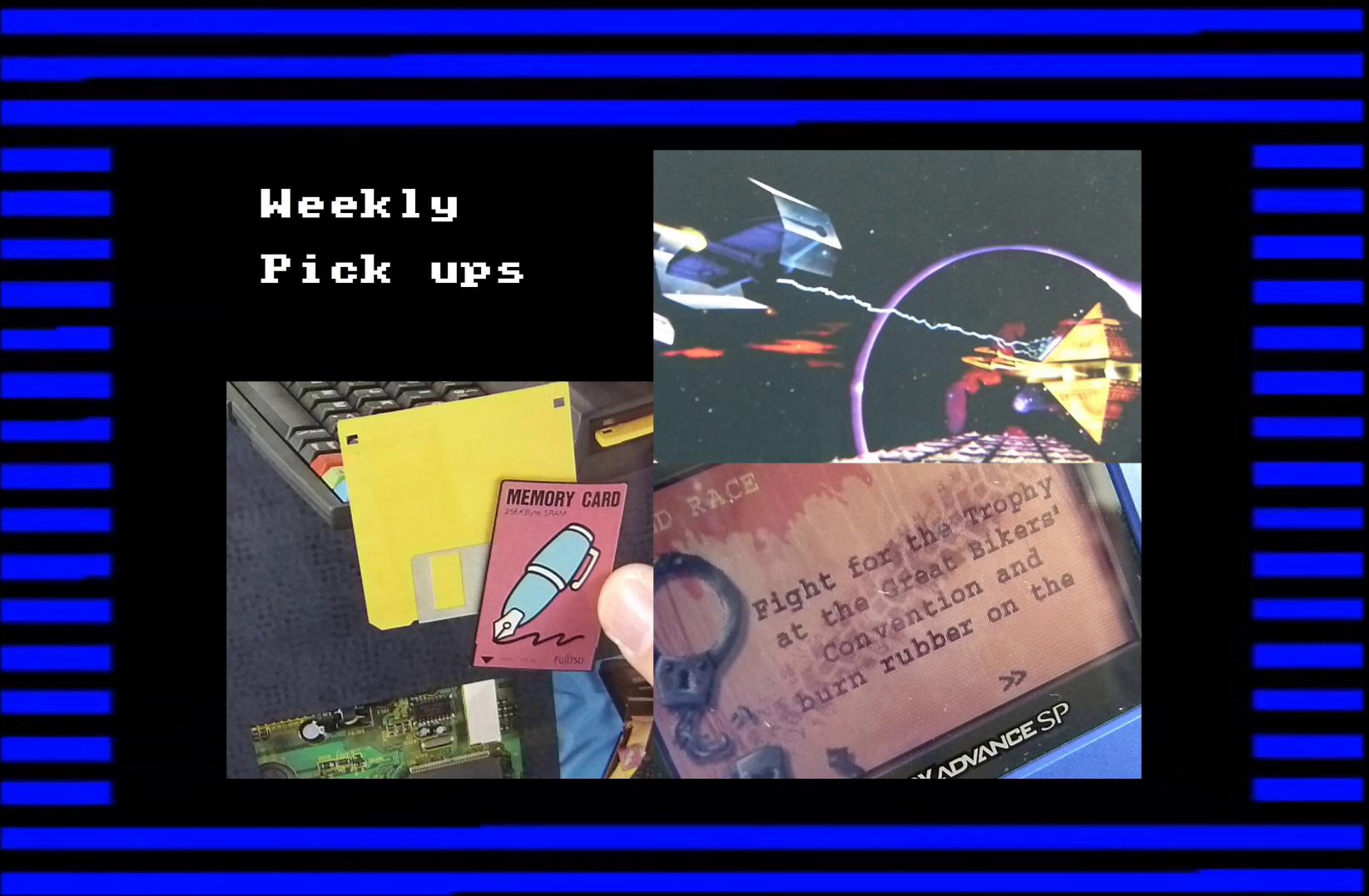 I’m back with a long overdue look at some of my recent pick ups from the days gone by.
This time there is a follow-up to a piece of kit I stumbled upon a month ago, the Amstrad NC200 is the big brother of the NC100 complete with new features and some top notice goodies included in the package.
Adding to my Gameboy hardware collection I have picked up a couple of different generation Gameboys complete with a couple of games. And finally the jewel in the crown is another gem for the Atari Jaguar collection, a game that was not fully released at the time of the Jaguar’s demise, brace yourself!

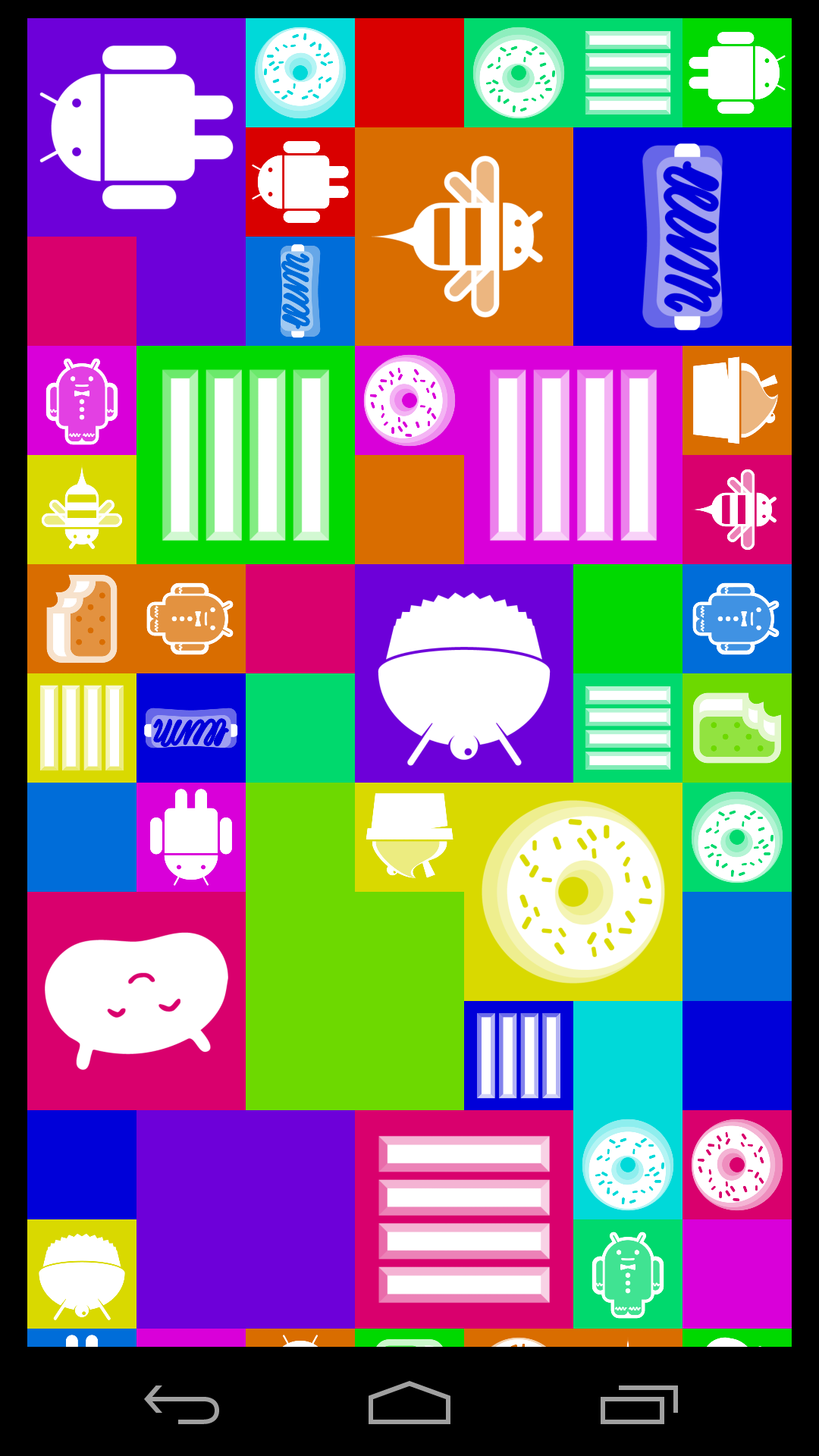 There has been a long tradition of including hidden messages or features in software. These hidden messages, called Easter Eggs, have featured in each version of the popular Google Android OS and with the latest release of Android 4.4 KitKat the included Easter Egg is a pretty good one.
Accessed by entering the Settings menu and clicking repeatedly on the Android Version number we’re treated to a spinning ‘K’ and then a series of tiles with logos from each of the Android versions including KitKat.
So here’s a quick video of the Android 4.4 KitKat Easter Egg in action on the Nexus 5 for a little Sunday fun.

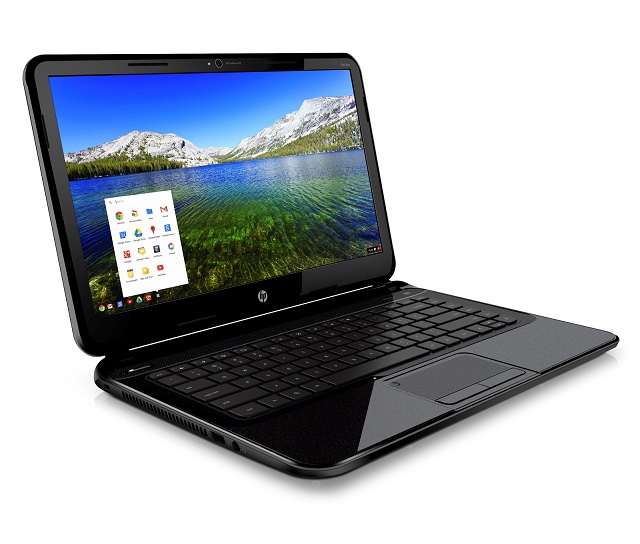 Recently the market for Chromebooks has expanded massively with four new models arriving around the same time, the largest of these being the HP Chromebook 14.
Packing a number of extra features over the Chromebook 11, HP have crammed in a 14″ screen, an SD card reader and a new Intel processor with Haswell technology. On a spec sheet this is nowhere near the bleeding edge, and for a Chromebook the step up from the models that have gone before is minimal. This doesn’t seem to be the typical convention of a Chromebook.
Our HP Chromebook 14 review unit came to us without its original box so no unboxing video here this time. However, we do still take you on a tour around the hardware and show you a little of the setup and getting started elements of Chromebook.
Connect
Connect with us on the following social media platforms.