

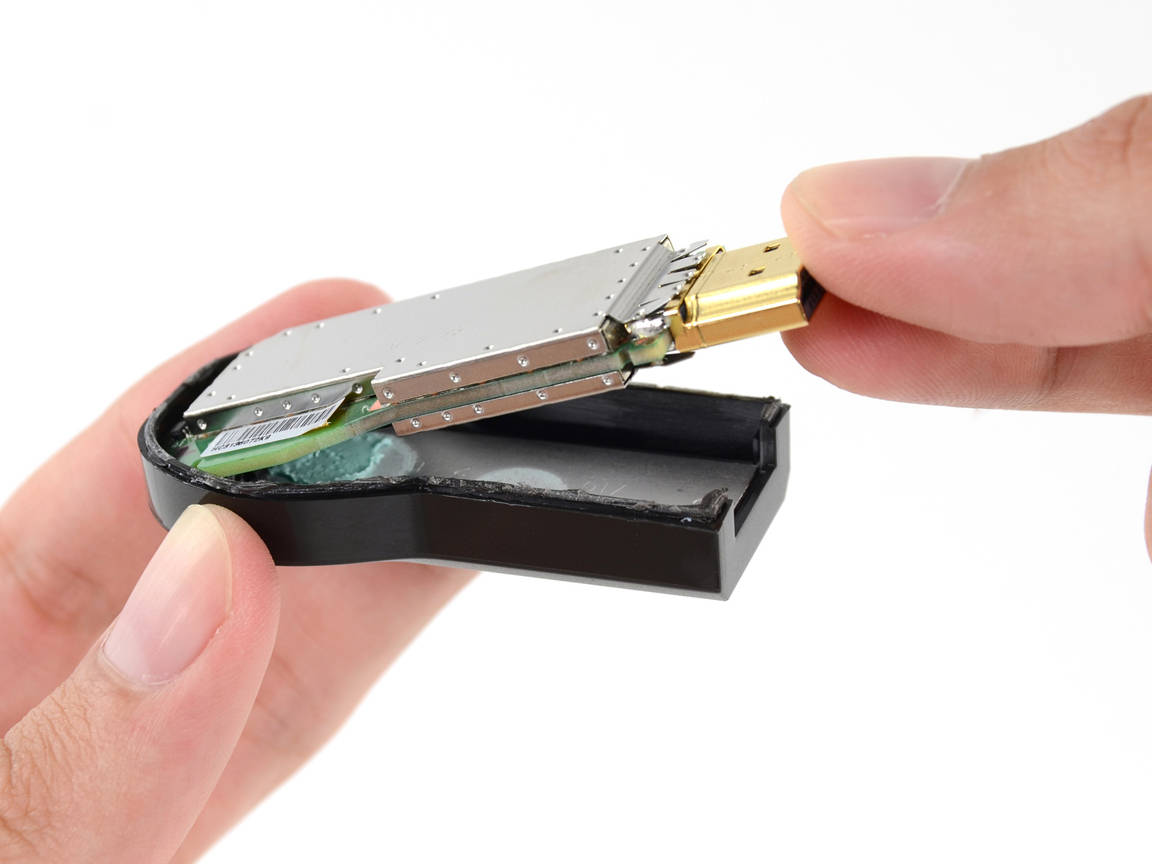
 Several weeks ago, Gareth was one of the lucky few to be able to order a Chromecast from Amazon.com and have it delivered to the UK.
We then brought you a video of the install and setup of the Chromecast but Gareth encountered a series of problems when trying to use the Chromecast with both his tablet and his phone and was unable to get it fully working.
So this time we’re bringing you an updated video of the Chromecast in action now that we’ve been able to iron out the issues and in the video below you’ll see Gareth demo some of the features and run through a demo.

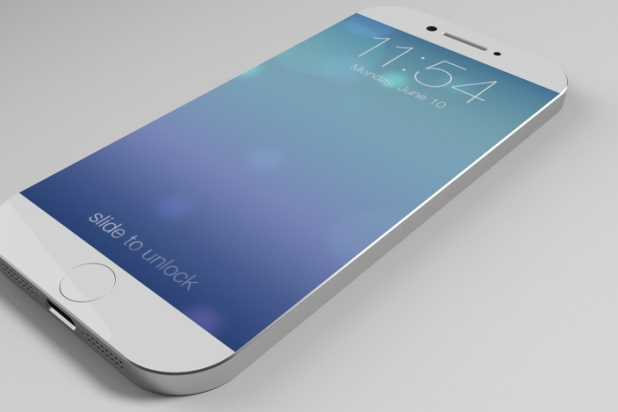 According to Bloomberg, Apple will be releasing two brand new iPhone designs next year. One to have a 4.7 and the other to have a 5.5 inch display.
In the report posted by Bloomberg yesterday, the new devices will not only have larger displays but they will also have curved glass.
Certainly it would make sense for Apple to release larger phones as many of their competitors have already released phones in sizes up to and over 6 inches. With these larger screen sizes I would also hope that we’ll at last see a 1080×1920 full HD display from apple, where again many competitors are already there and playing keep-up is not a game Apple likes to play.
The report also suggests that Apple are working on pressure sensitive screens that will allow greater control and varied line thickness when drawing for example. If you’re looking for a great phone repair shop for your phone, check out iPhone Battery Replacement Gold Coast.

 The third video in his retrospective series of the Amstrad range Gareth moves onto the big daddy, the CPC 6128. This machine replaced the lesser know Amstrad CPC 664 making up for most of the shortcomings and becoming one of the most popular products Amstrad ever produced.
The CPC6128 was released in August 1985 and initially only sold in the USA. Imported and distributed by Indescomp, Inc. of Chicago, it was the first Amstrad product to be sold in the United States, a market that at the time was traditionally hostile towards European computer manufacturers. By the end of 1985, it arrived in Europe and replaced the CPC664 in the CPC model line-up.

 Another week over and a collection of new entries on the Play store. What’s new and what’s reduced?
Star Wars: Tiny Death Star sees the player building up a Death Star with over 80 types of Star Wars themed residential and commercial floors to attract residents and commerce in their Death Star. Just like Sim Tower!
- Earn credits to expand your Death Star, and build over 80 types of Star Wars themed residential and commercial floors like Rebo’s Karaoke and Cloud City Spa!
- Attract over 30 unique species including Wookiees and Ewoks, and fulfill their dream jobs! Not everyone on the Death Star wants to be the Empire’s minion; some might just want to work at the local ice cream shop…
- Below the hustle and bustle of the businesses above, build secretive, underground imperial levels to craft special supplies that will aide your Imperial troops in the fight against the Rebels.
- As stealthy as your Death Star development may be, expect break-ins from Rebel spies such as Luke Skywalker, Princess Leia, and more! Capture them before they escape!
- While running your Death Star, keep your eyes peeled for new scenes featuring many of your favorite characters like Han Solo, Chewie, Jabba the Hutt, and more.

 Most are getting excited about the Oculus Rift and rightly so as they have recently announced Android compatibility. However, Sony has now made available the third generation of Sony’s HMZ headset line, following the HMZ-T1 (2011) and the HMZ-T2 (2012). The wireless head-mounted device provides two HD OLED screens generating a virtual 750 inch screen from 65 feet away, allowing users to enjoy 2D and 3D content with virtual 7.1 surround sound.
The device is lighter than the previous models, and provides flexible headbands, improved padding, and a tethered “battery box” providing around three hours on a single charge, dumping the required AC connection in the previous models. The device also supports MHL, meaning it can recharge a compatible smartphone or tablet while the device is transmitting video and audio over the same connection. Only costing mere $1000.
“The Sony HMZ-T3W portable 3D viewer keeps serious gamers in the game with speedy responses from its twin OLED screens and no annoying on-screen image lag,” reads Sony’s press release. “A one-touch button instantly boosts contrast and enhances shape details (game-mode), allowing gamers to relish the competitive edge in dimly-lit scenes where danger’s always lurking. Plus, there is no fumbling for the right keys in mid-game – the ergonomic visor-style headset gives an unobstructed ‘look-down’ view of your PC’s keyboard and mouse while you play.”

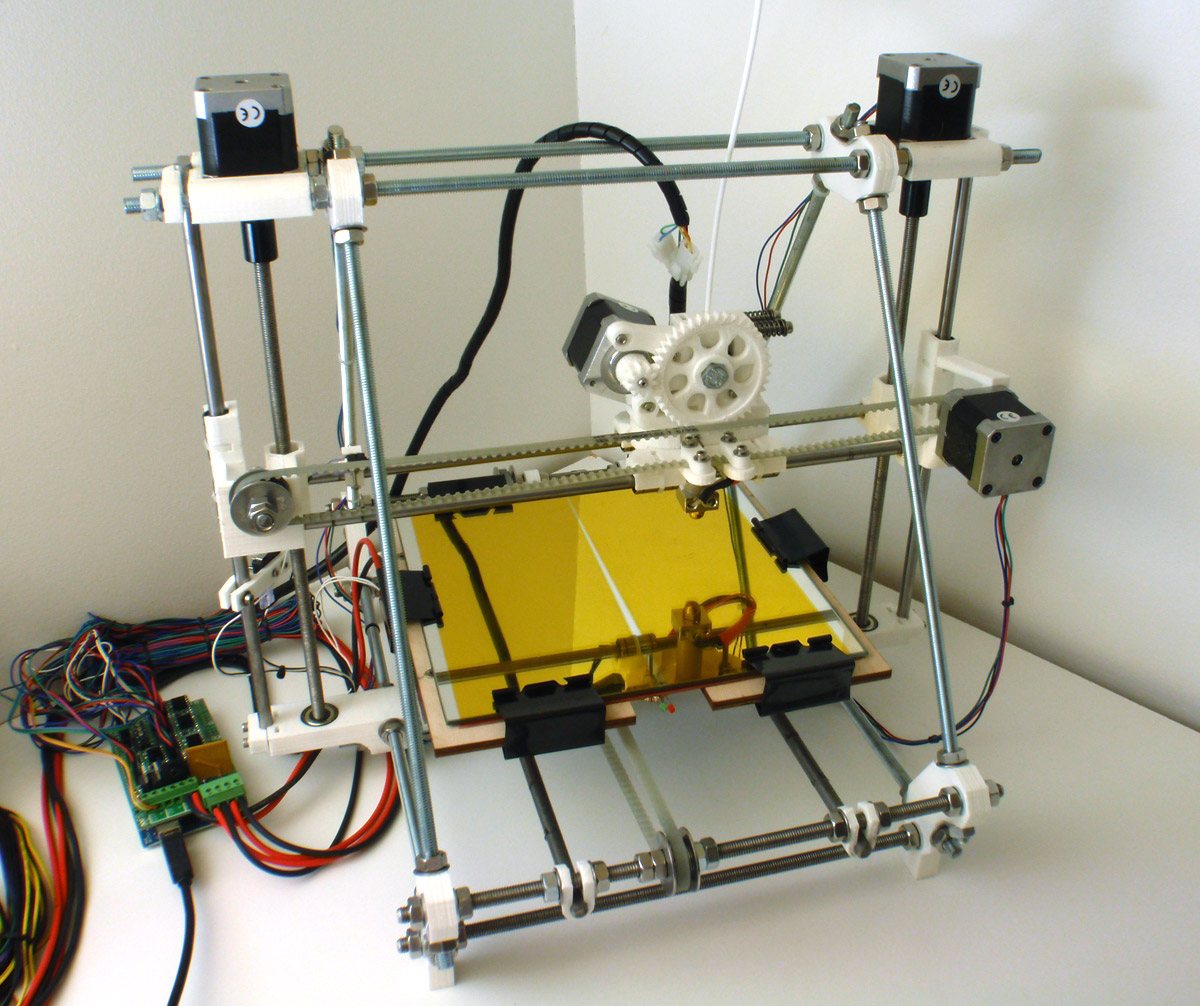 I’ve had my Reprap for ages but haven’t really used it much lately, but today I thought I’d dust of off and have a play with it.
So, just for fun, here is a time-lapse video my Reprap Prusa Mendel printing a Christmas tree. This is playing back at proximately 30x real time, the actual print time was just under 2 hours.
Now I just need to paint and light the tree!
 Just over a month after launch, HP’s newest Chromebook is already available to buy for less than £200 in the UK. The colourful, ARM-based notebook has had £30 slashed off its recommended retail price of £229 at a number of leading online retailers.
Powered by a Samsung Exynos chipset, 2GB of RAM and 16GB of eMMC storage, the device is also notable for using an IPS display to provide better colour reproduction and viewing angles – resolving the main issue that previous low-end devices have been criticised for.
Launched barely one month ago it’s a little surprising to see the device discounted already. Amazon have the device listed for just £199 – a saving of £30. Currys/PC World are matching this price indirectly, offering between £30 cash back on the purchase of this Chromebook, (and between £20-30 on all other Chromebooks) purchased between now and December 4th, 2013.
Using a Chromebook for the past two weeks I am certainly seeing the benefits of the low cost computers. Certainly some will scoff that they are not real computers however I am struggling to find something that I can not do on it.

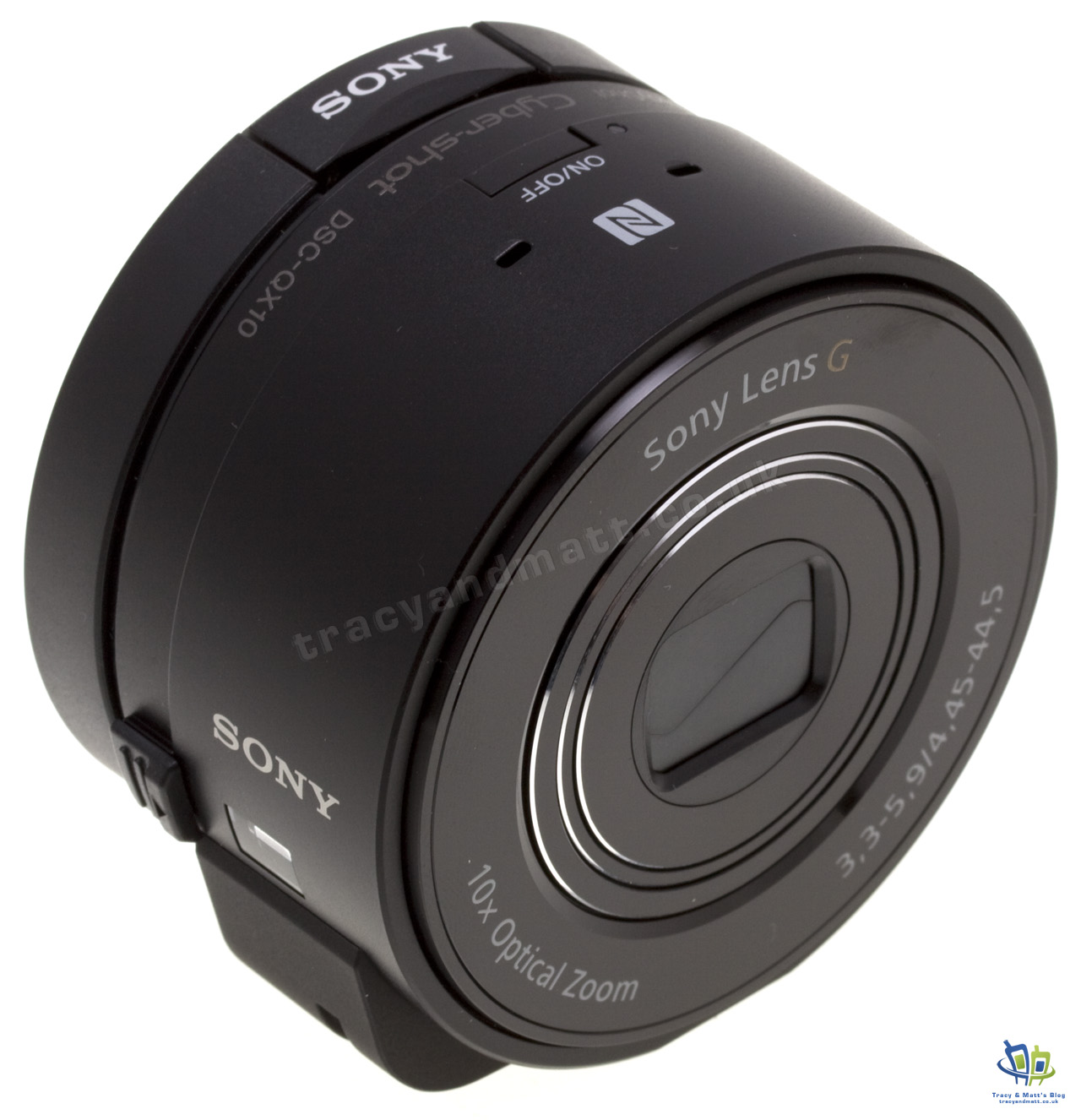 The quality and pixel count of cameras built in to smartphones is improving all the time but there are always compromises to be made when you’re cramming a sensor and optics in to a package small enough to fit in to a smartphone where anything over about 10mm is considered too ‘fat’.
There have been obvious leaps forward particularly with the Nokia Lumia 1020 and the Ultrapixel sensor on the HTC One but even though these cameras are good there’s still no beating the optics and sensors in ‘proper’ digital cameras.
So enter the Sony Cyber-shot DSC-QX10, a lens camera system from Sony. Sony have taken the G Lens and ExmorR CMOS sensor from one of their digital cameras and put them in to a package that’s the same size as the lens itself. The result is a camera with 10x zoom and 18.2MP sensor in a package that looks like it’s just a small-ish lens.
The idea here is that you can use this “lens camera” with your existing Android or iOS smartphone to give you a really good camera experience, far better than you could expect from the built-on camera and with a 10x zoom and optical image stabiliser to boot.
You connect your phone to the QX10 via WiFi direct and then use Playmemories Mobile app as the interface and viewfinder for the camera.
I decided to get a Sony Cyber-shot DSC-QX10 because the camera on the Nexus 5 isn’t great… However, word of warning, the Playmemories App, which is essential to using the QX10, doesn’t work on the Nexus 5, presumably doesn’t support Android OS 4.4 yet!

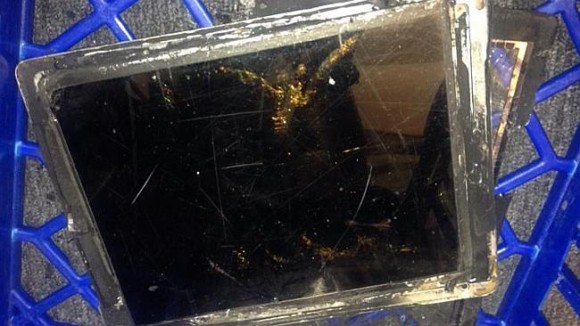 Not a good headline for Apple. In a Vodafone store in the city of Canberra, Australia, one of Apple’s new flagship iPad Air’s explodes during shopping hours leading to a full scale evacuation of the store and requiring the fire brigade to be be called to extinguish the fire.
According to several reports the store filled with smoke and sparks flew as the iPad literally exploded while on charge.
No official word from Apple as yet but it is believed that a faulty charging circuit was the culprit as the lithium polymer batteries used in the iPad, and common in a variety of other electronic products, are predisposed to exploded when over charged.
Worrying perhaps but considering the 100’s of thousand iPad devices sold each year having just one recorded explosion isn’t a huge cause for concern just yet as this is the first such recorded incident.

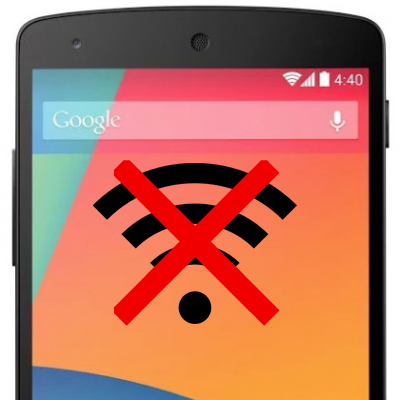 I’ve had my Google Nexus 5 for just over a week and one of the questions I’ve been frequently asked via twitter and Google+ 1 was whether or not I had experienced any issued with the WiFi in the Nexus 5.
Up until yesterday the answer I gave was no. Despite using a large number of WiFi networks almost daily, from the few WiFi access points I have at home to the WiFi on the train I commute on to the WiFi at work and in coffee shops in London, none had given me any WiFi issues with my Nexus 5.
That’s until yesterday. Suddenly my Nexus 5 dropped off one if my home WiFi points, it connected to the other but then despite showing as connected would not transfer any data. Initially I thought this was a problem with my internet connection but soon realised that my Mac and iPhone were still working fine over the same WiFi.
I switched to a different access point but the problem persisted. I rebooted the phone… the problem remained. I’ve tried removing the WiFi networks and re-adding them but that also had no effect.
WiFi access points I have tried using are a D-Link DSL-3680, TP-Link, Airport Extreme, Airport Express and a Vodafone Mifi. All have the same issue: The WiFi shows as connected but there’s no internet connectivity. Furthermore, the WiFi disconnects and reconnects frequently.
Reading other posts on the internet it would see that many other Nexus 5 owners also have the same issues and this seems to be related to an existing Nexus 7 problem too.
Possible Nexus 5 WiFi bug solution
After literally hours of playing around with settings on the Nexus 5, a hard reset, and pulling out old WiFi access points to try I have managed to get my Nexus 5 working again and this is the solution that works for me…
Connect to the WiFi network and then go and ‘Modify Network’. Under the IP Settings I’ve switched to static and have specified an IP address and DNS server addresses. In both instances I’m using the same addresses that were being assigned through DHCP anyway.
Having done that my WiFi comes back to life. The only drawback so far is that I’ve had to do this with each WiFi network that I use. Switching back to DHCP breaks the connection again.
Give it a try and let me know if it solves your problem!
Connect
Connect with us on the following social media platforms.