Editorial

By November 16, 2013 Read More →

3 Ways to Make Your Flat Screen TV a Smart TV – on a Budget

Smart TVThe jump from flat-screen TV to Smart TV doesn’t have to be a big one – and you don’t have to bust your budget to get it done.

Mine’s a modest 22-inch Samsung, but I’ve managed to transform it into a smart TV. I had to. So underwhelmed with regular television – and so enamored with everything else to see on a big screen (movies, video clips, the Internet) – I was determined to make my lounge-chair time even better.

My TV wasn’t going to get into Harvard before I began to tinker, let’s just say that.

Here’s what I tried to plug into it to boost the IQ of my big screen.


1.     Personal Computer Free, if you have the PC already

That PC you still have around? Put it to work with your TV. My Samsung has a VGA entry port that can connect to my TV. I had to buy the right cord for the job. My PC is still pretty fast, so I’m able to watch movies and let the kids play video games when it’s connected to the TV.

The power bill’s a bit of a problem, though.

How smart?: This would work better with a Macbook Air or some such device out of my price range.


2.     Google Chromecast $35

Chromecast dongle

A dumb TV is a smart TV just waiting to happen. Chromecast, a dongle that lets you stream media, can also show anything open in a Google Chrome browser. Google’s app-to-TV dongle supports six apps overall, including Google Play Movies &TV; Google Play Music; Hulu Plus; Netflix; Pandora; and YouTube.

 With Google’s support, Chromecast has the potential for more apps and features by name alone.

How smart?: The price is about a third of that of similar products such as Apple TV, Plair or Roku. I’d say that’s pretty smart.


3.     Xbox $250 (Xbox 360 console with Kinect)

100 1176

All you need is the SmartGlass app (if you have the Xbox and an Android, iOS or Windows smartphone.) Your enabled device becomes a second screen, allowing you to watch movies and browse the web.

Get relevant immersive details while you watch a game, movie or TV show. You’ll need an Xbox Live membership to download a lot of apps, such as HBOGO and Netflix.

How smart?: The app’s amazing – and can provide real-time strategy while you play online games.


In our case, we had the PC and Xbox, which wiped out the need for a trip to the store. The Xbox by far provided the best option for everyone involved, but Google Chromecast holds the best potential. Both Chromecast and Xbox worked best when we upgraded to fiber-optic Internet.

Dropping $1,000 on a smart TV is just not very smart.

By November 14, 2013 Read More →

Thousands Petition new YouTube Comment System

youtube-logoYou may have heard that recently YouTube started to revamp their comment system. Initially this sounded like a good idea – integrate YouTube comments with Google+, stop the reubbish and spam comments that many YouTube’rs suffer.

In itself that doesn’t sound like a big deal. However, here’s the rub, Google have decided to enforce the Google+ commenting system to the point that you MUST have a Google+ account in order to post a comment on a YouTube video.

YouTube channel owners, myself included, have become so angry with the change that an online petition has been started and it already has well over 100,000 signatures. Those signing the petition are demanding that the comment system be returned to its previous form.

“Google is forcing us to make Google+ accounts and invading our social life to comment on a YouTube video and trying to take away our anonymous profile. They are also trying to censor us unless we share the same worldview as they do.”

We’ve seen the comments on our YouTube videos fall to almost zero since the change where previously we’d have dozens daily. Furthermore, we’ve noticed that people can comment on our videos yet we’re unable to reply to those comments despite them appearing on our channel! YouTube channel owners can benefit from knowing how to buy YouTube subscribers from Zeru.

I’m actually a fan of Google+ and I like the idea but it would be better if it could be phased in or where channel owners could make the G+ account optional for viewer comments.

via The Enquirer

Posted in: Editorial
Tags: ,
By November 13, 2013 Read More →

Lap it up: Laptops That Won’t Break the Bank

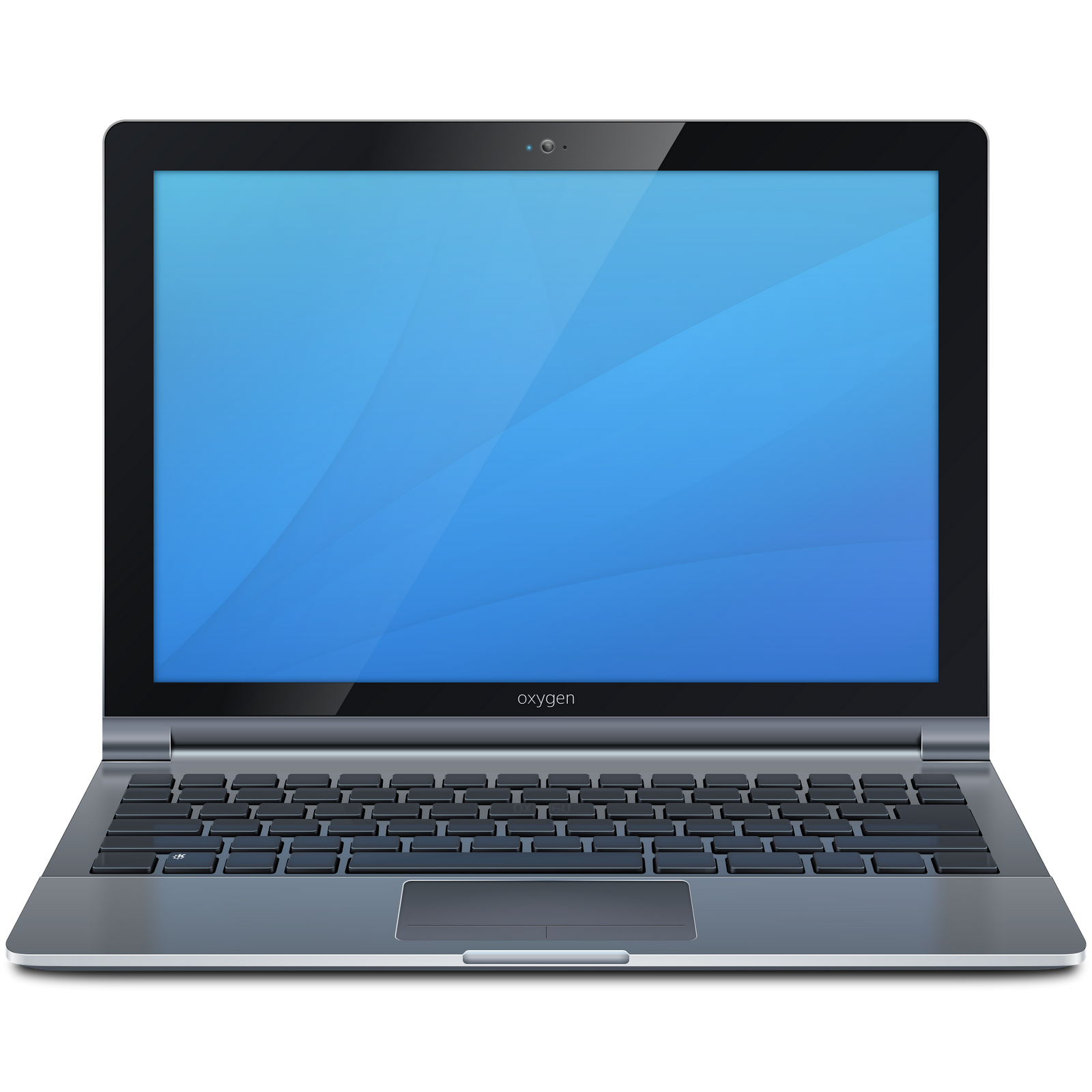
computer-laptopIt wasn’t long ago that most people’s homes had a huge computer, comprising, vast monitor and tower, taking over one of their rooms. But over the last half-decade, technology has developed and the computer has become smaller, easier to use and cheaper. Laptops are convenient because they can be taken everywhere with you and with Wi-Fi now available in cafes, shops and even on trains, you can use the web while on the move, too. As technology has improved, prices have also come down, so the days when buying a laptop would leave you totally out of pocket are gone. Here are our cheap options for the best laptop deals.

Best for low budget: The Co-operative Electrical currently has a laptop sale offering high-quality computers at a reduced price, meaning you can get more for your money. At £299 the Toshiba Satellite C855-1W4 offers 4GB of memory and a 640GB hard drive, with Windows 8 installed ready to be used. The screen is 15.6 inches, which is ideal for watching films.

Best for memory: If you are going to be using your laptop for work, or storing large files such as photos, videos and songs, you may be better off getting something with a larger hard drive (not memory) so that you don’t have to be worrying about deleting things to make room for others. Although a higher memory can mean paying a bit more, this will be cheaper than having to replace your laptop in a few years’ time because it has run out of hard drive space (not memory). Look for a laptop with 500GB+ on it.

Best for speed: It’s no use getting a cheap laptop if it is going to be slow, so look for a laptop with an Intel core i5 or Intel Core i7 processor, as they are good for fast performance and longer-lasting power.

Lightweight: Although all laptops are portable, some can get heavy if you’re carrying them around all day, so you need to invest in something that is lightweight. At £399, the Acer Aspire V5-122P is compact and its 11.6” screen means that it is small and easy to transport to and from work.

Spend a bit more: The Toshiba Satellite L955-10P laptop is a little more expensive at £429, but has 8GB memory and a powerful Core i5 processor to ensure speedy computing and efficient performance. This laptop also features an ultra-premium chassis and ultra slim design to combine style with functionality.

All prices were correct at time of publication.

Posted in: Editorial, Laptops
By November 9, 2013 Read More →

Nexus 5 WiFi bug

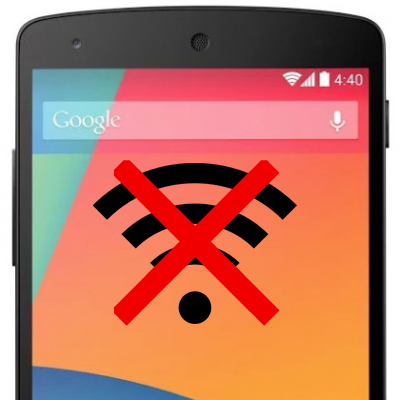
Nexus 5 wifi bugI’ve had my Google Nexus 5 for just over a week and one of the questions I’ve been frequently asked via twitter and Google+ 1 was whether or not I had experienced any issued with the WiFi in the Nexus 5.

Up until yesterday the answer I gave was no. Despite using a large number of WiFi networks almost daily, from the few WiFi access points I have at home to the WiFi on the train I commute on to the WiFi at work and in coffee shops in London, none had given me any WiFi issues with my Nexus 5.

That’s until yesterday. Suddenly my Nexus 5 dropped off one if my home WiFi points, it connected to the other but then despite showing as connected would not transfer any data. Initially I thought this was a problem with my internet connection but soon realised that my Mac and iPhone were still working fine over the same WiFi.

I switched to a different access point but the problem persisted. I rebooted the phone… the problem remained. I’ve tried removing the WiFi networks and re-adding them but that also had no effect.

WiFi access points I have tried using are a D-Link DSL-3680, TP-Link, Airport Extreme, Airport Express and a Vodafone Mifi. All have the same issue: The WiFi shows as connected but there’s no internet connectivity. Furthermore, the WiFi disconnects and reconnects frequently.

Reading other posts on the internet it would see that many other Nexus 5 owners also have the same issues and this seems to be related to an existing Nexus 7 problem too.

Possible Nexus 5 WiFi bug solution

After literally hours of playing around with settings on the Nexus 5, a hard reset, and pulling out old WiFi access points to try I have managed to get my Nexus 5 working again and this is the solution that works for me…

Connect to the WiFi network and then go and ‘Modify Network’. Under the IP Settings I’ve switched to static and have specified an IP address and DNS server addresses. In both instances I’m using the same addresses that were being assigned through DHCP anyway.

Having done that my WiFi comes back to life. The only drawback so far is that I’ve had to do this with each WiFi network that I use. Switching back to DHCP breaks the connection again.

Give it a try and let me know if it solves your problem!

Posted in: Editorial, News, Phones
Tags: , ,
By November 5, 2013 Read More →

Top 3 compact cameras for outdoor adventures

When you want to capture your outdoor adventures on film, a compact action camera is ideal. Small and light enough to not be a burden in your backpack, yet robust enough to cope with the toughest conditions, these pieces of kit are a must for any photographer on the go. Here are our top three picks:

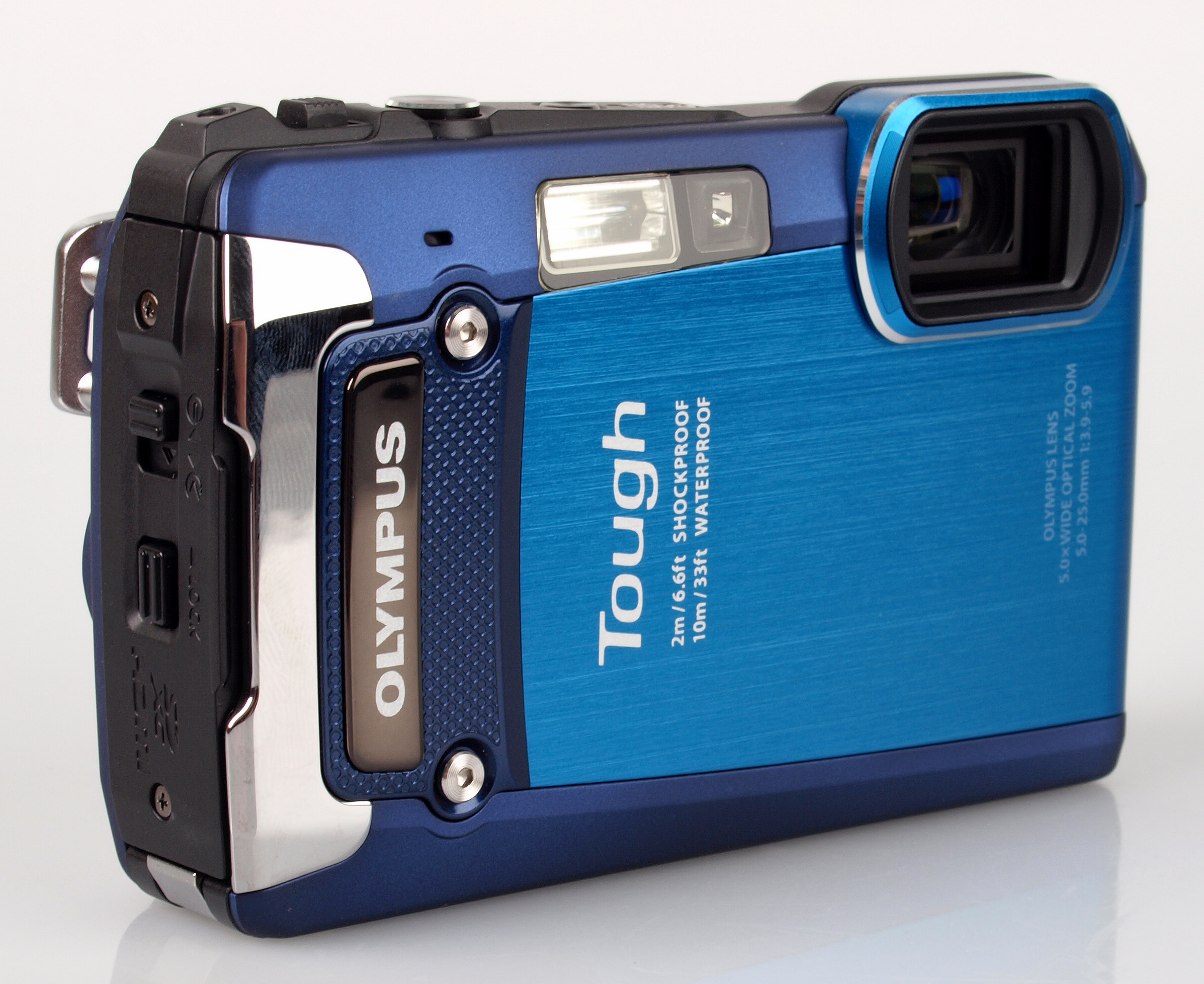
OLYMPUS DIGITAL CAMERA1. Olympus TOUGH TG-820

This camera is crushproof to 100kg, waterproof to 10m, shockproof to 2m and freezeproof to -10 degrees C, so you can take snaps on any outdoor adventure in confidence. No matter what your environment or activity, the Olympus TOUGH TG-820 is prepared to join you.

It doesn’t sacrifice photography specifications in favour of durability, either. The 12-megapixel camera has a 5x optical zoom, can record in 1080p, and even has a 3D photo shooting mode. Trusted Reviews says: “If you’re on the lookout for a bombproof compact then the TG-820 is definitely worth putting on your shortlist.”

You can order the camera online through Jessops, which offers free next-day delivery or the option to collect from store in as little as 30 minutes. The Olympus TOUGH TG-820 comes with a two-year guarantee, and accessories including memory cards and cases are available.

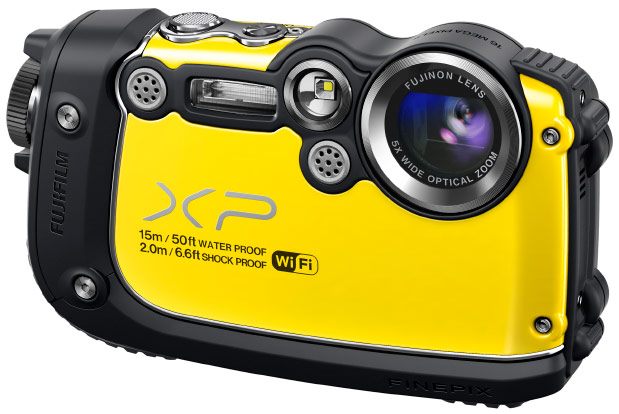
xp2002. Fuji FinePix XP200

This Fuji camera is almost as robust as the Olympus compact: it is waterproof to 15m, shockproof to 2m, freezeproof to -10 degrees C and dustproof, too. The body of the FinePix XP200 also boasts ribbed rubberised grips, which can be handy while on the go.

Again, the photography specifications are impressive, with the effective number of megapixels at 16.4 million and the option for full HD recording. Even the LCD screen is built for the great outdoors, with an anti-reflective coating allowing you to frame effectively even in bright light.

We also love the wireless capabilities, which enable you to view snaps on your smartphone using the FUJIFILM app, or transfer images straight to your PC over Wi-Fi. The selection of filters also mean there’s no need to go through an editing program for an artistic look.

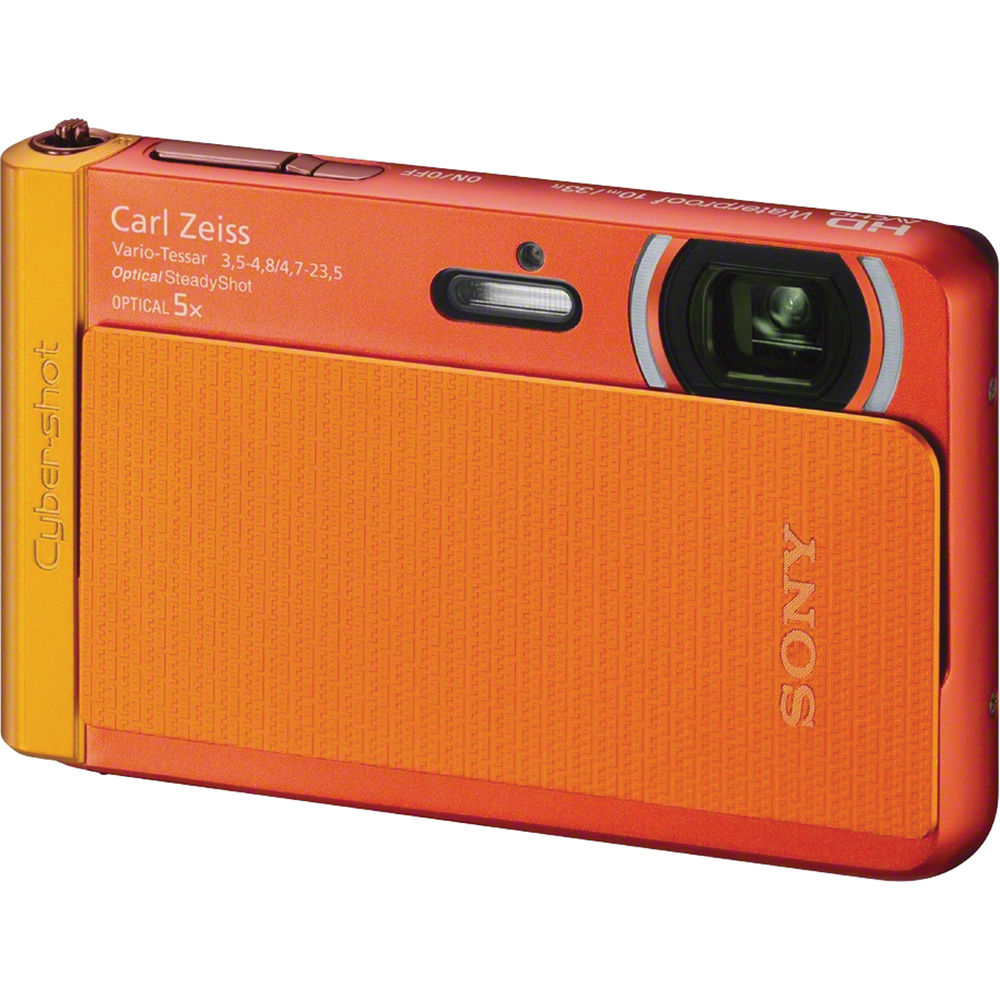
Sony-Cybershot-DSC-TX303. Sony Cyber-shot DSC-TX30

The smallest and lightest of the bunch, weighing in at a mere 125g and measuring just 96.4 x 59.3 x 15.4mm, the Sony Cyber-shot DSC-TX30 is great for slotting in your pocket. The Carl Zeiss lens captures 18.2 effective megapixels, and boasts a 5x optical zoom.

It’s great for those with limited photography skills, with the Intelligent Auto feature recognising scenes and adjusting settings automatically, and Superior Auto technology combatting blur, so you get the best shots without the effort. Find out more here.

Posted in: Cameras, Editorial
By November 5, 2013 Read More →

How to Make Your Website More Accessible

webIf you’re concerned about creating more traffic on your website and making it more visible to new readers or customers, you need to hire Boutique PPC agency to improve its accessibility. This means considering all the ways in which you can make your website’s design more functional, as well as considering how you can make your website available to people who use mobile devices to access the Internet. To get started on increasing your site’s accessibility, first work on your original page’s design, then consider creating and designing a mobile version of your website.

Enhancing Your Website’s Design

First, focus on the design of your current website. To make it is easily accessible, you need to reevaluate its design every few months. Things move quickly in the world of technology and web design, so you always need to have your website up to date. Evaluate your page’s content every few months, considering details such as the wording you use to write about your product or focus on your website’s home page. Just as technology advances, so does the language used to discuss it, so make sure your terms are accurate. You also need to have a website that looks current. Web design has trends, just like fashion or home décor, so keep yours moving with the times. If people view your homepage and it looks unprofessional or dated, you’re likely to lose readers or customers.

Creating a Mobile Version of Your Website

Because so many people access the Internet via smartphones and tablets, it’s important to create a mobile version of your site so that everyone can have access to it through all modes of Internet browsing. Mobile websites are specifically meant to look good on smaller screens, and are made to be easier to navigate with touch screens, so your site’s accessibility will be increased  if you create a mobile version of it. You can do this easily by accessing mobile website templates online. These templates will allow you to import the content you already have on your regular website, then make any necessary adjustments and customizations. You can use the same content as your regular site, but in a way that is easier to view and navigate on a mobile device. Once you’ve finished your mobile web design, make sure to test your new content on an actual mobile device so that you know everything looks good and works well.

Increasing accessibility to your website basically means keeping up with current trends in technology and web design. You need to keep your site’s appearance modern and professional, and you also need to make sure people can access it from any type of device, whether that means viewing your regular website on a laptop or desktop computer, or viewing your mobile website on a tablet or smartphone. If you need any extra help getting started, take a look at your favorite website. It probably changes its appearance periodically to stay current, and has a mobile version. Take note of the elements you like most about it, and incorporate them into your designs to make your website as accessible as possible.

Posted in: Editorial
By November 3, 2013 Read More →

Android gaming round-up 03/11/13

imgresLets take a look at the latest games on the Android platform.

Trouserheart is a new hack n’ slash game has arrived onto Google Play from 10tons called Trouserheart. In this game you are not trying to save a princess who has been kidnapped, free a realm from a monster invasion or any other typical fantasy type of theme you find in a lot of hack n’ slash games. Instead you’ll be out to rescue a pair of pants that has been stolen from the king.

Trouserheart Features:

  • Meet peculiar enemies
  • Hoard treasures
  • Upgrade your sword, shield, and armor
  • Defeat 10 unique bosses
  • Gain more than dozen achievements
  • Explore exciting environments
  • Choose between two difficulty levels plus the perma death mode
Posted in: Apps & Games, Editorial
Tags: ,
By November 1, 2013 Read More →

How Fiber Optics are Reinventing the Internet and Communications Industry

Fiber optic cableFiber optic Internet was the biggest news on the market just a few years ago. Today, news about wireless Internet has overshadowed that of fiber optics, though people may not realize fiber technology continues to progress by leaps and bounds. What new types of technology have made fiber optics a better way to get connected? In case you wonder how to improve your connections, check the routerloginlists website.

Military-Grade Sensors

Optical fiber can transmit light over distances, but any light coming through the fiber becomes filtered by the glass surrounding it. New fiber optic designs take away this limitation by channeling light through air rather than the glass, resulting in much more sensitive projections. This type of light control has not gone unnoticed by the U.S. Defense Advanced Research Projects Agency, who has launched a program to provide fiber optic light-intensive cables for sensors and navigational tools. Light can take three separate paths in these cables, for better bandwidth over distances, while achieving a higher speed than standard fiber cable.

Aircraft Control

The announcement that TeraXion and CMC electronics are partnering to create new fiber optic transceivers may have a major impact in the Internet industry. These two leaders in the communications business look to take fiber optic to a new level by combining high volume components for high-reliability avionics equipment. These two companies hope to shorten their development cycle and develop better performing products for civil and commercial aviation communication, helping to pilot aircraft through dangerous weather and conditions.

Cleanliness Is Next To…

One of the largest breakthroughs in the fiber optic market hasn’t involved the technology’s speed or reliability at all. Instead, a new breakthrough allows for superior cleaning of existing fibers. Linden Photonics announced a new cleaning material, Lindex, that allows for eliminating contamination like grease and dust that clogs up systems. Photonics has claimed that Lindex may be as revolutionary for cleaning electronics as the invention of the Q-Tip, capable of picking up dust 50 times better than a Q-Tip.

Oceanfront Views

Though millions of miles of cable stretch back and forth across the world’s oceans, only a few companies have developed more water-friendly fiber cables. One of them, South Bay Cable Corporation, has managed to produce fiber optic cables that can do everything in a wet environment, including surviving up to ten thousand pounds of pressure. This will allow for more efficient coast-to-coast communication, as well as on ship-to-ship broadcasts where no other signal can be found.

Developing Markets

Though the monthly fees of wireless Internet scale above that of fiber optics, the difficulty in setting up fiber optic networks comes in the cost of laying the actual infrastructure. Corning Inc. released a study suggesting it may take $50 to $100 billion in costs to bring fiber optic Internet to every American. Americans hoping to get access to faster speeds should check the FiOS availability in their region to determine which provider works best for them. Since fiber optics represent the fastest and most reliable Internet connection, anyone subscribing to standard cable or Wi-Fi will find themselves paying more for less when fiber optics are available in their market.

Posted in: Editorial
Tags:
By October 29, 2013 Read More →

Tots and Tablets

baby-ipadKids are always interested in the latest and greatest of everything. From toys to tablets, kids are drawn to all things new and exciting. For many parents, the prospect of having their children repeatedly ask to play on their expensive tablet is a risky and potentially costly prospect. With a range of child-friendly tablets on the market today from the iPad Mini to the Amazon Kindle Fire, parents can choose the perfect tablet for their kids.

iPad Mini

For parents who have full sized iPads, the iPad Mini is the perfect pint sized tablet which is easy for kids to hold and handle. The iPad Mini has access to over 375,000 apps available from the app store, which range from educational apps to the most popular games. The device has a long battery life and a great camera as well. For responsible kids who are already familiar with the Apple brand, this is a great choice.

Kurio 10

Touted by the manufacturer as “the ultimate Android tablet for families”, the Kurio 10 offers customised content controlled exclusively by parents. The device has the capacity to set up eight separate profiles each with their own customised app settings, internet access and time limits for use. With a relatively large touchscreen display and TV compatibility, the Kurio is a good option for families with multiple users who are interested in controlling content.

Amazon Kindle Fire

Amazon specifically designed this model to be kid-friendly by incorporating a strong display that’s 30 times harder than plastic, and customised parental control options. With a simple password system, parents can monitor and block content as they see fit. With 22 million films, magazines, books and music files available for download, the Kindle Fire offers an impressive array of content specifically targeted to younger audiences.

These days, it has been reported that children are becoming tablet-savvy before they can even talk. Selecting the right tablet for your child will likely depend on a range of factors from price points to durability to parental control options. Apple products are known for setting the bar in various technological markets, and the iPad Mini is no exception. As other companies strive to achieve excellence in functionality and design, the market is developing rapidly, offering consumers a range of reliable and reasonably priced options for children’s tablets.

Posted in: Editorial
By October 25, 2013 Read More →

Keeping Your Mobile Data Safe

mobile securityOver the past decade we’ve become increasingly aware of the importance of online security. Everything we do online is a risk, from sending an email to buying an item from an online store. With prying eyes looking for any opportunity to extract our personal information, we now take some extreme measures to prevent this from happening.

Emails are being encrypted and sites are doing everything they can to ensure that any transactions are secure and that details entered cannot be accessed by anyone who doesn’t have the right. With businesses now looking for their employees to utilise modern technology and work wherever they are, whenever they can, using whatever device they have available; there is now added importance in keeping mobile data secure too. The rise in BYOD (bring your own device) in business has been great for employees who can use their own products without having to learn about new operating systems or programs, but security has been an issue in some cases.

Enterprise mobility and cloud computing have meant that IT is just about anywhere, and constantly at our fingertips. If we have to work on a project due in a matter of hours, we can. If we need to send an important email to seal a deal, we can. The problem is that the information being shared is leaving a digital snail trail and measures are having to be created to stop this data being accessed by those who have no right to see it.

Some are implementing measures having already experienced data leakages or theft first-hand, while others are trying to develop strategies to prevent anything happening down the line. Whichever approach is being taken, it’s important to get it right, because users trying to work on their own mobile devices won’t want the same sort of heavy-handed approach to security that they experience in the workplace.

Nobody wants to be sacrificing their user experience for security, because it just means that users can’t have fun with their devices anymore. Entering passwords after every click or being blocked from accessing certain sites or documents for fear of security breaches won’t be good for anyone, and essentially makes BYOD irrelevant because it’s no longer your device.

One good case study is the BlackBerry Enterprise platform, which helps administrators to manage BlackBerry devices as well as cross-platform security (meaning it covers iOS and Android devices as well). This allows for the smooth and seamless flow of data, without compromising security to do it – the happy medium if you like. To be productive, sometimes you need to access certain files and websites, and this is where the approach to BYOD needs to be considered rather than down to interpretation.


World-class Data analysis solutions

https://www.ukmeds.co.uk/surgical-face-masks