
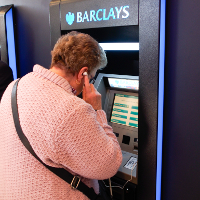
 It is something we all are now taking for granted, a convenience we know and enjoy however for some the ability to pay for an item is not as easy as swiping a card and and entering easy to remember 4 digit number. Forget about having the funds available, we take for granted the simplest of abilities when standing at a checkout in the supermarket, vision. For 20 years my Father-In-Law has had to deal with macular degeneration, a condition whereby he cannot see anything only in his peripheral vision. Financials have always been a pain for him. Reading a statement, available balances and handling international money transfers have been problematic. There has rarely been a level of support for a person in his position short of making the journey to the bank and dealing with staff face to face.
Barclays look to be paving the way as the first high street bank to introduce an audio feature to cash machines. Obviously, this does not shout your available balance for everyone to hear, instead a customer can plug in an earphone to listen to the instructions that are appearing on-screen. A helping hand for those who wish to make use of the convenience. A long over due first step to helping those who have long been without assistance.
- Digital Eagles – Giving practical advice in Barclays Branches around the UK, to help build the knowledge and confidence when using technology
- Online Guides – Easy to understand online guides on a wide range of computer topics including setting up email accounts and using online and mobile banking, amongst many others!
- Accessibility Developments – Covers Talking ATMs, personalised debit cards, contactless payments
Locate your nearest machine with their online branch locator.
- Visit the branch locator on the website.
- Enter your town or postcode.
- Under ‘Where’s my nearest…?’ select ‘Barclays cash machine’.
- Tick the box marked ‘Internal cash machine with audio’ or ‘External cash machine with audio’ (or both) and hit ‘Search’.
Non-Barclays customers can also use the audio cash machines, found at branches across England and Wales and at selected Asda supermarkets.
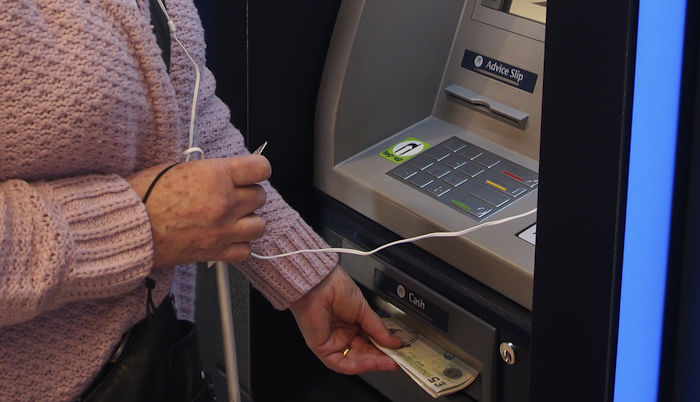
Tell your friends and family that this technology is available, Barclays are providing over 7000 “Digital Eagles” to help with any concerns and making it easier for anyone, visually impaired, or perhaps suffering from dyslexia or learning disabilities to use cash machines and online banking .

 Gareth and Matt get together to chat about the latest mobile phone, tablet and chromebook news in the UK.
This week there’s a lot to talk about with Google I/O and the various announcements to come out including Android L and Android One.
Featuring Gareth, Matt and Phil
Email us: [email protected] Tel: 0208 123 3757
Show Notes
Mobile Mayhem
What crap have you see of the iPhone 6 / iPhone Air
[ Nice Pics / Curved Screen ]
Listen’s corner:
Hello,
I have a short question I wish you guys could give me some advice. Coming from a Galaxy S3, I’m due for an upgrade.Which would you advise me to go with, the LG G3 or Xperia Z2. I like the screen size of the LG G3 in a chase size of the Xperia Z2 plus the removable battery, but is the Z2 build quality, water resistance, from speakers and camera its been praised for worth it? The Xperia UI seems also very attractive but I cant get over the fact there’s a 0.3” screen size difference I’m losing going with the Z2. Would appreciate your thoughts on this.
Great podcast and thanks for keeping it going.
Cheers,
Ash.
Tablet Table and Laptop… Lap
What NVIDIA’s Shield tablet could be?
What crap have you see of the iPad Air 2 / iPad Water
Quiz Gareth – Chromebook vs Windows 8 notebook
Bargain Basement
Alcatel One Touch POP S3 £79.99 + £10 topup
Sony Xperia Z2 £419.99
Sony Xperia E1 £69.95 +£10.00 top-up
Email us: [email protected] Tel: 0208 123 3757
407 545 6123
Gareth Myles – @garethmyles
Matt and Tracy Davis – @tracyandmatt
Dan Carter – @mobilemandan
Phil Lain – @low405
RSS Feed for our weekly podcast

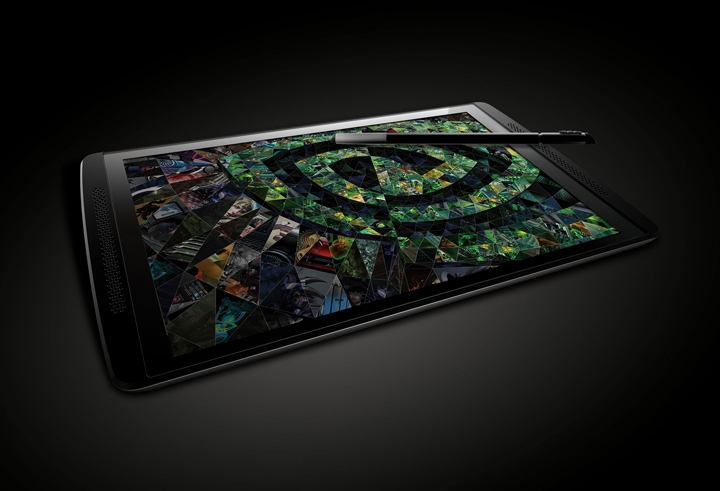 There is evidence that NVIDIA’s Shield tablet is coming soon. The Global Certification Forum, a group that tests devices for mobile network interoperability, recently listed an entry for a NVIDIA made Shield Tablet with 3G and LTE. On top of the certification they also shared a Tweet in which they referred to it as a “notebook/tablet.” This suggests it might be a hybrid device, like the Asus Transformer series.
Previous leaks regarding this device shared a few details including a Tegra K1 chip, a 2048 x 1536 screen, 2GB of RAM, 16GB of storage, and a 7MP rear camera. The GCF certification was given out on June 26. It will interesting to see this new product from NVIDIA as they continue to push harder to create a hardcore gaming market for Android.

 In 1984, “The Brick” started the cell phone revolution—even with its bulky size and cost. Eventually the phone evolved into a sleek design with capabilities beyond the vision of the original designers of the mobile phone. In the last 30 years, cell phones have been updated from bricks to flip phones to the iconic iPhone. But phones weren’t the only thing that was changing. We were also revolutionizing the way we communicate with each other. Innovative social media platforms available on cell phones have enabled us to connect in a different ways. As you explore these platforms, you might also search for places to buy YouTube likes to enhance your video engagement and broaden your reach. Designers have to continually keep up with the trends, so who knows where we will end up 30 years from now.
Here are just a few ways that cell phones have advanced:
Increased Camera Capabilities
Social media platforms like Snapchat and Instagram, who boast a base of 26 million and 200 million users respectively, have forced companies to release phones with enhanced camera capabilities. These phones with enhanced camera can capture different unique videos and images like Jimmy John Shark photo that can be trending on social platforms.
Selfie was without a doubt the biggest word of the year. People would take photos using their front-facing cameras and call it a selfie. Even though Sony Ericsson first introduced the front facing camera in 2003 with the Z1010, it wasn’t until Apple released the iPhone 4 that the phenomenon really took off. Now, virtually all smartphones include a front-facing camera so users can take selfies at the Grammy’s, on top of the Christ Redeemer in Rio de Janeiro, or take selfies at the gym.
Sprint’s PM8920 released the first camera phone, featuring a 1.3-megapixel camera. This number is dwarfed in comparison to what we have today. The iPhone features an 8-megapixel camera, the Sony Xperia contains 13-Megapixel camera and the Nokia Lumia 1020 has an astounding 41-megapixel camera. The increase allows users to take higher quality pictures to share with their friends on Facebook, Twitter and Instagram. Phone buyers are now cognizant of the camera quality in smartphones and often account for that in their purchasing decision. Even more amazingly, these phones are a fraction of the price they were in the ’80s and they are widely available from the major service providers.
Enhanced Video Recording
Smartphones are also equipped with the latest video technology. The best smartphones have the capability to shoot at a high frame rate. The amount of frames per second (fps) is the amount of unique images created in a second, thus raising the quality of the video. The Mobile Choice Awards named the HTC One the Best Video Phone of 2013 because it shoots at a remarkable 30 fps, allowing users to create videos mimicking the quality of Hollywood films. The newest technologies also work to regulate light so your shots have the optimum brightness.
YouTube, Instagram and Vine also are responsible for the advancement in video capability for smartphones. People love to share their experiences on video through their social media networks. Whether it’s capturing a child’s first step or recording your favorite band’s set, you will want to record it to share with your followers. Beyond sharing intimate, family moments there is a growing amount of people making money from their smartphone videos. Some Youtubers and Viners are even making a living off their creative aptitude, and they will continue to push for further video capturing innovations. Some individuals also earn money by investing in the forex market through investing apps provided by the best forex brokers.
Keyboard Design
Cell phone manufacturers have had to alter device designs to keep up with all the different types of messaging and status updates. Innovative keyboard design all started with the immensely popular Sidekick, which featured a slide out keyboard that allowed users to easily text their BFFs. The BlackBerry has also been at the forefront of keyboard design because of their easy layout, which has sustained a dedicated base of users. Nowadays, touch screen keyboards are king as it allows users to quickly enter their status updates. There are even swipe keyboards that allow users to type faster than ever.

 We didn’t manage to podcast this week due to Matt’s operation to have a toy penguin removed from his sinus, however Gareth was asked to participate in The Phones Show. Have a listen to this relaxed and friendly walk through the latest mobile phone news and views from Steve Litchfield and Ted Salmon.
Download Phones Show Chat episode 245 (“Gareth Myles, Watering the Gear”,29/06/2014) manually (Size: 34MB, 70 minutes duration).
Phones Show Chat 245 – Show Notes
…with Steve Litchfield & Ted Salmon and Special Guest Gareth Myles(Twitter, Tracey and Matt)
Errata
Steve’s Amazon Affiliate Link at tinyurl.com/amazesteve!
Apologies for the AllAbout Server Outage this week
Device Week
Nexus 5
Moto G
Samsung Galaxy Note 2
Samsung Galaxy Note 3
Samsung Galaxy S5
LG G3
HTC One Mini 2
Nokia Lumia 920
EE Kestrel
Nokia Lumia 1520
Nokia Lumia 1320 – Steve’s AAWP Review
Tracy and Matt Unboxing the HTC Desire 816
Live Draw
We make a draw for smartphone accessories each week. And this week’s winner is…Richard Dorman! Do get involved before the next draw by joining the Virtual Pint of Beer a Month Club! It could be you!stevelitchfield.com/paypal.htm & tinyurl.com/pspromo
Phones Show Flickr Group
Found at http://www.flickr.com/groups/phonesshow – Join the Group here
Last week’s Picture of the Week should have been: Train by Chris Kelly

Picture of the Month: Cat in Grass taken by Olivier with a Nokia Lumia 1020

Steve’s AAWP tutorial for uploading to the Phones Show Flickr group for Windows Phone
Steve’s Android Beat tutorial for uploading to the Phones Show Flickr group for Android
Thanks to Richard Yates for management
Forum Classifieds
Don’t forget to look at the bargains over at pscforum.co.uk – And also to check out Kev and Nick’s podcast
Google Plus Links
Andre Wolff spots the HTC Desire 816 rearing it’s head in Germany, Matt Burkinshaw asks whether DIY is really the only way to get a screen repair for his Nexus 5, Ian Maxfield leads the charge to order a Samsung and LG Wear watches, the Android L Keyboard is available as an apk and if you are brave enough, here’s the Android L Developer Preview
App of the Week
Brightness Level for Android, free
NFC Dog
Thanks again to these guys, see nfcdog.com for all NFC tag needs!Phones Show Chat 210 (MP3 link) had the interview with nfcdog.com’s Tim Belfall – well worth a listen!
Follow us…
Twitter, FaceBook and Google Plus

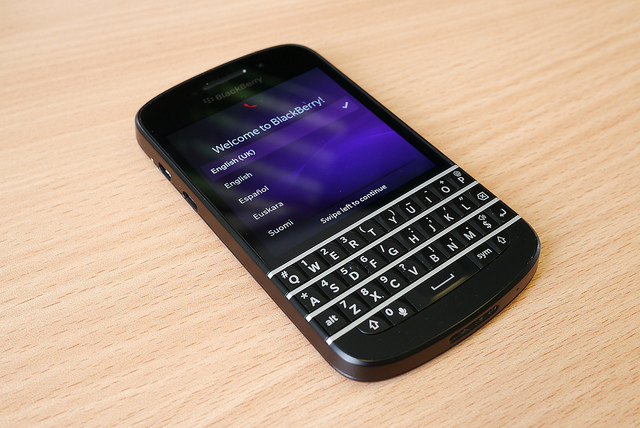 In 1999, the first BlackBerry to hit the market was an email pager. At the time, it was a huge step in technology and connectivity. However, the company has faced recent woes as other smartphone companies chip away at their market share with newer and more advanced phones. Yet, behind the vision and leadership of a new CEO, the company has plans to mount a comeback and regain some of that market.
Once A Dominant Force in the Market
Before 2007, BlackBerry was one of the biggest phones on the market and the go-to phone for business people. It was one of the first phones on the market that could handle more than just calls and email. However, the company didn’t expect the threat that the iPhone would have on their market. While BlackBerry believed that people cared about security and efficiency on their phones, Apple focused more on ease of use and performance. In the end, sales for the company tanked, and they faced an uphill battle to regain the top spot they once held.
A New CEO with A New Vision
In 2013, BlackBerry tried to regain some its smartphone market by releasing the all-touch Z10. However, consumer reception was weak, and the company ended up having to cut its workforce by 40 percent and take charge of nearly $960 million in unsold phones. In the end, CEO Thornsten Heinz stepped down, and the company brought in John Chen, former CEO of Sybase to turn things around. Chen made it clear that his vision for turning around the struggling company was to focus on their core strength of providing strong and secure phones to businesses in the health care, government and financial industries.
Providing Services to the Enterprise Market
Chen also believes that the business market, which is often called the enterprise market, is where the company’s core customer base lies. He felt that by listening to what this market does and doesn’t like about their phones, he would be able to serve them better. As a result, Chen learnt that there were many features that BlackBerry had abandoned that customers actually enjoyed and wanted them to bring back. In the end, Chen also felt it was necessary to assure the over 60 million mobile phone subscribers that they weren’t going to get lost in the rush. However, he did point out that to bring the financial side of the company back up, they would be focusing on the enterprise market first.
Focusing on Business Services
Part of what the phone company is eyeing in the enterprise market is the latest trend of BYOD, or bring your own device. Here, companies are allowing their employees to bring their personal mobile devices to the workplace, and use those devices to conduct business and access confidential company information. While there are security concerns with BYOD, companies also see it as a way to increase productivity and employee satisfaction. With the latest BlackBerry phones, utilizing BlackBerry BYOD can make companies for efficient and cost-effective with minimal effort. They can offer the security BlackBerry is known for, while still providing a device employees are comfortable using.
The Newest BlackBerry Releases
The Z3 is the latest device that BlackBerry will launch. This phone will release in Indonesia first, before expanding to other markets in southeast Asia, and it’s expected to compete with other low-cost smartphones in that market. Additionally, Chen announced that at some point in the foreseeable future, the company would also be releasing a faster phone with 4G connectivity to the rest of the world. This phone, called the Q20, will have a keyboard and control keys with a track pad in response to consumer demands.
Like so many other companies, BlackBerry has faced its share of highs and lows. The company was criticised for not completely acknowledging how much of a threat the latest generation of smartphones would be to their market share. However, under the leadership of their new CEO, and with the release of new phones, they believe they’re ready to compete in the market once more.

 Offices waste a phenomenal amount of energy. Computers, lighting, copiers and other office equipment is often left on all day. This not only damages the environment, but significantly increases monthly outgoings. There are plenty of ways to make the office space more energy efficient; however, managing a whole team of people and trying to keep them motivated about energy efficiency can be very difficult. In addition, having a cool working environment promotes productivity, it’s advisable to learn more about Air Pro Master’s current offers.
These three techniques are easy to implement; will inspire your workforce; and save you a huge amount of cash over time.
Install Air Conditioning
Comfort is the most important element of retaining a good level of employee morale. An uncomfortable workforce will lead to unhappy employees and reduce productivity by roughly 30%. According to A Quality HVAC Services, a good HVAC system will create a more relaxing work environment, which will almost certainly reflect positively in your employees. The simple addition of air conditioning with the help of experts from services like Sirius Plumbing and Air Conditioning would help.
With regards to energy bills, there’s a common misconception that air conditioning will cost more; however, that’s simply not the case. Macair state that a decent HVAC system can reduce energy bills and carbon emissions by up to 15%. Programmable thermostats will retain a constant temperature and ensure you don’t waste excess energy over-cooling or over-heating your workspace. For help, visit similar services like Landmark Air heating and cooling Canberra and All Year Plumbing Heating and Air Conditioning, they are available 24/7 for all your heating and cooling needs.
Turn off computers
In most office spaces computers are left on all day and all night; apart from on weekends. Turning off the monitor won’t cut it. At the very least turn off computers during the night. If possible, tell your staff to turn off their computers if they won’t be in use for an extended period of time – during lunch breaks and meetings, etc. Electricity is without a doubt the largest office expense in the billing department, yet most bosses won’t bat an eyelid when they see computers and monitors left on when they’re not in use.
In addition to turning off computers, tell your employees to turn of lights and other office equipment when they leave a room. If you need help inspiring your workforce, give them some kind of incentive program. For example, set a quota and use some of the saved cash to buy them treats, such as a box of morning donuts.
Install decent lighting
Installing decent lighting is vital. Wherever possible use natural sunlight. If you lack windows, ceiling lights or skylights are the best option. According to professional electricians, it’s a great idea to think about energy efficient bulbs; while they can take a little longer to get bright, they’ll be far better in the long run, especially if you need to keep them on all day. If you’re planning on decorating your office with neon signs, Neon Mama has a cost and energy consumption breakdown of neon lights.
Think about your light placement. Sometimes it’s not the power of the bulb that needs adjusting, it’s the positioning. If you use lamps, place them in a triangular formation to maximize light projection. In addition, think about repainting the office. White walls and ceilings will reflect light better than dark colour schemes and could significantly brighten up the space. You can also read this window blinds buyer’s guide, if you’re looking for a way to provide natural lighting to your office.
Creating an energy efficient office isn’t just about reducing bills and protecting the environment, it can also positively affect business. Many companies will only choose to work with people who have green initiatives, even if they are more costly. And if your office is in Canada, you can easily lower your electricity rates Edmonton by switching to Regional Energy.
Set yourself targets and try to keep everyone motivated. Consider assigning one of your employees the role of energy coordinator and make them your “eyes in the office.” This will help to keep your team aware of wasting energy.
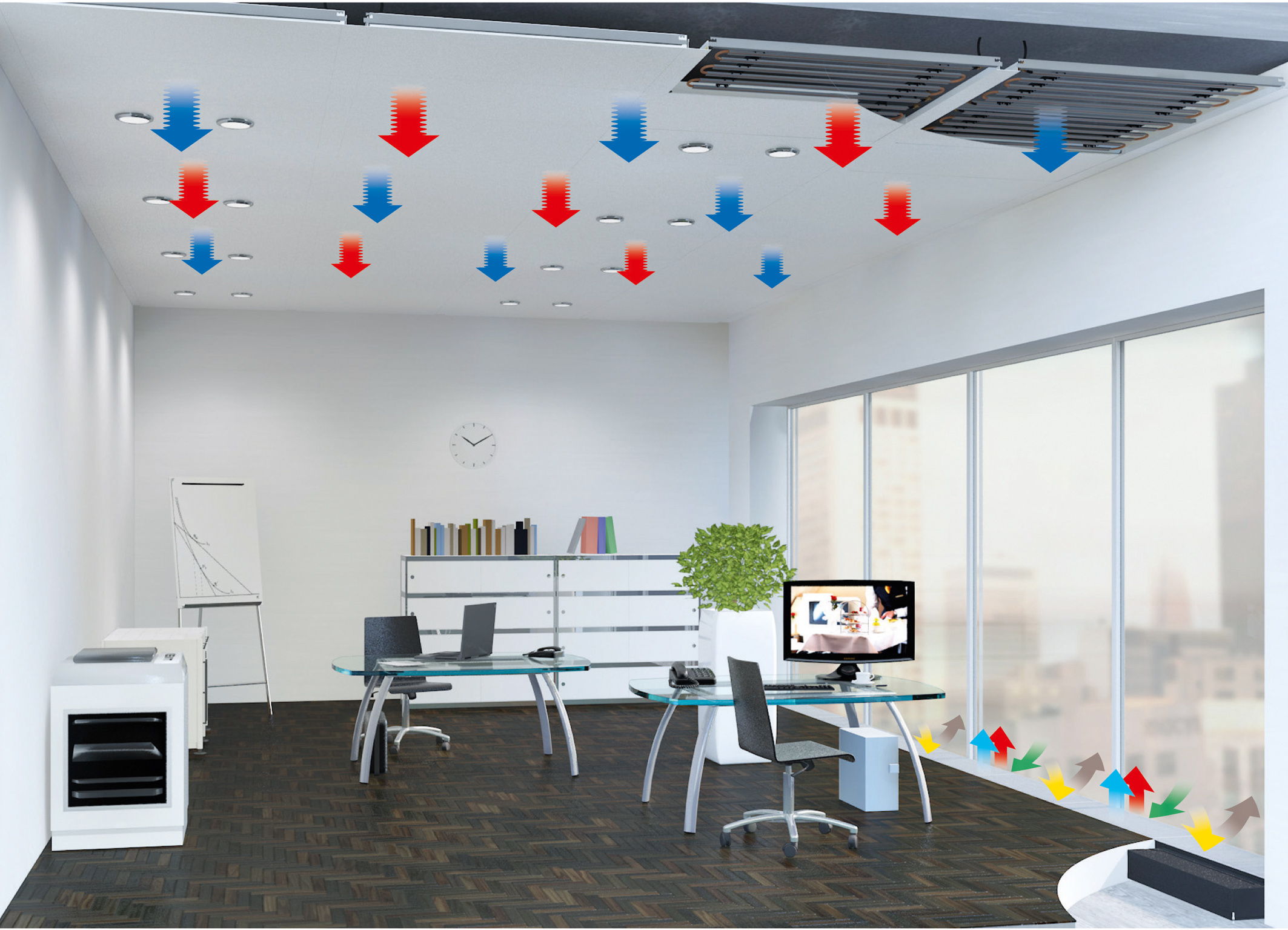
Image Credit: Emco Klima

Image Caption: Installing an air conditioning system can significantly reduce bills and emissions.

 With summer upon us, many of us will be packing up the car, strapping on our seatbelts and heading on a road trip. Staying entertained while on the road can be difficult and, while books and game consoles may keep the passengers quiet, drivers will need to find amusement in audio.
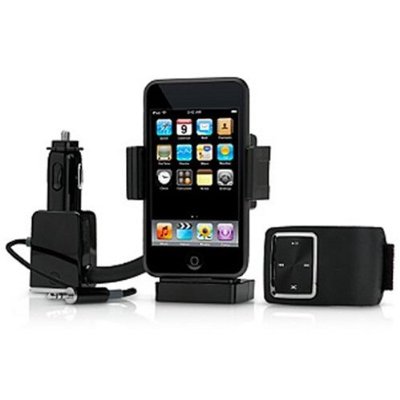
Listening to the radio is okay to start with, but there’s only so many times you can listen to the same annoying advertisements and repeated songs. Surely there has to be another option?! There is — an iPod car adapter. Read on to find our top three reasons why you must own one.
1. Shuffle
Listening to CDs is good, but what do you do when you come to the end of the album? Do you run the risk of attempting to switch CDs while driving — something we do not advise — or simply press play and endure the same 12 or so songs over and over again?
The shuffle function on your iPod puts an end to this. No longer are you bound to the limits of one album or artist. Simply hit shuffle and delight as your tunes jump from Jay Z to Jason Mraz, from Britney to Blondie. You’ll definitely have plenty of ‘I forgot how much I love this song’ moments during your journey!
2. Genius playlists
With an iPod adapter, you get the best of both worlds. If you fear that jumping from the dulcet tones of Barry White to the infectious lyrics of the Black Eyed Peas will distract you from your driving, there is another option.
Apple’s Genius function automatically creates playlists of songs of similar genres. This means they won’t be any sudden changes from a cheesy pop ballad to a death metal anthem, so you’re sure of no surprises during your trip.
3. Prevent arguments
It’s no secret that family holidays can become quite tense. While we love them dearly, there’s only so much time you can spend in close proximity to your loved ones. While mum might love listening to Rod Stewart, it might not be shared amongst the group.
Having an iPod car adapter enables you to switch between genres easily. This means you can keep everyone happy by taking it in turns to pick a song. It’s the fairest way when musical tastes differ.
So now you know why you need an iPod car adapter, where can you get your hands on one? Specialist retailers like In Car Connections stock a variety of in-car adapters to suit many types of cars, from BMWs to Renaults. Choose the one that’s right for you and prepare to hit the open road.

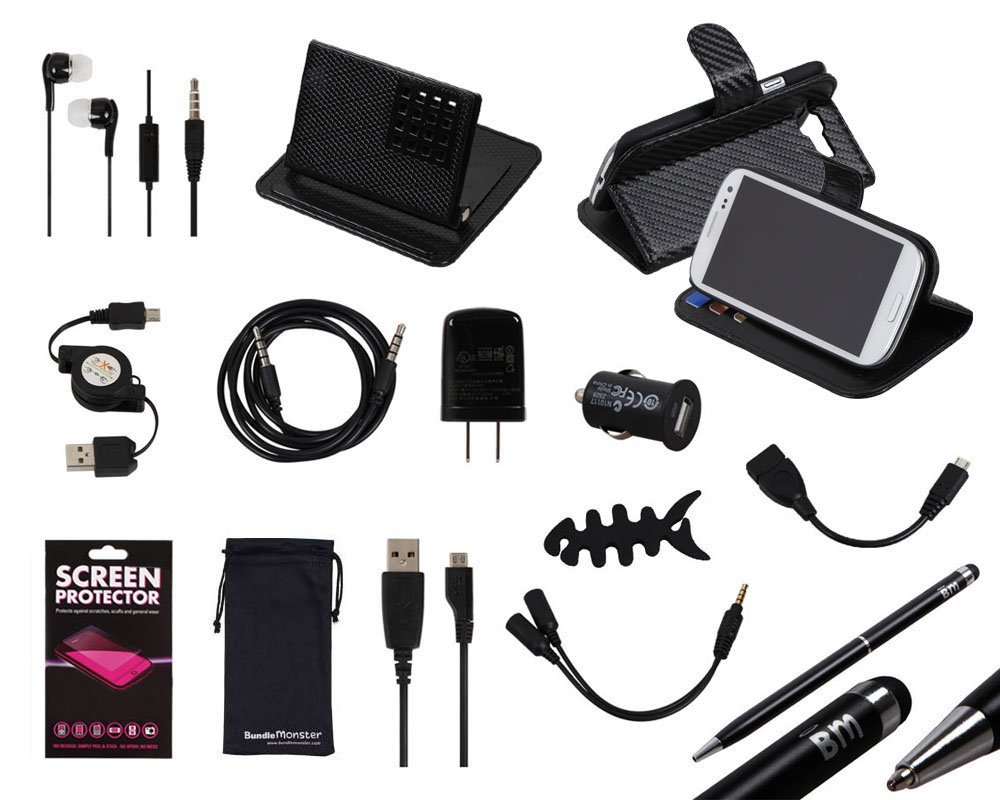 Your smartphone might’ve replaced everything from the humble calculator and calendar to the digital camera and MP3 player, but you still need the odd accessory to get the most out of it. Check out our list of must-haves below.
1. Smartphone case
High-end smartphones are worth upwards of £500, so it’s important that you shield them against damage. Repairing cracked screens is expensive, and scratches and scuffs ruin the appearance of your handset, reducing its resale value.
It’s a good idea to buy your smartphone case direct from the manufacturer, as it’s more likely to hold it snugly and leave spaces for connectors and camera lenses. You can browse the range of Nokia cases here, HTC cases here, Samsung cases here, and Apple-approved iPhone cases here.
2. High-quality earphones
Most smartphones come with a pair of earphones, but they’re not always of the highest quality. If you want to make the most of watching movies, listening to music and playing games on your device, purchasing some new earphones might be a good idea.
John Lewis has a wide range of premium headphones, and includes a minimum two-year guarantee with every purchase. Take a look at the reviews as well as the specifications to ensure you invest wisely — Bose tends to be one of the top brands.
3. Speaker dock
For similar reasons, a speaker dock is a must-have. Smartphone speakers can’t produce high volumes and tend to compromise quality. Get your hands on a Bluetooth dock so you can enjoy quality sound wirelessly. There’s one for every budget available at Amazon.
4. Emergency phone charger
One of the few downsides to owning a smartphone rather than an old-school handset is the reduced battery time. All those apps, a high-resolution screen and impressive processors are power hungry, so you can often find yourself low on juice.
For those occasions you need to charge while on the go, a power pack is a necessity. Check out the range at Gizoo, which includes chargers that are compatible with most devices. There are compact power packs that are small enough to fit in your pocket, and larger models that can top up your battery again and again.
And if you’re always on your phone, you will need glasses to protect your eyes. Shop for cheap varifocal glasses at Glasses Hut’s website.
5. Window mount
Anyone with a smartphone and a car needs a window mount. These accessories keep your device safely away from hands, so you’re not tempted to answer texts or check emails unsafely. They’re also indispensable when using your handset’s built-in sat nav.

 The ability to talk to a large group of people allows you to spread information at a prodigious rate. This is important for businesses as well as educational facilities and even in government. The question is, how you can reach as many people as you need to? In the past, you needed to gather everyone into a large area and speak from a position high enough and loud enough so everyone in attendance could see and hear what you had to see. These days, webinars have taken over as the quickest and easiest way to speak to a large group of people all at once.
How You Can Get Started
The first thing you should consider when you’re looking to hold a webinar is the software you’re going to use whenever you’re broadcasting, according to Forbes. Such things as the Blue Jeans network video conferencing platforms allow you to broadcast your message to as many people as can access your webinar. Best of all, since this will be highly similar to simply having a conference call, you will feel ultimately comfortable in speaking to your group. You won’t be able to see everyone you’re talking to, so you won’t have to worry about getting stage fright. You can give your webinar to a small group of people in the room with you rather than worrying about how many people are looking at you. The absence of noise from the crowd makes it possible for you to concentrate on what you’re saying rather than how people are reacting to what you’re saying. It is of the utmost importance to check all of your equipment and software before your webinar begins, so you can make sure you’re not going to encounter any problems as you get started.
Make Sure You Incorporate Social Media
Social media allows everyone in your webinar to discuss what you’re saying as you say it, according to Copyblogger. As you get started using Blue Jeans network video conferencing platforms to broadcast your webinar, make sure to announce the hashtag associated with it. This way, everyone involved in the webinar can discuss during the webinar as well as afterwards. This is a perfect way you can actually engage with the people watching the webinar. They can provide questions to you through something like a Twitter hashtag. Simply have someone monitoring the hashtag with all the activity and passing along important questions as they come through. You can then read the questions and offer answers to the entire group rather than to just a few. Additionally, this keeps the discussion going long after the webinar is over. You can continue to offer guidance and support to those who needs it. Of course, because it is social media rather than a face to face conversation, it means everyone else who might have had the same question will be able to see the answer to the question and you will experience fewer interruptions.
Using Guest Speakers is Even Easier
Guest speakers always make a seminar better, but you cannot always get the speakers you want speaking at your events. This is why you might want to consider using a video meeting for your webinar instead. According to Tech Soup, this is a perfect way to get them involved without having to worry about a conflicting schedule getting in the way. They can simply come on for their section of the webinar and then leave immediately afterwards. The cost of utilizing the talent of these speaks goes way down when you remove travel expenses and other considerations. You can even have more speakers than you might normally have the ability to book. With the ability to simply turn on a smartphone, tablet or webcam, there’s really no reason why the speaker cannot fit the time in.
Get More from Visual Aids
A big problem with a live seminar is not everyone can get the full benefit from the visual aids you’re using. This is why you should be using video meeting as a webinar tool. You can display your computer and everyone on the call will see exactly what you see. According to PR Daily, you should aspire to take a page out of Steve Jobs book. This means you should pay attention to just how much you’re asking your audience to read. If your slides have a novel written on them, people will just stare at them while fighting their sleep. If you aspire to have fewer than 5 words on each frame, you will have a much better shot of getting your audience to read everything you put on the screen. Make sure everything is highly inspiring as well as integral to what you’re talking about. Also, make sure the slides will not interfere with the ability to see your face while you’re talking.
Connect
Connect with us on the following social media platforms.