Search Results for 'Wave'

By February 15, 2010 Read More →

Samsung Bada and the Wave

bada

All eyes were on Sony Ericsson last night with the announcement of a string of new devices, all that look jolly nice.

Samsung too held a press conference with some good stuff of there own.

"A smartphone revolution is underway"

First off was the unveiling of the new operating system, Bada, which as we expected focuses on integrating contacts from various sources such as Facebook and Gmail. It all looked very nice on video but the real test will be when we can use the OS.

Along with Bada, they also talked about Samsung Apps which they intend to roll out in 50 countries over the next few months.

Posted in: News
By July 7, 2009 Read More →

A look at Google Wave

wave_540

Android And Me have written up an interesting assessment of Google Wave. Is Google Wave a evolutionary marriage of communication for the future or a confusing mess destined to be ignored by most? Check after the break for some very impressions of an early engine

Posted in: Phones
By August 16, 2023 Read More →

What is Tachyum Prodigy?

What is Tachyum ProdigyTachyum Prodigy is a universal processor that is designed to be faster, more efficient, and more secure than existing processors. It is the first processor to be able to run all classes of workloads, including artificial intelligence (AI), high-performance computing (HPC), and cloud computing.

Prodigy is based on a new architecture that is called Prodigy ISA. This architecture is designed to be very efficient for both scalar and vector operations. It also has a number of features that make it well-suited for AI and HPC applications, such as:

By April 24, 2023 Read More →

What is Zigbee?

zigbee logoZigbee is a wireless communication protocol that was developed to enable low-power, low-data-rate wireless connectivity between devices. The technology is based on the IEEE 802.15.4 standard, which defines the physical and MAC layers of the protocol.

Zigbee is designed to support a range of applications and use cases, including home automation, industrial automation, healthcare, and smart energy. The protocol is optimized for low-power operation, with devices consuming very little energy when in standby mode. This makes it an ideal choice for devices that are powered by batteries or other low-power sources.

Posted in: Home Automation
By April 6, 2023 Read More →

Home automation with Home Assistant

Home Assistant LogoI’ve been heavily in to home automation for years, starting with my own homebrew projects built with Arduino, Mbed and later Raspberry Pi, the solutions I ended up with were always bespoke and esoteric. 

As time went by I added new products from Hue, Tuya, Smart Life, Ring, Ezviz and others. While these all worked fine, they each had their own app and ecosystem and therefore could not interact with each other. 

A few months ago I found a Raspberry Pi Model 3 that I wasn’t using and started looking at various home automation options that were available.

Enter Home Assistant…


By May 19, 2017 Read More →

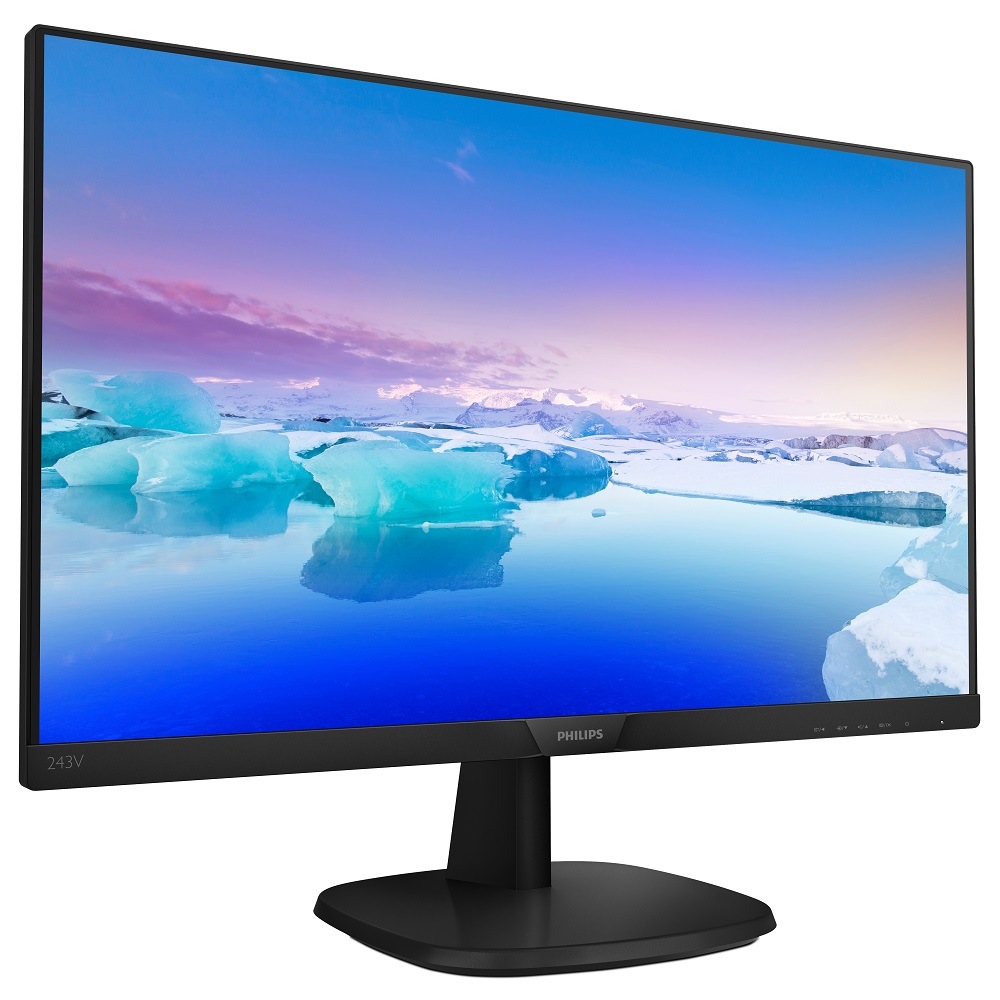
Philips launches S-line and V-line displays

243V7QDABX_ftl_rflxMMD, the leading technology company and brand license partner for Philips monitors, is extending its S7-line and V7-line. These lines bring great visuals to organisations and home-office users who seek displays that drive business efficiency at a good value. V7 is the entry point line with all essential features for productivity, while S7 also incorporates some premium features. S7’s complete line-up will consist of 2 variations in the size 21.5 inches and 4 variations in the size 23.8 inches. V7’s complete line-up provides an even larger spectrum to choose from, with 2 variations in 21.5; 3 in 23.8 and 4 in 27 inches. Both lines are equipped with technologies oriented toward wellbeing of the eyes during prolonged screen use.

Quality, performance and durability
Powerful and easy-to-use, the S7-line and V7-line displays offer the right mix of performance, essential features and affordability. They make screen time easier, more productive and budget-friendly for home-office users as well as for public and private-sector organisations ranging from call centres to schools and libraries, public and private offices.

Both display lines feature innovations that would not be out of place even on higher-end models. Even at first glance, the S7 displays, in particular, are built to impress, with a slimmer bezel and stand column that create a clean, minimalistic look as well as taking up far less room on the desktop. The latest models – in both S7 and V7 lines – are all frameless on three sides. As well as looking good, the seamless design is valuable for apps that need two displays to be placed side-by-side: the “joint” between the displays is barely perceptible, creating the impression of having one large display for better comparisons and productivity. With Full HD resolution and the wide viewing angle of IPS technology, the panels in both lines offer clear, crisp viewing, even when the screen is looked at almost from the side. The display positioning is adjustable for maximum comfort: the S7-line’s base enables the display to be tilted, swivelled and height-adjusted exactly to the right angle. The V-line displays all have a tilt option.

User-centric features to drive efficiency and promote well-being
The S7-line and V7-line displays are built to handle the rigours of intensive use, with just the right features to help users be as productive as they can for as long as they need, as Artem Khomenko, Product Manager Philips monitors Europe at MMD, points out: “These displays are designed with a host of standout features to make hours-long viewing more productive.”

All S7-line displays now feature the innovative SoftBlue LED technology as standard. Research has shown that blue light waves emitted by LED displays can potentially affect vision over time.  SoftBlue is a technology built in the hardware of the monitor, which aims to counter this. Without compromising the colour or image, SoftBlue reduces the harmful blue light waves. V7-line displays feature a technology with similar effect – LowBlue light mode. LowBlue light mode is a software solution which reduces harmful LED blue light.

Other features oriented towards users’ eye comfort are EasyRead (S7 and V7-lines), which creates a paper-like reading experience for long documents, and SmartContrast (S7 and V7-lines), which auto-adjusts colours and backlight intensity to what is being displayed on the screen (the optimum settings for a spreadsheet, for example, are very different to those for video-viewing).

In line with the needs of business users, S7-line displays are equipped with additional capabilities. Built-in stereo speakers ensure a multimedia experience with great sound in tasks such as videoconferencing, and Flicker-Free technology regulates brightness and reduces flicker effects for more comfortable viewing. Visit this page for more news.

Posted in: Desktop Computing, News
By April 20, 2017 Read More →

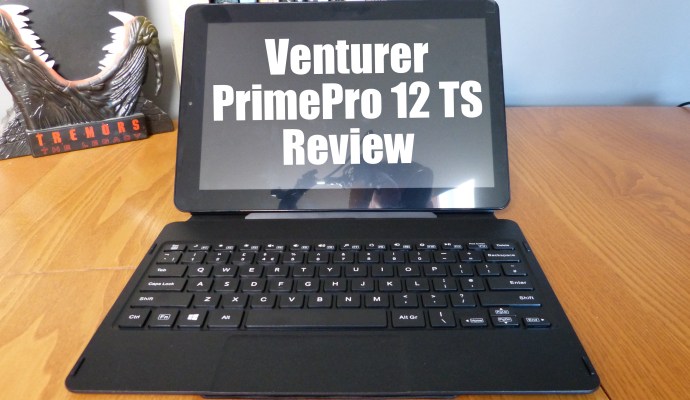
Venturer PrimePro 12 TS review

P1030596aThe world of the laptop and two-in-one device is a crowded one at the moment and Windows 10 has really excelled at providing an operating system that is both lightweight and features packed for the budget to mid-range device to run quite well. Venturer look to be making waves and this environment and whilst their latest device, the PrimePro 12 TS, is not without its flaws, the sum of the parts is commendable.

The Prime Pro 12 TS easily feels like they have learnt from the mistakes of previous models. It looks a lot better, it feels more premium and most importantly it runs smoothly.

A 12-inch screen with a resolution of 1920 x 1200 pixels proves to be just perfect for day to day interactions. Of course, this is a touchscreen device and therefore prone to large, oily fingerprints, something that is very difficult to avoid. One thing I will say about the screen and whilst it’s hardly a negative a small quirk is that the display is off-centre due to the camera on the left-hand side. Once noticed it’s impossible not to notice again. Everything is fine when running this in portrait mode, however, adopting landscape to plug it into the keyboard it just feels a little Asymmetric.

The keyboard bundled with the unit is a great feature and one that will attract many a business person who isn’t interested in the high price of the Surface line. By comparison with the previous Venturer model we looked at, the keys are greatly improved, there is decent spacing and enough travel so that you know that you press the button once you’ve pressed it.  Early usage finds that the keyboard dock was a little unresponsive and this annoyed me to some degree.  I felt I needed to push a little harder for the keyboard to respond, building up speed saw letters being dropped however once I got the knack I was able to build up speed whilst also pushing the buttons to a degree that I was sure of that the keyboard had received the signal. Over time this went away and now it’s very simple to type without issue. Perhaps the keys had a “bedding in” period of sorts.

The magnetic connection between the keyboard and the screen is very strong, I never doubted it for one moment which is commendable. When connecting the screen to the keyboard it always worked the first time, there was no fiddling around trying to find the connection and with a solid “thunk” you knew you were there.

The touchpad is great. Measuring almost 5 inches by 2 inches, there is plenty of travel in any direction. With no moving parts and stylishly cut into the keyboard’s base, there is little that can go wrong with it.

One thing that can be said about the unit as a whole is that it’s not the lightest, in fact, the whole thing bundled together is quite heavy. Weighing in at 1500 grammes, it’s on the heavier side,  but thrown it in the bag and it’s not that noticeable.

Folding the device up and putting it away is initially quite tricky but after using it for a few days you realise just how simple that actually is and becomes second nature. Once bundled up everything feels secure and protected save for the exposed microSD card, the one big problem on the exterior of the device. This popped out once on the train and landed on the table. Whilst it only happened once, it was one time too many.  I noticed it and felt it as I tapped it with one of my knuckles however on a busy train or leaving a flight this might be less than ideal. Perhaps a little piece of tape might hold things together a little better but who wants that?

Port-wise the Venturer Prime Pro has a lot to offer. Some my gripe there is only one USB, however, I never noticed the need for more. The mini HDMI is handy however I feel it’s a little redundant and was replaced by the micro HDMI and the micro USB was something I never found a use for.

The addition of the rear camera is a peculiar one and the device could do without it. For most of the time, I forgot it was there and whilst it is only two megapixels I guess it might be handy for capturing a business card but it certainly isn’t going to record your holiday memories. With a fixed focus and strange zoom in appearance, the photos feel as if there should be a warning that objects may be closer than they appear.

In the unboxing video, I was unsure of the volume switch, as to whether or not it was a handy placement. In usage it became invaluable. Easy to find and as it’s a button it was actually more responsive than other options like rollers.

Windows 10 runs very well. Initially, I was highly concerned as upgrading to the latest version of Windows 10 took a ridiculous amount of time. After almost 24 hours I finally had the machine up to date. This concerned me as I figured things were quite slow when it came to the Intel atom 1.83 gigahertz processor inside, coupled with 4 gigabytes of RAM. Thankfully once updated the machine appeared to be pretty quick. I rarely noticed any slow down when opening multiple applications and even managed some light gaming with some older titles downloaded through GOG Galaxy.

To boot the device from fully powered off to a usable state took roughly 20 seconds. When using the device it lasted for around 5 hours doing a little word processing and web development,  nothing too intensive. The media playback on the screen worked well, movies look good and the full HD display impressed. The speaker was acceptable however as with most speakers there is always room for improvement. Viewing photographs, the colour representation was pleasantly more than adequate and at no stage did it appear washed out. The screen gets a solid thumbs up indoors. Outside, one a sunny day things were a little different. With the brightness up full, the screen’s glossy finish made things impossible to see, a real shame.

The Venturer Prime Pro 12 TS is a very good alternative if you aren’t prepared to spend the money for the typically recommended Windows 10 experience. At £350 it is a little more than a budget laptop however you do get a more accessible experience having the choice to leave the keyboard behind and that might be worth that price difference.

I have enjoyed my time with the Ventura prime pro12 TS. It’s an interesting form factor from a company daring to be a little different. The Prime Pro does turning heads and people have asked questions. I can nit pick, but there is nothing I can really complain about, it’s a strong package at a good price and worth considering if you’re looking for a portable Windows 10 two-in-one device.

Posted in: Laptops, Reviews, Tablets
By March 13, 2017 Read More →

Y-Cam Protect Alarm review

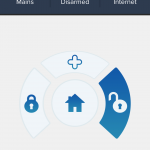
1486848637243Y-Cam is a security setup that employs a bunch of little peripherals under the one hub to give you peace of mind when away from home of when you locked everything up for the night.

Here we take a look at the Y-Cam Protect Alarm system. A basic, starter kit that notifies you when something happens in the home.

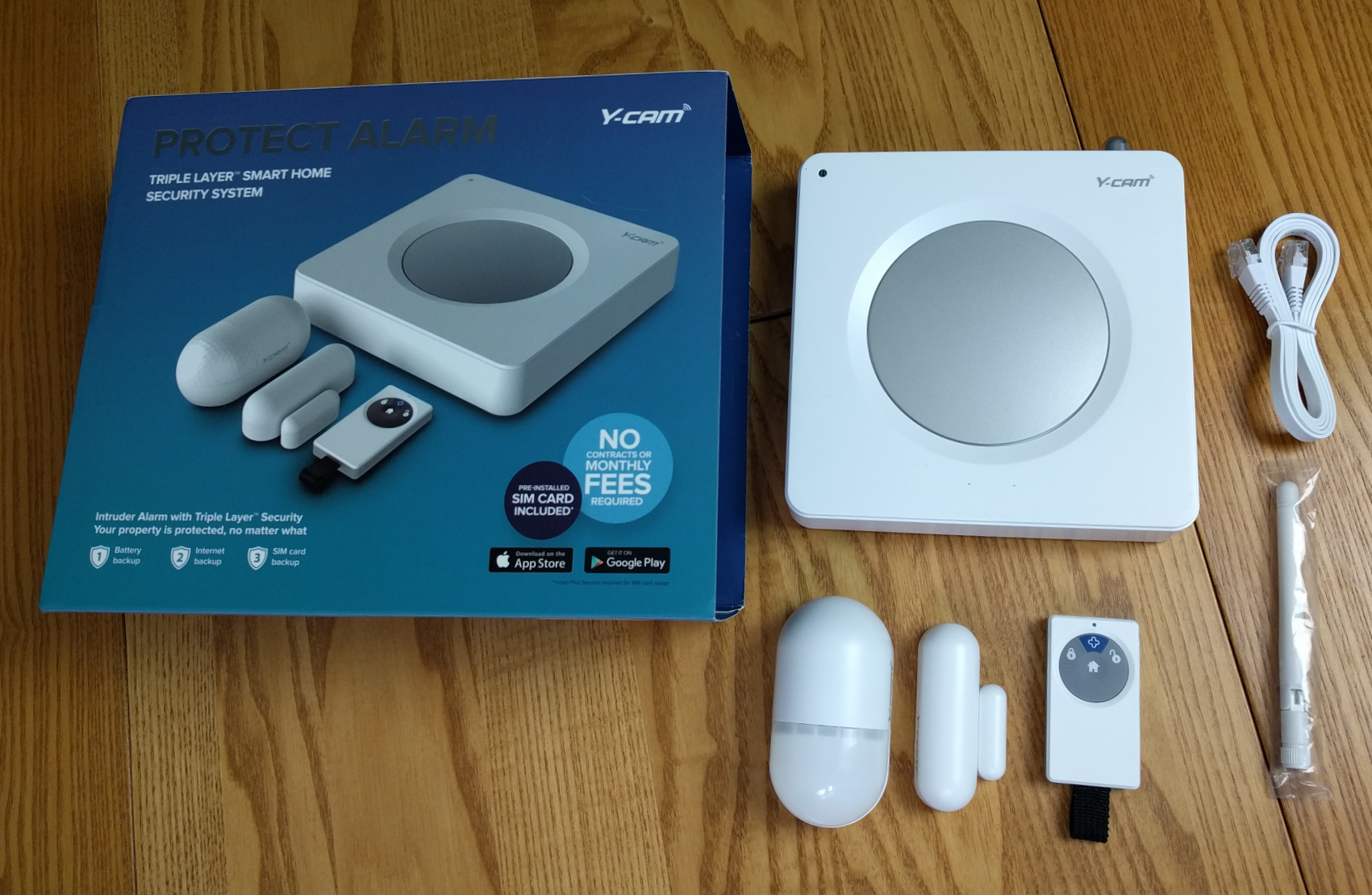
What you get in the box:

First up is the alarm hub itself. This box looks like an alarm system, is large enough to act as a deterrent however it’s designed to plug into your route so it might have some limits as to where you can place it. The Hub has some holes on the back for screws to allow wall mounting.

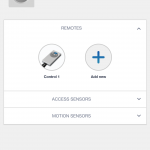
Also is the box is a door sensor with some adhesive tape to attach to both the door and the door frame. A motion sensor and remote control are also included.


The Y-Cam Protect calls itself a “Triple Layer” security system. This uses wired, wireless and SIM card to protect your home if your internet or power is cut.

In order to use the third level, the user has to pay for the SIM service. This costs either £5.99 per month or £59.99 for the year. The SIM provides alarms to the application and text messages to your phone when the alarm has been triggered.

There is also a feature to include the Plus button on the remote to send an emergency message to two mobile numbers. If an elderly relative has fallen perhaps, they can summon help if they have the remote on their person.

The battery on the Y-Cam lasts for around eight hours, this would be handy if there was a power cut and house was broken into a few hours afterwards. The motion and door sensors are battery powered and are said to last a year before needing replacement their batteries replaced. 


The sensors work for the most part. Testing the motion sensor was a little deflating as I was able to wave at it in the dark from a meter away without it jumping into action. During the day it was triggered by my pets and unlike my main house alarm does not have a function to disregard differing weight categories. However, it’s cost £150, my house alarm was close to £1000 and only upsets the neighbours when it goes off instead of tapping me on the shoulder to tell me my phone collection might not be there when I get home.

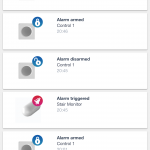
You can also arm or disarm from anywhere by the application. Whilst the Y-cam isn’t loud enough to annoy the neighbours on a false alarm it would probably aggravate your dog/cat that set it off in the first instance.

When armed the hub announces that it has been armed before allowing an adjustable grace period to clear the area. Setting off the alarm is an odd experience. The bell inside is loud, but not pant wettingly loud. You neighbours are unlikely to investigate and the sound may only serve to alert an intruder that something has happened. Instead, notifications will fly out to your device for you to react to.

The Y-Cam app is available for both for iOS or Android and is relatively simple to use. There are not many options, however, I would imagine as you add more peripherals to the system it would become a lot busier. Whilst I do not have the addition camera the functions are available to give a taste of how I could enhance the system if I were to feel inclined.

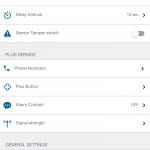
The Hub settings have a large amount of customisation making for quite an attractive experience. From naming sensors and items on the Y-Cam system to checking signal, there is a lot to work with, however not all is necessary when you are just plugging in and wanting it up and running.


The Protect system works pretty well. The remote is useful however I found using the application a lot more useful. I couldn’t help but think that the remote would really only be for the elderly. It’s not something you would attach to your keys when you go out and oddly enough it sat beside the Y-Cam hub for most of the time, so I didn’t lose it.

The Protect function arms and disarms quite quickly and the app is updated quickly when something happens with the system. One afternoon I did encounter a problem with the app when I received an error stating “regld required” however it worked later.

The Y-Cam Protect is a good-value home alarm system with an extra layer of reliability. It’s easy to setup and use with the benefits that easily outweigh the shortcomings. The subscription fee has it merits however it might not suit everyone.


Posted in: Reviews
Tags:
By October 7, 2016 Read More →

Google WiFi in a nutshell

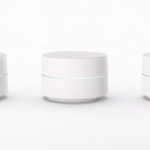
download-25One of the smaller announcements that seem to have been buried under the bigger stories was Google’s Wifi project. Google Wifi is set of little puck shaped wireless access points in sync with each other and can be placed around the home to build a strong wireless network around the home, this seemed to be a great idea for me, as I’ve always been looking for a good internet source in my area.

The main emphasis here is for the WiFi, from your chosen isp, to be able to support multiple devices, and to deliver high-bandwidth activities such as streaming video and gaming without congestion.

Google Wifi comes in packs of one or three, and one of the big features is allowing the user keep adding to the setup if you have a large home, but of course, you’ll also need a good internet provider. Google recommends using one point in a small house or flat measuring between 500- and 1500 square feet, two in a medium house measuring between 1500- and 3000 square feet, and three in a large home between 3000- and 4500 square feet. Google Wifi uses mesh Wi-Fi, determining the best path for your data.
download-26

A companion app for Android and iOS, allows the user to optimise your network however the system itself will work on the more complex aspects, like ensuring your Wi-Fi is operating on the clearest channel, so you don’t have to. The Network Assist app can even tell you where best to place a Google Wifi point or advise you to adjust your broadband tariff. One of the more interesting features is that you can pause a Wi-Fi connection to a particular connected device, such as the computer you child is glued to running League of Legends when you have called them five times for dinner. You can also see how much bandwidth these devices are using and prioritise particular devices over others. Google Wifi supports wireless encryption, verified boot and auto updates, keeping security and user privacy as high priorities.

As with most things at the Google event, nothing for the UK has been confirmed. Google Wifi is available to pre-order in the US from November, and will cost $129 for a single pack and $299 for a three pack. If it seems costly for you, you can always turn to other options such as leased lines which are reliable yet still budget-friendly. Leased line uk provider offers a cost-effective solution to businesses with two or more offices.

Connectivity

  • AC1200 2×2 Wave 2 Wi-Fi
  • Expandable mesh Wi-Fi
  • Simultaneous dual-band Wi-Fi (2.4GHz/5GHz) supporting 802.11a/b/g/n/ac
  • TX Beamforming
  • Bluetooth Smart Ready
  • 2 Gigabit Ethernet ports per point (can be configured as WAN or LAN)
  • Security
  • WPA2-PSK
  • Automatic security updates
  • Infineon SLB 9615 trusted platform module

Hardware

  • 710MHz Quad-core processor
  • 512MB DDR3L RAM
  • 4GB eMMC flash storage
  • 15W power adaptor
  • White plastic build
  • 106.12×68.75mm
  • 340g
By September 5, 2016 Read More →

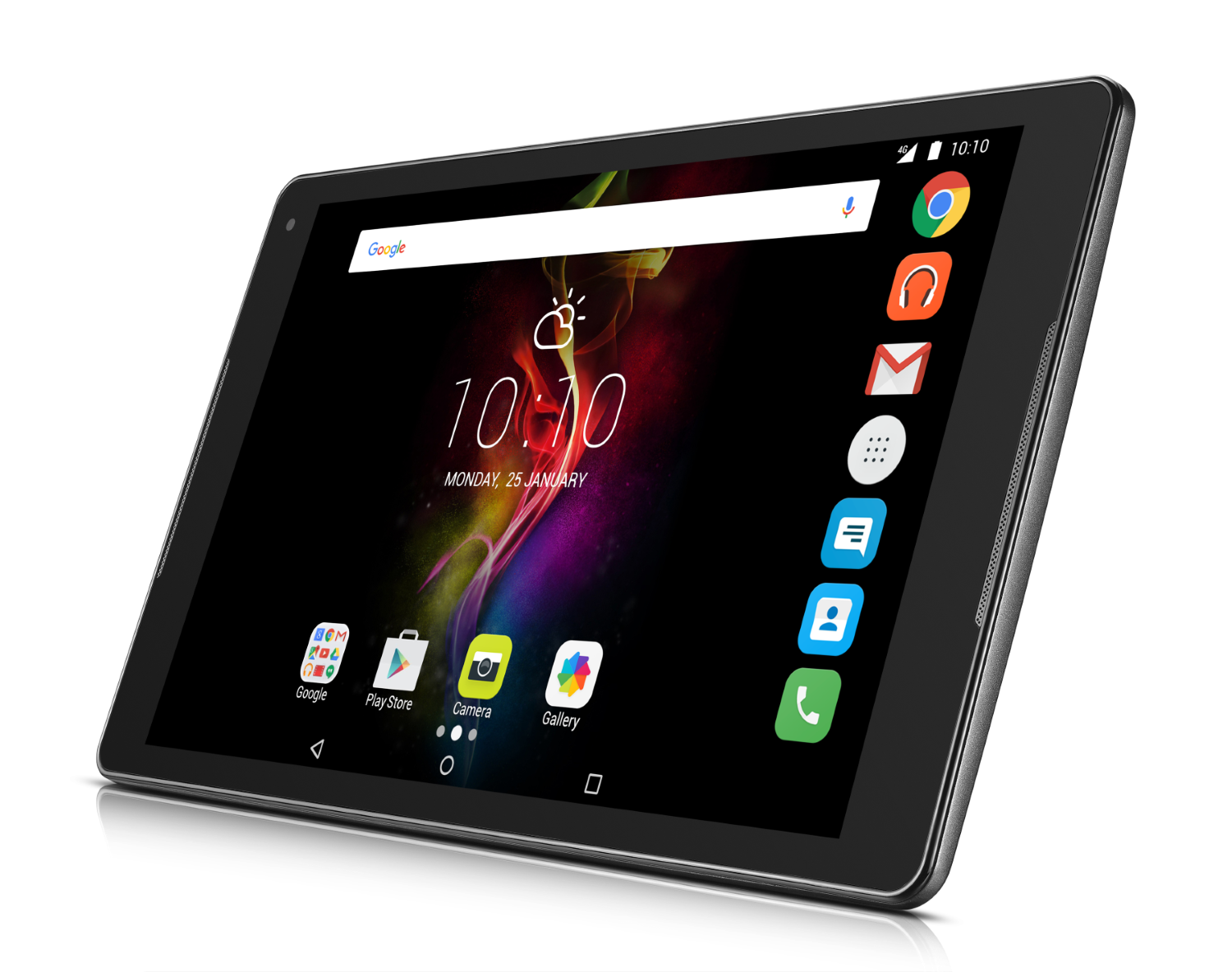
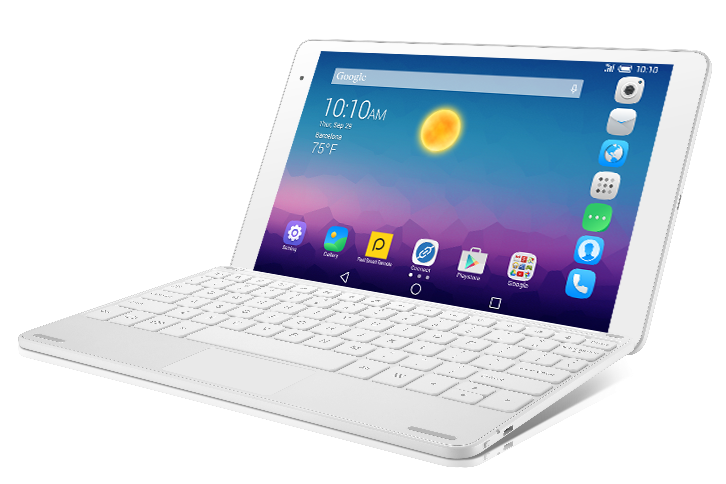
Alcatel POP 4 (10) LTE Tablet Debuts

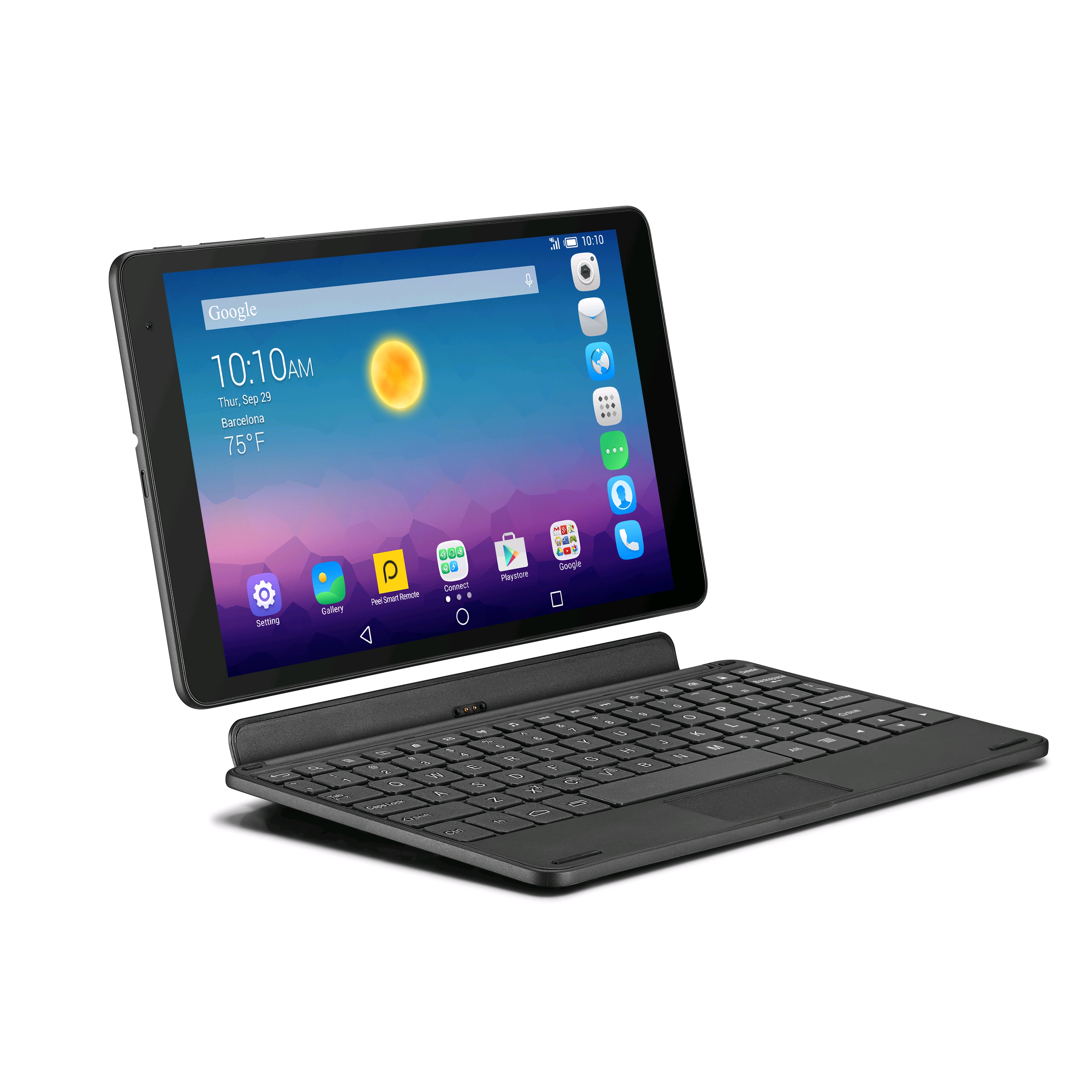
b278888TCL Communication is proud to announce a new addition to the Alcatel POP 4 series: the Alcatel POP 4 (10) LTE tablet, a lightweight, sturdy and stylish device, with a powerful processor offering ultra-fast 4G LTE connectivity and advanced audio enhancements to create an immersive audio-visual entertainment experience for music and movie lovers.


The new Alcatel POP 4 tablet offers both style and substance, with a sleek profile and premium metallic design details,” says Vittorio Di Mauro, Vice President & General Manager of Smart Connectivity Division. “It doesn’t skimp on performance either, with a powerful chipset and 4G connectivity”.


A Powerful Processor to Enable Super-Fast Connectivity

Network connectivity is essential for the connected generation to enjoy the latest entertainment. Powered by the new generation of LTE processors, the tablet is great for streaming movies in hi-definition, playing the hottest games and enjoying super-fast download speeds.

POP-4-10-3

Immersive Audio-Visual Experience

The POP 4 tablet integrates a gorgeous IPS full lamination display in Full HD. In addition to the wafer-thin display, the company also teamed up with Waves to add MaxxAudio® to optimize the tablet’s audio quality. The dual front speakers by Waves MaxxAudio® deliver the best performance for your multimedia experience in music, movies, gaming and more. “Auto select” technology automatically detects content type or music genres and reacts with the right optimization setup with pro studio-level processors imagined by mastering audio engineers.


Waves is at the forefront of providing innovative intelligent audio technology, which has become an essential feature in gadgets. We are committed to developing advanced audio enhancement tools to make the most out of latest content and devices. With MaxxAudio® on Alcatel POP 4, users are able to enjoy a superior and elevated sonic experience that goes beyond their expectation,” says Jack Joseph Puig, a multi-platinum GRAMMY® Award-winning record producer/mixer and Head of Global Marketing, Waves Consumer Division.

Alcatel-Pop-10

The Alcatel POP 4 tablet is the perfect portable companion for the connected generation to enjoy the ultimate entertainment experience. The device will be available in Europe from October onwards.

Posted in: News, Press Releases, Tablets
https://www.ukmeds.co.uk/surgical-face-masks