Archive for 2016

By April 25, 2016 Read More →

Without a doubt, eSports are a GLOBAL market

In the last decade or so, the rise of eSports has been impressive to say the least. While video and social media platforms such as Youtube and Facebook have both helped to spread the word of eSports and competitive gaming, the ‘sport’ in general is booming thanks to key personalities who have left their mark on the world of online gaming.

The likes of Syndicate, KSIOlajidebt and Felix Kjellberg have helped to enhance the appeal of online gaming – largely down to their publicity and likeable personalities. Nowadays, there are plenty of vloggers who attempt to follow in their footsteps and commentate over their gameplay whilst playing FIFA, Call of Duty and more.

But behind the scenes, eSports have been growing and it’s now much more than a few famous faces on the internet. ESports ARE a global brand. They are huge. There are hundreds of thousands of dollars at stake in their daily tournaments and the best players in the world are making an absolute fortune on a weekly basis.

In fact, you can now place bets on eSports – THAT’S how big they are. Betway have a growing market dedicated specifically to eSports and punters can place bets on tournaments, individual games and team competitions. And best of all, eSports are only going to get bigger in the future as more money is invested.

The latest partnership deal with both Yahoo and Twitch, which will see major competitions broadcast all over the world, is just the next step for what is perhaps the fastest growing market on the planet. Most people believe that Youtube is a gold mine but eSports is much more impressive – the scale of money involved is frightening.

Earlier this year, the 2016 FIFA Interactive World Cup was held in New York City – with the top 32 players in the world travelling to the United States’ East Coast for the competition. On that occasion, Denmark’s Mohamad Al Bacha came up trumps as he defeated England’s Sean Allen in the final of the competition.

For that, Al Bacha emerged with £20,000, the trophy presented by Franck Ribery and a ticket to the next FIFA Ballon d’Or ceremony. And while the cash incentives are much greater for other competitions, it’s quickly becoming more about the perks of the job and the potential achievements for being one of the top players in the world.

As eSports continue to grow, the global audience and market will also increase. This year, the FIWC final was broadcast live on Sky Sports and it’s only a matter of time before a dedicated eSports television channel springs up. Then, and only then, will people start to accept it for what it is: a corporate, money-making machine.

Posted in: Editorial
By April 24, 2016 Read More →

Acer Chromebook 14 in 1 minute

One of the most exciting products Acer announced this year in New York was of their Chromebook line. The Acer Chromebook 14 is a beautiful example of how luxuriant a Chromebook can be for not a lot of money. Featuring an attractive Full HD IPS display at 1920 x 1080 with some interesting modifications from Acer concerning the LED backlight.

A Chromebook 14 for Work has been added to the line and features a less attractive build, loosing the aluminium exterior and introducing Corning Gorilla Glass 3 for the top cover material. Something of a first for a maintream product however a bit of a fingerprint magnet. Acer have also subjected the “Work” to stringent U.S. Military standard testing to ensure durability and reliability.

Both feature options of Intel i5 and I3U or the smaller Celeron RAM options max out at 8gb, an incredible amount for Chrome, some may even say overkill. The battery is said to last for 12 hours and there are 16gb and 32gb storage options.


Acer today debuts its new Chromebook 14 for Work, the industry’s first Chromebook with 6th Generation Intel® Core™ processors, available with a durable design to meet the demanding needs of enterprise, government, small business and institutional users.
The Acer Chromebook 14 for Work is powered by a 6th Generation Intel Core processor to provide exceptional performance and long battery life of up to 12 hours2.

It is also the world’s first notebook to feature Vibrant Corning® Gorilla® Glass, providing corporate customers with the flexibility to design the top cover with photorealistic images that are highly durable and scratch-resistant.
The new Chromebook is compliant with Google’s Chrome for Work initiative, providing businessclass security, manageability and durability to enterprise, government, institutional and small businesses customers. The Acer Chromebook 14 for Work is easy to deploy and manage over a wide range of employees and offices. Also, IT administrators will find it easy to make updates, configure apps, utilize extensions and more. Plus, Chromebooks protect company employee and company data with the latest security protocols and auto-updates.
“Our commercial customers have an abundance of reasons to choose the new Acer Chromebook 14 for Work,” said Jerry Hou, general manager, Commercial & Detachable Notebooks, IT Products Business, Acer. “Its first-rate performance and robust design provides businesses with a powerful and flexible product that delivers topnotch reliability and reduced total cost of ownership. In addition, the Chromebook 14 for Work can be efficiently deployed and managed, while maintaining excellent security for its employees.”
According to data from Gartner3, Acer Group is the world’s leading Chromebook brand with over 33 percent market share in 2015.

High Performance; Long Battery Life
The Acer Chromebook 14 for Work is the first Chromebook featuring 6th Generation Intel Core processors, providing customers with a considerable performance improvement over previous generations. As a result, the Chromebook 14 for Work allows customers to multi-task with ease through multiple apps and documents to boost productivity. It also provides up to 12 hours of battery life on models with the HD display; Full HD models provide up to 10 hours of battery life2. Two keyboard options are available: standard and backlit models for improved efficiency in low-light areas.

Durable, Robust Design Meets Military Standard
The Acer Chromebook 14 for Work has enhanced durability features. The spill-resistant keyboard provides protection against spills of up to 11 fluid ounces (330ml). Its unique gutter system under the keyboard and touchpad drains liquid through two drain holes to route water away from internal components and out the bottom of the chassis. The Chromebook 14 for Work has been tested to withstand up to 132 pounds (60kg) of downward force as well as drops of up to 48 inches (122cm).
The Acer Chromebook 14 for Work endured rigorous testing to meet the demanding U.S. MIL-STD 810G military standard1. This military specification testing validates the ruggedness, durability and quality of the Chromebook 14 for Work, as it tested 8 parameters: drop from the height of 48 inches (122 cm), high temperature, low temperature, humidity, vibration, rain, sand and dust.
With incredibly tough and damage-resistant Vibrant Corning Gorilla Glass, corporate customers can design the top covers of their Chromebook 14 for Work across the organization with vibrant and photorealistic images, at a resolution equivalent to high quality prints on paper, for a unique and consistent look across the organization.
“Corning is excited to collaborate with Acer to launch the world’s first notebook with Vibrant Corning Gorilla Glass,” said Scott Forester, director, Gorilla Innovations, Corning Gorilla Glass. “With Corning’s proprietary technology, Acer’s corporate customers now have the opportunity to move beyond the limited chromatic options available today with multi-color, photo quality images on the Chromebook 14 for Work. What’s more, because the image is printed on Corning’s industry leading cover glass, the images will remain as durable, vivid and beautiful as the glass it is printed on.”

Large Display in a Compact Design, Features to Boost Collaboration, Productivity
The large 14-inch display was designed to fit into a chassis typically used for 13-inch displays. The extremely narrow bezel gives customers an immersive experience when enjoying the display while reducing the overall size of the device. The Acer Chromebook 14 for Work makes the most of its compact design, it weighs only 3.2 pounds (1.45kg) and measuring just 13.03W x 8.94D x 0.88H inches (330.9 x 227 x 22.4 mm) thin.

The display will be available with a Full HD (1920 x 1080) or HD (1366 x 768) resolution display. Both ensure clarity in text and graphics as well as wide viewing angles of up to 170 degrees. The Chromebook 14 for Work is easy on the eyes thanks to the display’s ComfyView low-reflection and anti-glare properties.
Group video conferences are effective with the Acer Chromebook 14 for Work’s 720p webcam with 1280 x 720 resolution as well as HD audio and video recording. The webcam provides High Dynamic Range imaging as well as a wide field of view, top-notch audio, dual stereo speakers and an integrated digital microphone.
Administrators Can Keep Acer Chromebooks Secure, Managed
Chrome OS software is automatically updated and guards against ever-changing online threats, such as viruses and malware. This is especially useful for IT administrators who are responsible for protecting invaluable company data and network security. Administrators will find setting up and managing Acer Chromebooks to be intuitive and efficient. The web-based Chrome Device Management allows remote management of apps and over 200 policies across all Chrome devices on the network4.
The Acer Chromebook 14 for Work has a Trusted Platform Module solution integrated to protect files, documents, and photos securely in the cloud with 100GB of free storage5 on Google Drive. This ensures that the most current file version is always available even if the Chromebook is lost or stolen. The device can even be shared by multiple employees within a business or organization, allowing each to have a unique account login. Customers can also access files offline, and even open and edit Microsoft® Office documents as well as Google Documents.

Keeps Employees Connected, Available in Several Configurations
The Chromebook 14 for Work has a USB 3.0 Type-C port that allows the fast transfer of data, audio and video up to 5Gbps. In addition, the port provides extra convenience for customers since it can charge the Chromebook 14 for Work or use the power from the Chromebook to charge other external devices. The Chromebook can be used to share HD video and audio onto an external display with its HDMI port.
Employees will stay connected and in touch using the device’s fast dual-band 802.11ac6 Wi-Fi featuring 2×2 MIMO technology. The Chromebook also connects to peripherals via Bluetooth 4.2.
The Acer Chromebook 14 for Work will be available in several configurations, either with 32GB or 16GB eMMC storage and either 8GB, 4GB or 2GB of dual channel LPDDR3 SDRAM7.

Optional USB Type-C Dock Extends Capabilities
To extend the capabilities of the Chromebook 14 for Work, customers can connect it with a single cable to the Acer USB-Type-C Dock, easily transforming it into a powerful workstation. This convenient and compact dock enables high-speed video, audio and data transfer and keeps the work area clutter-free with immediate connectivity to multiple displays and other devices simultaneously. It also has all the connections business users need, including DisplayPort, HDMI, two USB 3.1 Type-C ports and three USB 3.1 Type-A ports, as well as audio input for microphone and audio output for speakers.

Pricing and Availability
Several models in the Acer Chromebook 14 for Work line (CP5-471) will be available in May through Acer authorized resellers starting at $349 in the United States and €249 in EMEA.

Exact specifications, prices, and availability will vary by region. To learn more about availability, product specifications and prices in specific markets, please contact your nearest Acer office or retailer via www.acer.com.
6 Based on IEEE 802.11ac draft specification. An 802.11ac wireless equipped computer requires an 802.11ac router to work properly. Actual speed will vary based on range, connection rate, site conditions, size of network and other factors. Up to three times faster comparing 802.11ac with 802.11n. 7 Accessible capacity varies: (MB = 1 million bytes; GB = 1 billion bytes)

The new Chromebook 14 for Work was unveiled today at the next@acer press event at 4 World Trade Center in New York, where the company announced a range of new devices and solutions for high-performance and style-conscious users, families, students and professionals. For more information, visit acer.com/nextatacer.

By April 24, 2016 Read More →

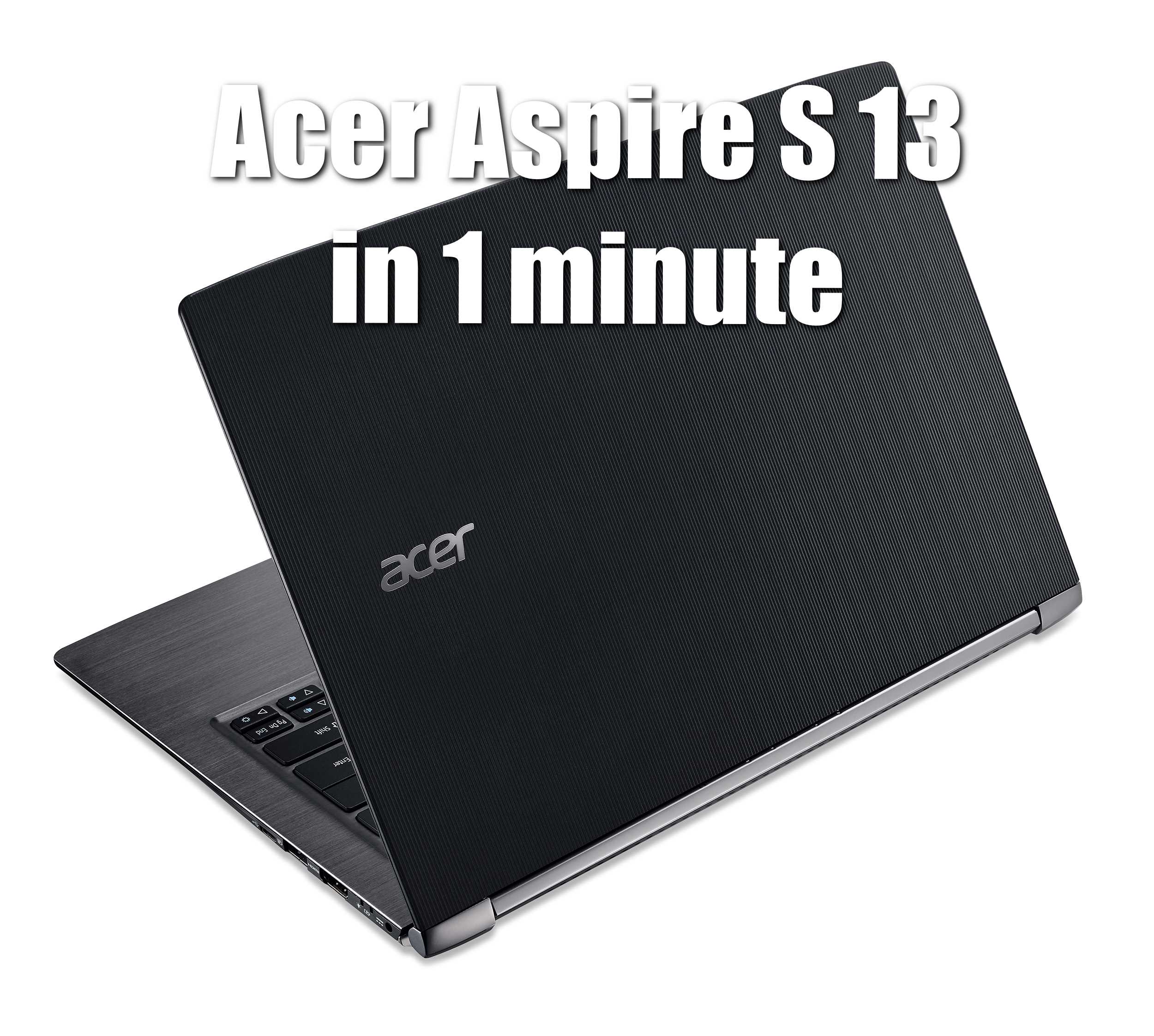
Acer Aspire S 13 in 1 minute

Acer Aspire s 13Acer has recently announced their latest addition to its ultra-slim S series notebooks, the Aspire S 13. This Ultrabook style device is a high end yet still respectively priced notebook with a premium finish, sleek chassis with  a promise to be able to handle the demands of  work and play. 

“Demonstrating the equilibrium between form and function, the Aspire S 13’s powerful components come together to strike a perfect balance in size, weight and performance,” said James Lin, general manager, Consumer Notebooks, IT Products Business, Acer Inc. “Currently there is no other branded device on the market that can offer such design excellence at this desirable price.” 

Running Windows 10 with the option of a 10-point touch display, the Aspire S 13 is powered by 6th Generation Intel® Core™ processors and up to 8 GB of LPDDR3 system memory, not only enabling fast performance and enhanced graphics, but also low power consumption. The optional 54 Wh 3-cell Li-ion battery lasts up to 13 hours, enabling users to get the most out of their machine every day.

Wired connectivity comes in the form of a USB 3.1 Type-C reversible port which supports ultrafast transfer of data (up to 5Gbps) and also a USB 3.0 port which supports power-off charging for mobile devices, even when the Aspire S 13 is switched off. Wirelessly, the laptop enables users to utilize 802.11ac to its maximum effect with 2×2 MU-MIMO (Multi-User MIMO) for up to three times faster performance over single-user MIMO 802.11ac.
Meanwhile, the Precision Touchpad enables an accurate, smooth and responsive navigation experience, and supports Windows 10 Precision Touchpad gestures.

The Aspire S 13 offers the best of both worlds when it comes to work and entertainment capabilities. The Full HD touchscreen display with wide-viewing angle IPS technology brings immersive experiences for both movies and presentations, while Acer “BluelightShield” can be enabled to reduce the blue-light emission from the LED backlit module. In low light, the two stage adjustable backlit keyboard provides more options to suit the circumstances: first stage turns on the backlit keyboard, the second stage turns on the lighting to full luminance.

Yhe Aspire S 13 is ultra-thin and lightweight, measuring 327W x 228D x 14.58H mm (0.57 inches) and weighing 1.30 kg (2.86 pounds). Available in Obsidian Black or Pearl White. Availability in North America in May with prices starting at $699; in EMEA this month with prices starting at €699; and in China in May with prices starting at ¥5,499. 

Exact specifications, prices, and availability will vary by region.

By April 21, 2016 Read More →

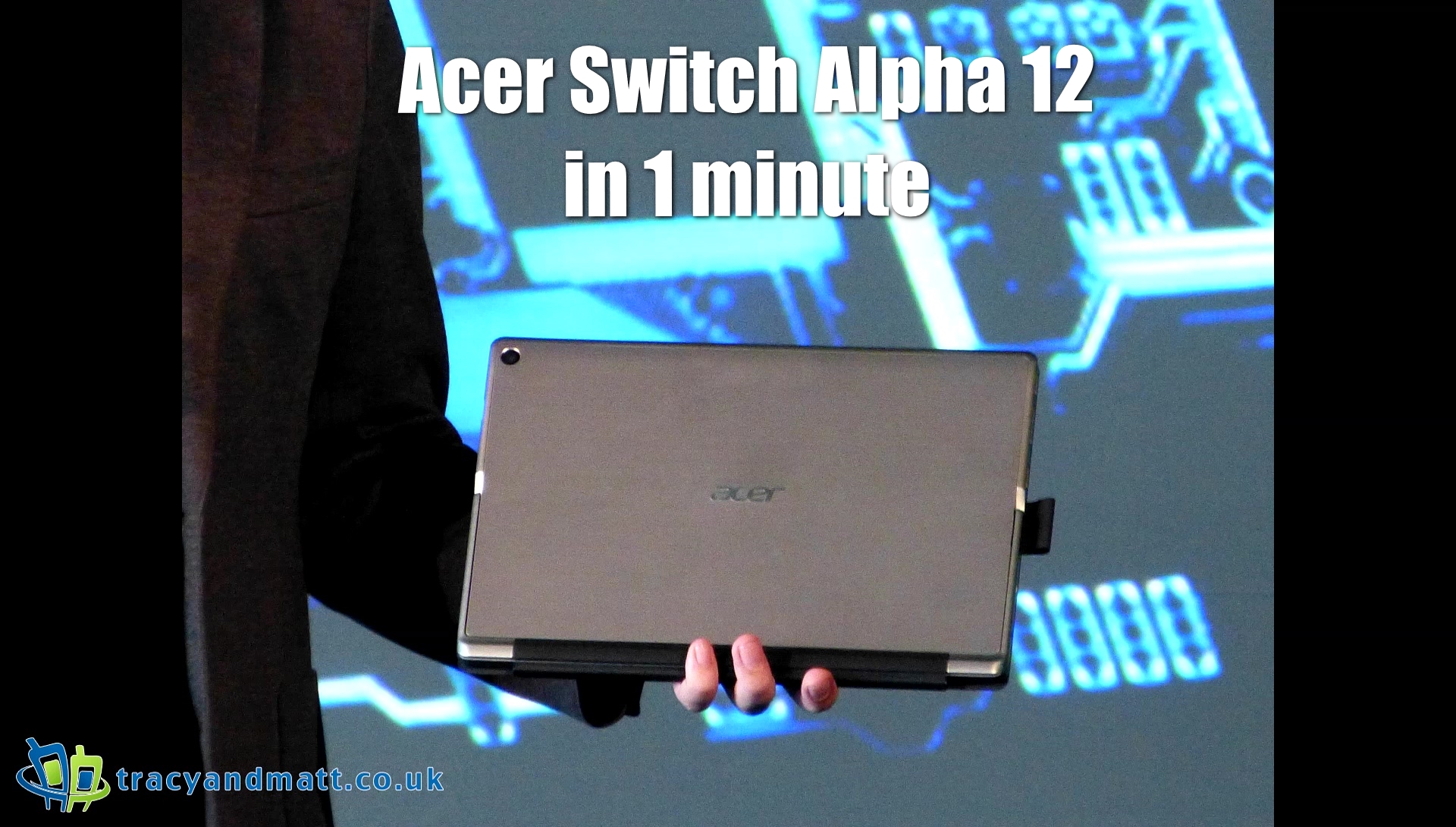
Acer Switch Alpha 12 in 1 minute

New ImageAcer today announced the new Switch Alpha 12 2-in-1 notebook with Windows 10, which delivers a heightened level of mobility with Acer LiquidLoop cooling, excellent performance, and an ultra-slim, flexible notebook-to-tablet design.
The new Switch Alpha 12 is the industry’s first fanless 2-in-1 notebook to use a 6th Generation Intel® Core™ i7, Core i5 or Core i3 processor. It is powered by Windows 10.

Fanless design featuring Acer LiquidLoop™ cooling technology for silent and reliable operation 
Industry’s first fanless 2-in-1 notebook to use 6th Generation Intel® Core™ processors; delivers exceptional performance and 8-hour battery life1 
Versatile design with multi-position kickstand for flexibility 
12-inch display boasts 2160×1440 resolution, optional Acer Active Pen takes advantage of the best Windows Ink has to offer 
Several optional docks extend the capabilities of the Switch Alpha 12


By April 21, 2016 Read More →

Unannounced Huawei P9 Lite popping up

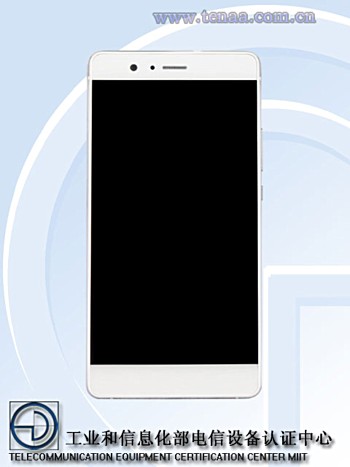
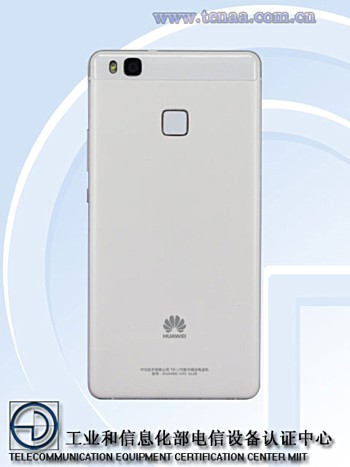
Huawei P9 Lite1No sooner do we have the Huawei P9 than the little brother is rumoured and remains yet to be announced by the company. Some European markets in Belgium and Romania have noted it on websites however it has now been listed on the website of Chinese telecommunication authority TENAA, suggesting an imminent launch in the Asian country.

The listing reveals that the device is powered by an octa-core 2.0Ghz chipset, a 5.2-inch 1080p display, 3GB RAM, 16GB expandable internal memory and powered by a generous 2,900mAh battery.

Huawei P9 Lite2

The P9 Lite features a 13MP on the rear and an 8MP front shooter. Dimensions are listed as 146.8×72.6×7.5 and it should weigh around 143g. Android 6.0 Marshmallow will be in running out of the box and typical colour options include gold, white, and black.

Posted in: News, Phones, Rumours
By April 21, 2016 Read More →

Three Easy Ways to Stay Healthy at the Desk

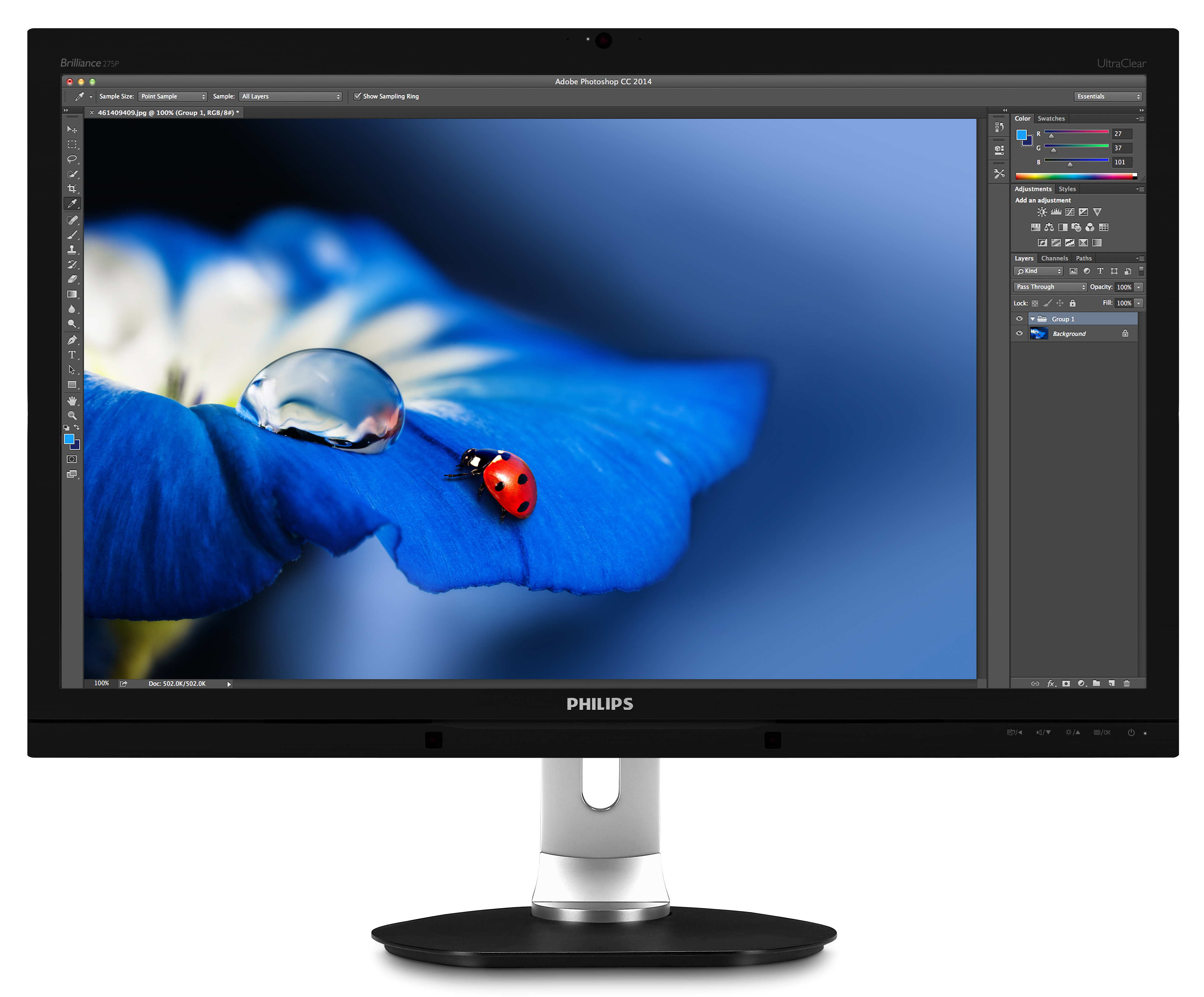
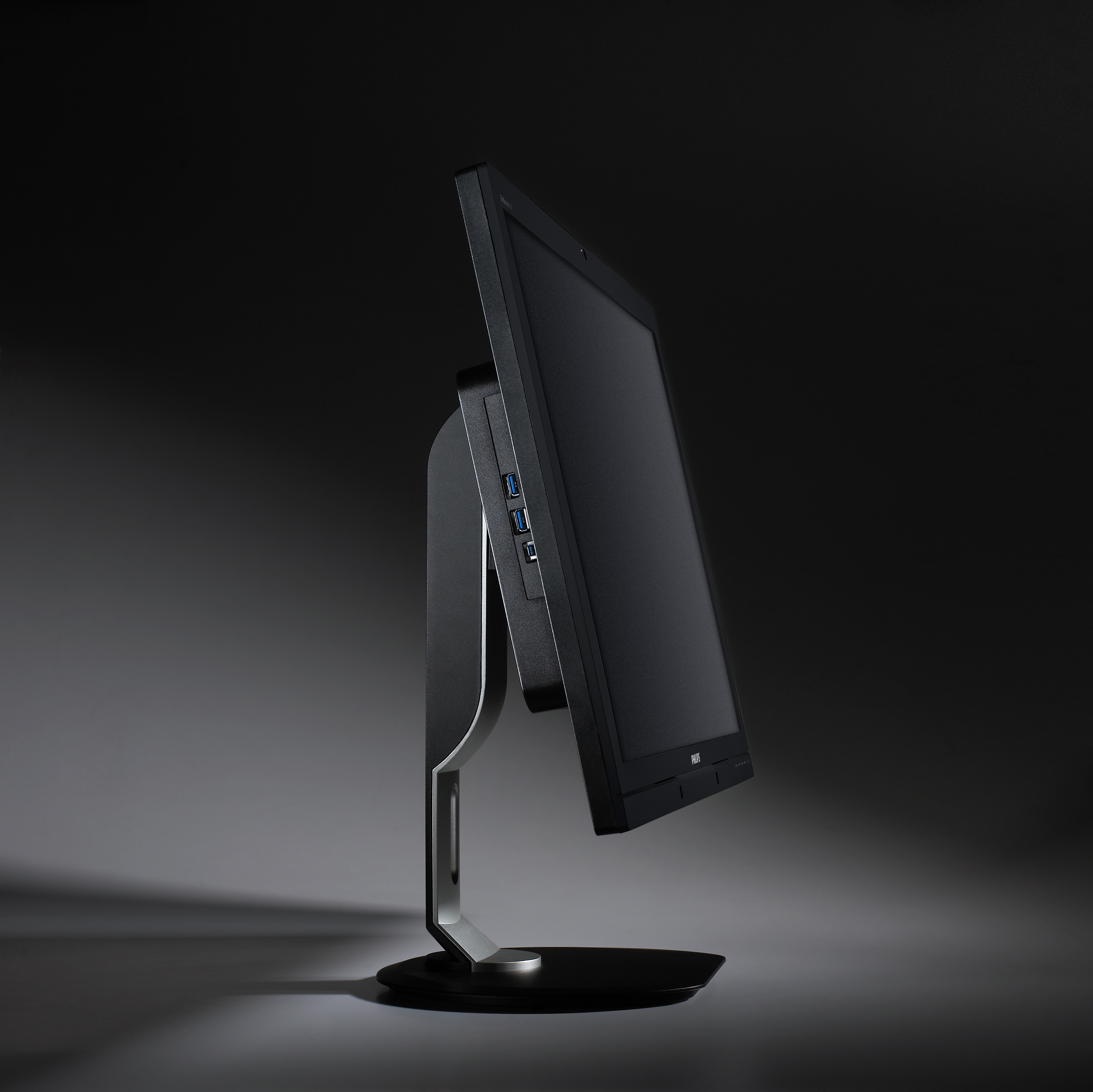
275P4VYKEB_f imageWith World Day for Safety and Health at Work coming up on 28 April 2016, MMD, a leading technology company and brand license partner for Philips Monitors, highlights some easy tactics that desk-based workers can employ to keep their working space as healthy as possible, learn more here how to work comfortable.

The theme of this year’s World Day for Safety and Health at Work is workplace stress you can ease by using the different Hemp flower strains available at the online store linked above. The increased pace and pressure in working lives is a major contributor, so products like https://d8superstore.com/category/thca/thca-dabs can really help with this. Over a lifetime, people can spend upwards of a third of their waking hours at work, so reducing stress levels is key. Awareness has grown in recent years that smart choices of workplace equipment can make all the difference to health and well-being at work. MMD has a commitment to designing and producing displays that help users to make these smart choices. And by following a few simple rules, people can stay productive and healthy even with hours of screen time every day. I f you are looking for healthy stuff for yourself try the cbd oil toronto services and products.

275P4VYKEB_m

• Go easy on the eyes. To prevent eye fatigue and stay concentrated, it is vital to have a display that minimises strain. Screen flicker will impair concentration; and over the long term, continuous exposure to the blue light of display devices is shown to increase the risk of vision impairment. Many displays from MMD feature a new health-and-wellbeing technology called SoftBlue, which mitigates the potential long-term impacts on eyesight from blue light exposure. Displays using this special LED technology reduce light at harmful wavelengths by over 90% – and still maintain full color fidelity and brightness. Screen resolution is also a key factor to consider to keep eyes fresh, so 5K monitors like the 275P4VYKEB are also an option to minimise eye strain.

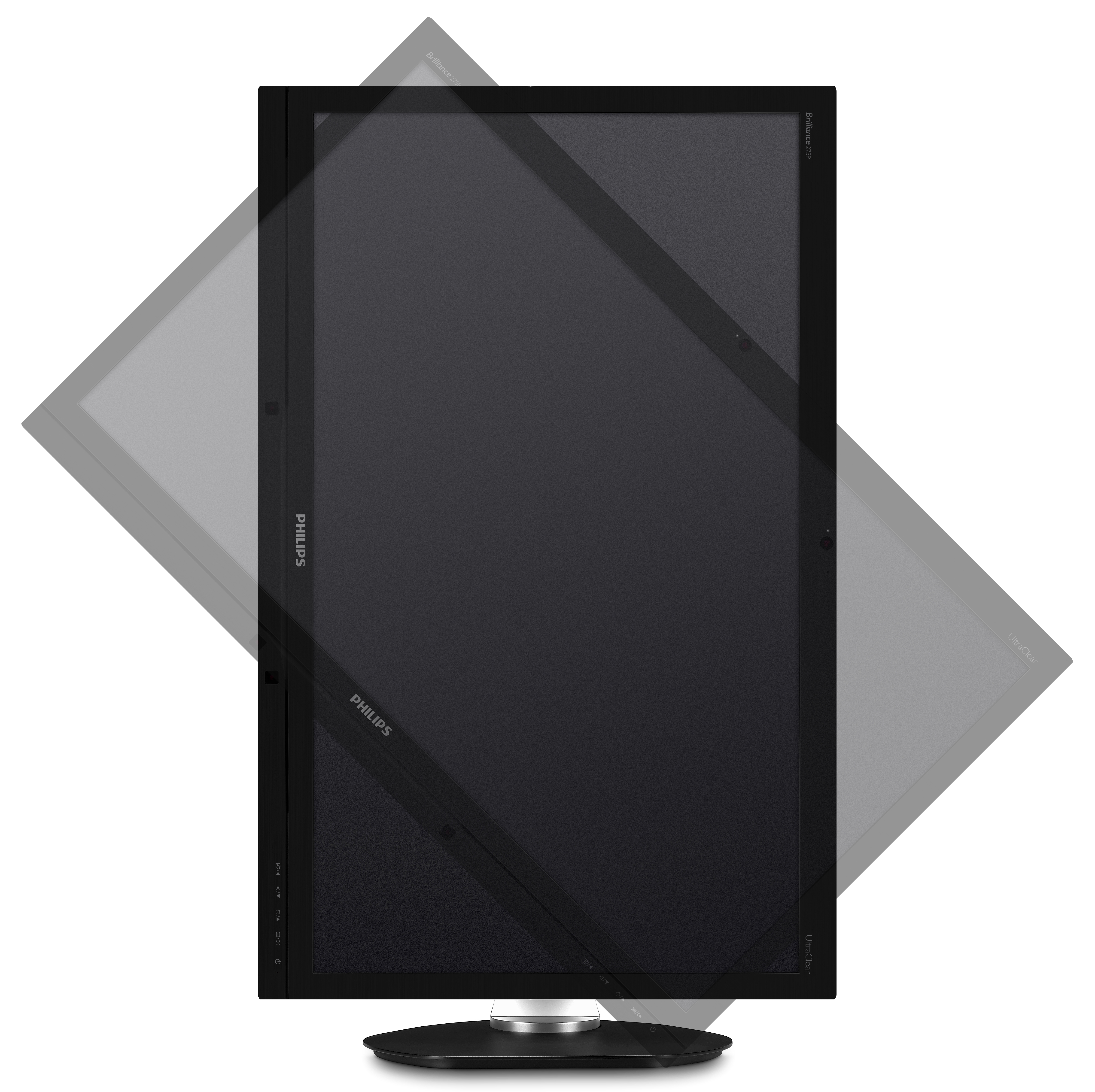
• Sit up straight. The right posture is essential to eliminate backache. All over the world, innumerable workdays are missed for this very reason – and back pain is the most common cause of job-related disability. People who suffer from such disability and aren’t well-compensated, should immediately contact a long term disability attorney. With an adjustable monitor stand such as the Philips SmartErgoBase, users can tilt, swivel and height-adjust their display, ensuring their line of vision remains at a natural and healthy angle to the screen. The outcome is better posture overall and less chance of a painful back at the end of the day. As a welcome side effect, the base reduces cable clutter for a neater, tidier workspace with more focus and less distraction.

275P4VYKEB_pivot45

• Stay focused – to have time for breaks. Having a clean desk is key to staying more relaxed, productive and ultimately healthier. It all comes down to a sense of space – and a larger display helps to create a more spacious working environment. With more room to keep multiple windows open simultaneously, there is no need for the distraction of continually opening and closing task windows, and far less scrolling. Here too, screen resolution is also key. If the office is short on desktop real estate, users can obtain a greater sense of space by working with a higher-resolution display. The extra vertical and horizontal pixels (as on the Philips Monitors 27-inch UltraClear 5K) have the effect of creating additional space on screen. By being more productive, people gain time for regular breaks which are so important, for taking time out to chat to colleagues or get out for a walk in the fresh air. This helps people to stay relaxed, productive, and ready for the next challenge.

More information on Philips monitors: www.philips.com/monitors

Posted in: Desktop Computing
By April 19, 2016 Read More →

Gameloft becoming freemium

Gameloft-Gets-With-AppNexus-What-Are-They-Up-ToIt would seem that publishers are really turning to the free-to-play revenue model as the only proliferate approach across the mobile space. However French developer, Gameloft, who was one of the last big brands to use the premium priced model without in-app-purchases has now announced the switch to the more lucrative free-to-play model. Up until now Gameloft has offered a library of titles that were sold as complete games for one price, a revenue model most familiar to those who play real money iphone games on dedicated gaming devices throughout the last 40 years, and a model that many veteran gamers still insist on using.

Gameloft’s premium franchises such as N.O.V.A., Modern Combat, and Asphalt have in part come to define hardcore gaming on mobile, and helped set the precedent for mobile games being sold for more than 79p. Despite having cultivated both an image, and an audience that revolved around premium games, Gameloft has apparently shifted its development resources to focus on freemium titles.

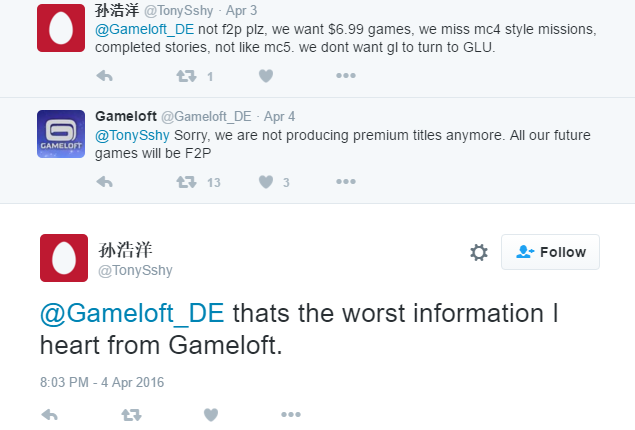
When Twitter user @steventhiele2 inquired about the forthcoming release of Modern Combat Versus, fellow Gameloft enthusiast, @TonySshy, asked about the pricing for the game. Gameloft’s German branch replied to the line of questioning by stating that, “[…] we are not producing premium titles anymore. All our future games will be F2P“.

2016-04-19

What this means for Gameloft games previously released as paid titles has yet to be determined, but we will be seeking a comment from Gameloft’s representatives in order to obtain greater clarity about which games, and which regions, will be impacted by this turn-of-events.

For those that follow Gameloft closely, this seemingly sudden focus on freemium content may not be all that surprising. Later entries in the Asphalt series launched as premium titles but eventually switched  to the free-to-play model. More recently, titles such as Rivals, and Spider-Man Unlimited, have launched as free-to-play content. As such, Gameloft seems to have been testing the free-to-play waters for some time.

Posted in: Apps & Games, News
By April 19, 2016 Read More →

Acer Launches New “Chromebase for Meetings”

unnamed

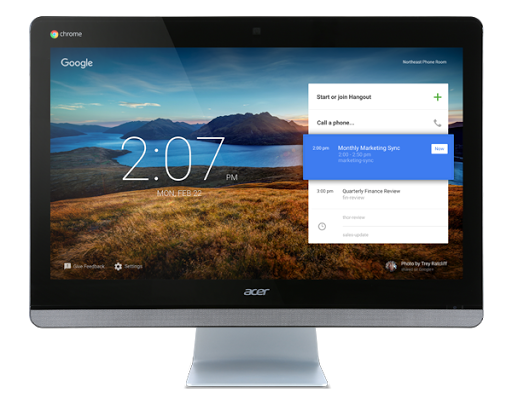
The Acer Chromebase for Meetings is an all-in-one video conferencing solution for business. The highlights of this new machine are a large 24-inch adjustable touchscreen display, integrated, adjustable HD camera, 4 microphones and 2 stereo speakers.Inside is an Intel Celeron dual-core with Google video acceleration along with 4GB of RAM. Ports include an HDMI, Headphone jack, 3x USB 3.0, 1x USB 2.0, and SD card reader. The Chromebase for meetings is available at $799 from our partners in the US, Canada, UK, Ireland and Australia. The cost includes the first year’s management and support fees.

Chromebase for Meetings is hardly anything new when it comes to hardware, however there is a management console that lets administrators easily deploy and manage a fleet of such devices across meeting rooms around the globe.

We’re also happy to announce new features to our remote fleet management tools. Administrators can receive alert notifications and track health of their fleet of Chrome devices for meetings. They can remotely diagnose and troubleshoot audio, video quality and bandwidth problems. Administrators can also customize the interface using their own background images.


Posted in: Desktop Computing, News
By April 18, 2016 Read More →

Charge Pit Unboxing

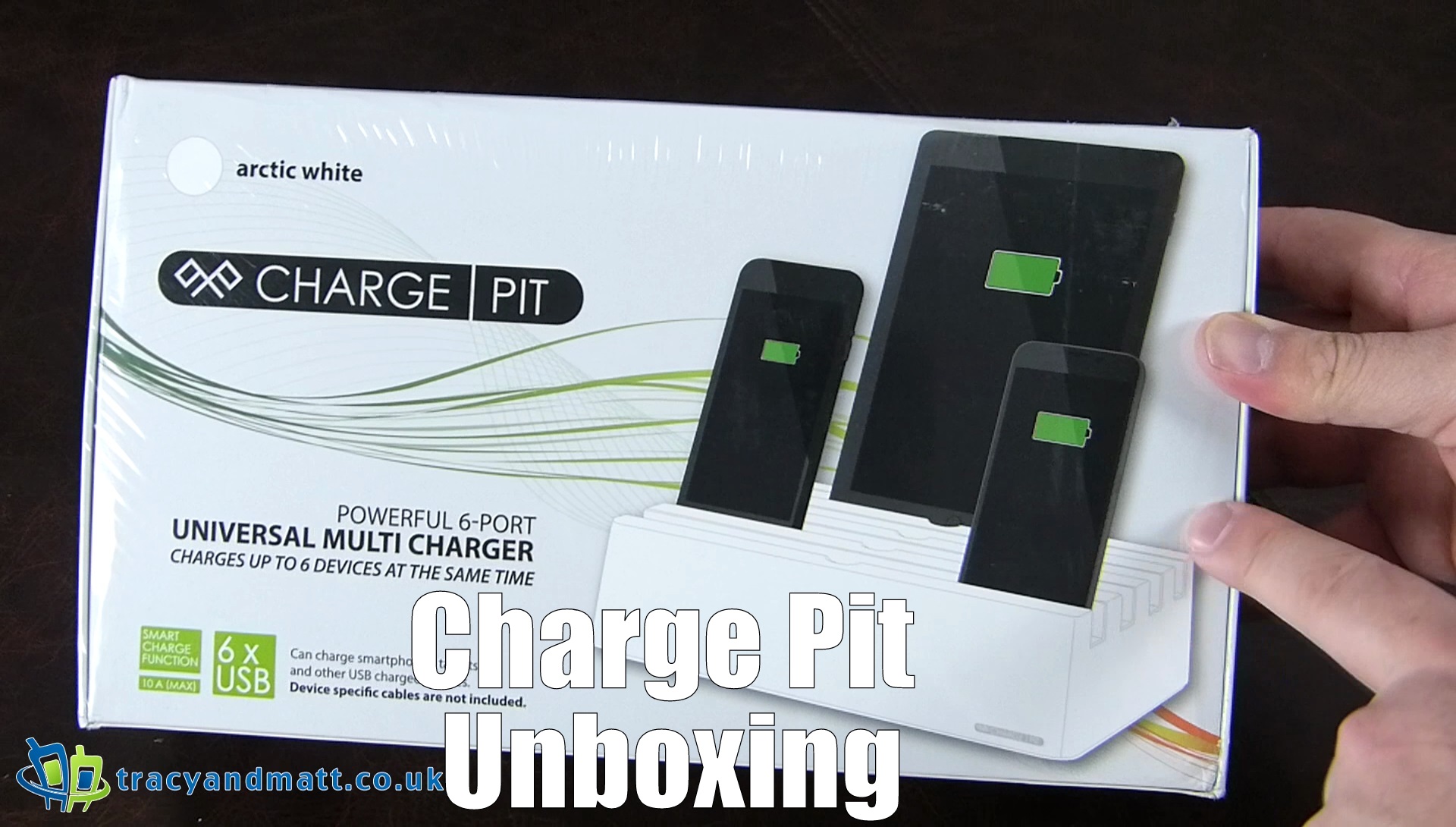
vlcsnap-error688Cable management on your bedside table or office desk can be a real pain however Charge Pit at offering to sort that out for you.

The Charge Pit has built-in technology that allows for wider device compatibility. It auto adapts to charge your iPad, iPhone, Samsung Tab and all iOS and Android devices. This 6-Port Universal Charging Station features fast charging technology, with a 10A high charging current output making it ideal for charging tablets and smartphones.

With 6 USB charging ports, the Charge Pit 6-Port Universal Charging Station can charge six devices simultaneously. All of this is powered by one mains power socket in your home or office.

Simply lift up the case and connect the wires you need, then place it back down again. Use up to 6 different cables.

The Charge Pit can be picked up from Mobilefun for £49.99.

Technical Specifications:
– USB Charger
– 6 x USB Port
– Input: AC 100V – 240V, 50Hz – 60Hz, 1.5A
– Output: DC 5V, 10A (max. output for 6 USB ports)
– Dimensions: 29cm x 17cm x 8cm
– Weight: 0.8kg

By April 16, 2016 Read More →

Homido Virtual Reality Headset review

sdr

Homido Virtual reality headset

Get the virtual reality party started…

You will have heard of the virtual reality wave that is causing quite a stir with high end devices with high prices preparing to launch during 2016; Oculus Rift, HTC Vive, Playstation VR to name but a few, all these devices come at a costly price. Google cardboard is a cheap alternative step into the VR world although it does have its limitations.

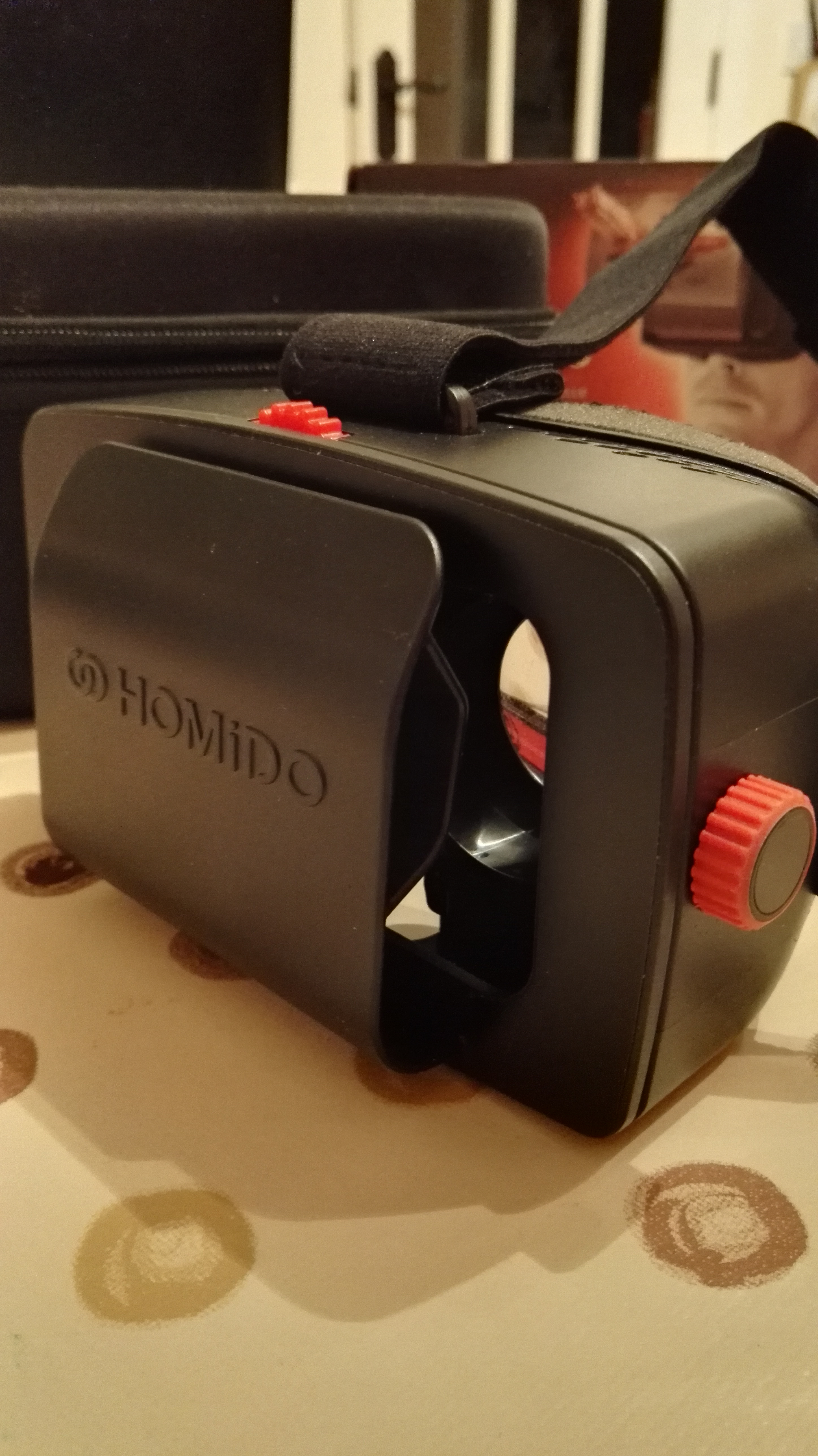
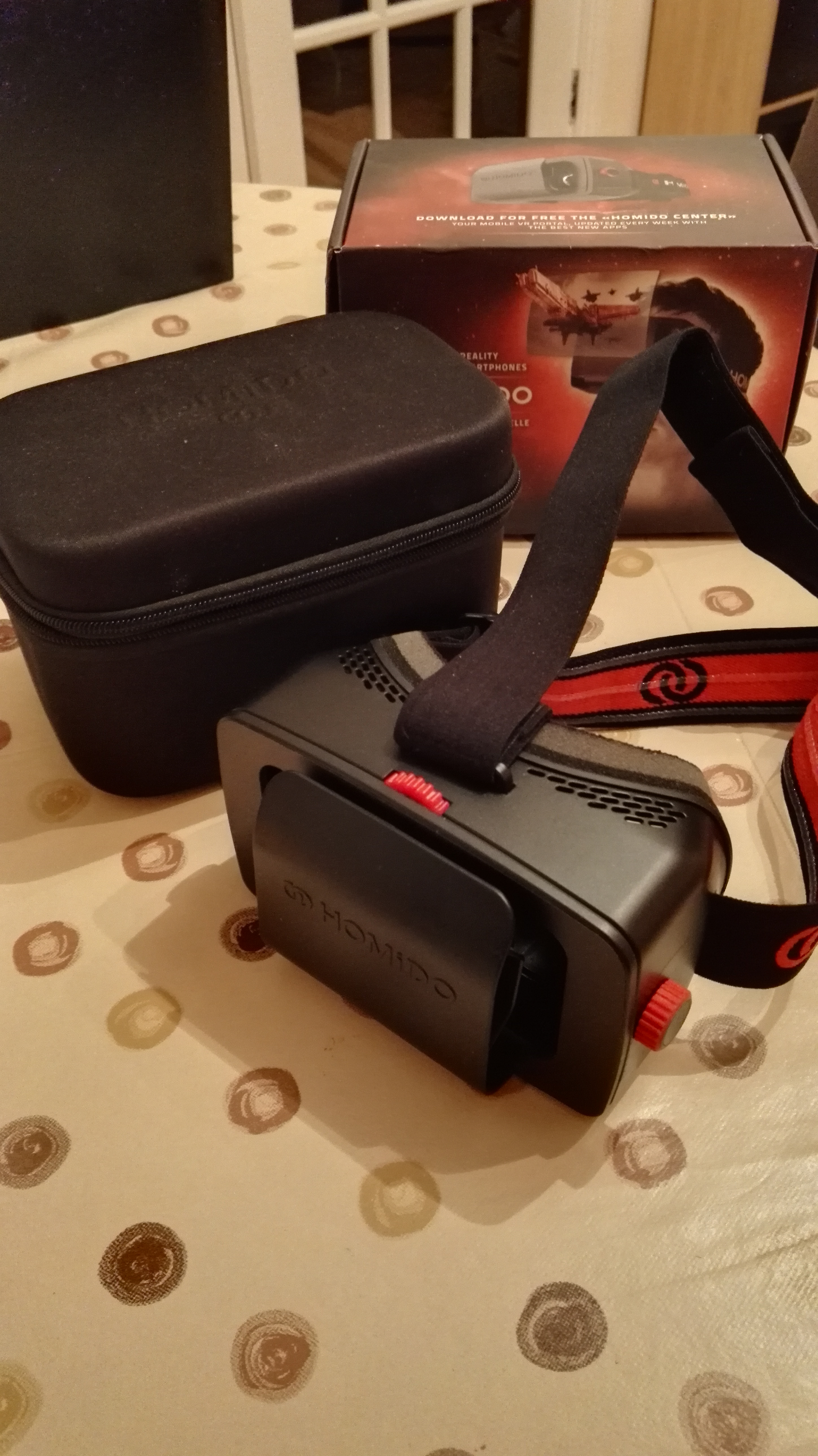
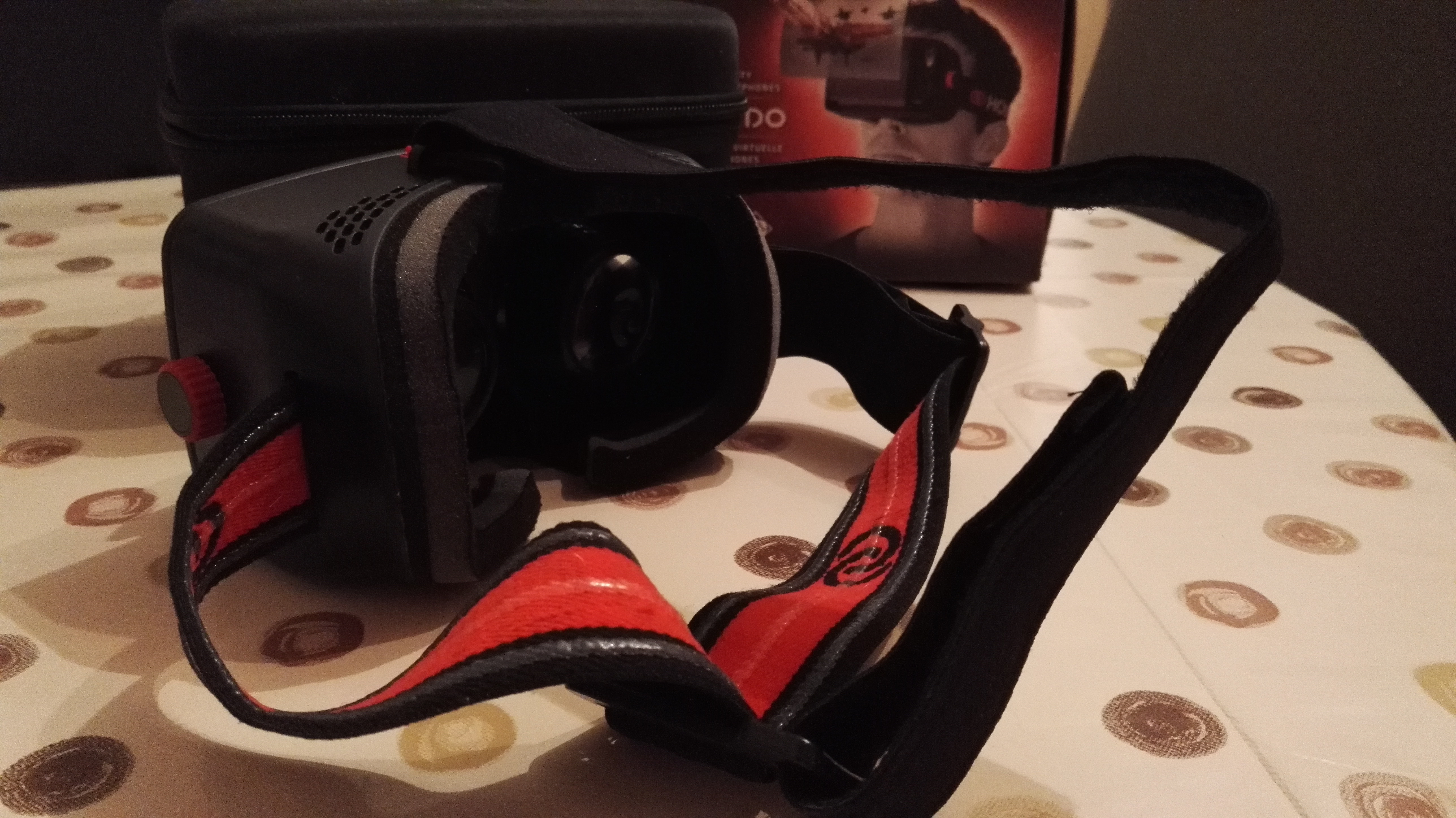
With thanks, the people at mobilefun.co.uk have sent us the Homido Virtual reality headset for smartphones. Homido have produced a quite robust well designed headset to let you enter the world of VR with your smartphone. Out of the box you will notice straight away the adjustable strap attached to the headset no more holding your headset to your eyes like you would have done with Google cardboard. Homido recommend downloading their own app ‘Homido Centre’ for you to get the best experience possible.

sdr

The headset is completely adjustable for you needs, the head strap allows you to make sure the headset is comfortably tight. There are a number of lenses included to help the best possible viewing – Short cone – short sighted people, Medium cone – people with normal vision, Long cone – long sighted people. There is a slot to slide your phone into, currently I am using the Honor 7 with 5.2 inch screen which is about the right size of screen to insert, any larger than 5.7 inches may find it difficult for you to get the full benefit of the headset.

Once you have your app ready and the phone inserted all you need to done then is use the adjustable buttons on the side to move the screen closer or further away from your eyes until the screen you are looking at inside the headset is at the right distance, and breathe, be prepared to journey into the world of VR.

dav

The Headset it made of hard plastic and feels solid, however I would be afraid that if dropped or accidentally damaged its lifespan could be short. There is a nice soft sponge cushioning your face from the hard plastic body of the headset which is a bonus. Priced at £47.99 this headset is cheaper than that of the Samsung headset at £89.99 but does cheaper mean better?

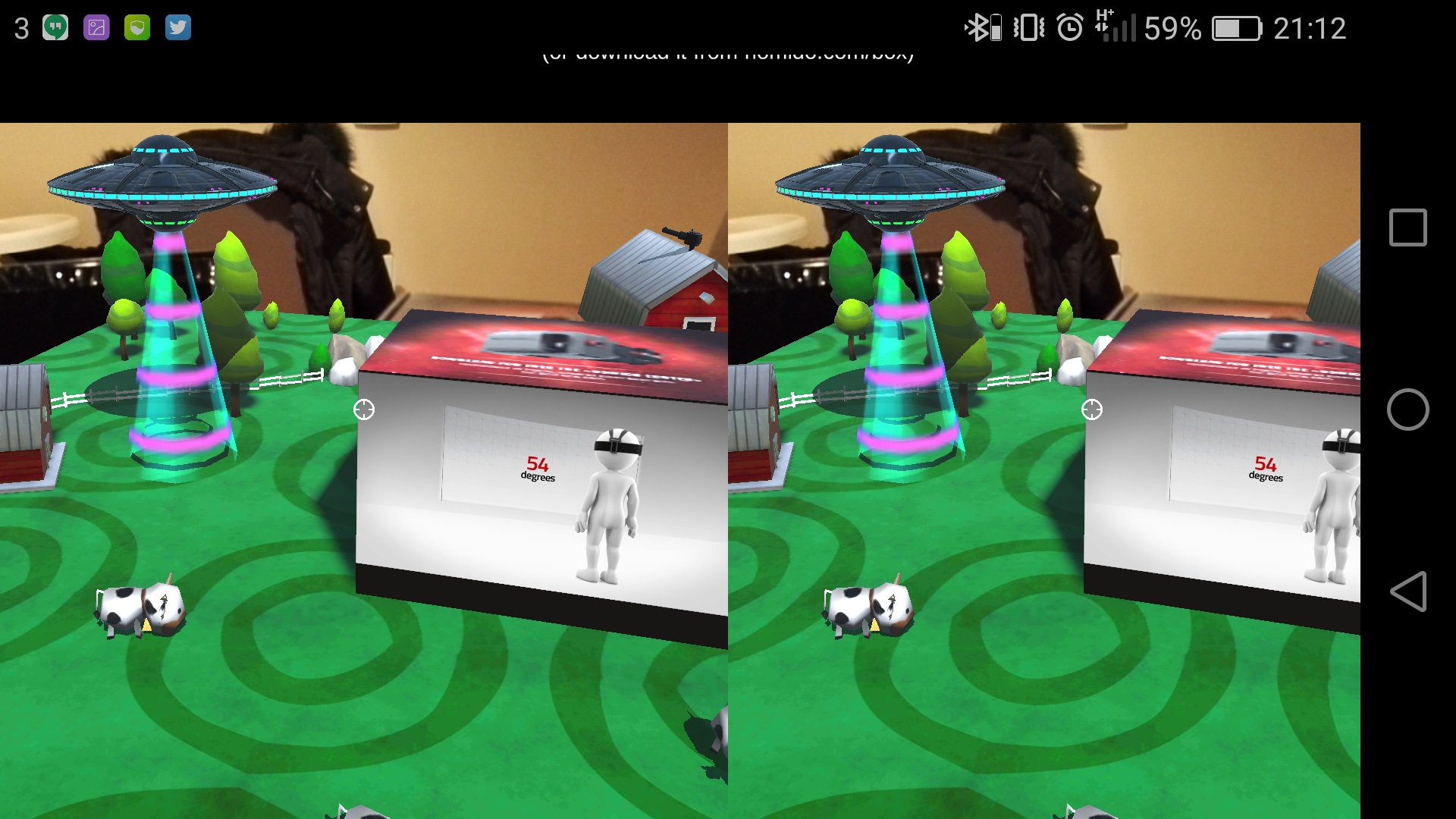
I found through usage of the headset that the lenses do get dirty, hence the lens cleaner cloth included in the box. I had also experienced the lenses steaming up a few times although I was getting the cold at that time. There is currently a wide range of virtual reality 360 degree videos available on Youtube accessible through the Google cardboard app, also the Homido app lets you watch 360 videos as well as download some virtual reality games. Unfortunately I did not have a Bluetooth control to connect to my phone I did find the Homido space abduction app really enjoyable. When sitting at my table I was told by the app installed to look at the box of the Homido headset, this enabled Augmented Reality. The app was using my camera enabling me to view the room around me i focused on the Homido box and boom, before me appeared a farm landscape with cows.

Screenshot_2016-04-06-21-12-33

The box turned into a video displaying information about the Homido headset and then the aliens began to invade and started to try and abduct the cows. By looking at the alien spaceships it unleashed a fury of gunshots to bring down the alien crafts. Such a simple game yet really effective.

The Homido virtual reality was my first time using a VR headset. I would definitely recommend purchasing a headset for the novelty and for the kid in me that always dreamed of a time when virtual reality would be a reality. At £47.99 this is significantly more expensive than the cheaper alternatives however you do have a more superior robust headset. Why Buy?

You can purchase the Homido Virtual Reality Headset here for £47.99

● Experience the virtual world through your smartphone

● Universally compatible

● Huge range of VR apps already available

● Lightweight and comfortable

● Adjustable display

● Protective case included

● Compatible with 4 – 5.7″ smartphones with iOS or Android

https://www.ukmeds.co.uk/surgical-face-masks