

Matt
More than 20 years in the IT industry. Blogging with a passion and thirst for new technology since 2005.


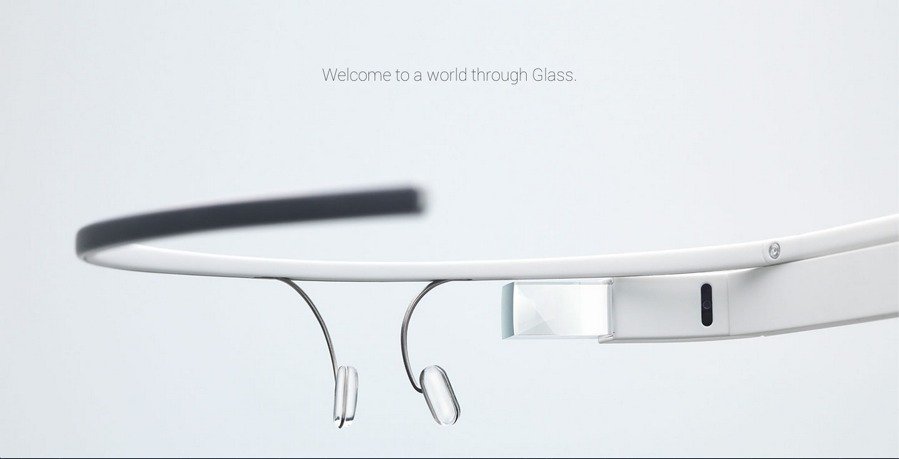 Seems that everyone wants to get their hands on Google Glass and the massive demands has apparently been too much for Samsung to ignore and rumour has it that the Korean giant has decided to work on its own “Gear Glass” hardware.
In a tweet from Russian blogger Eldar Murtazin, he states:
Samsung developing own version of Google Glass. We will see it (probably) around april-may under Gear Glass brand.
There are no further details as yet but it certainly would make sense for Samsung to release another wearable product to compliment their Galaxy Gear Smartwatch.
According to retailers, the demand for the Smartwatch 2 has been so high that they are unable to satisfy the existing demand and the back-order list is growing daily.

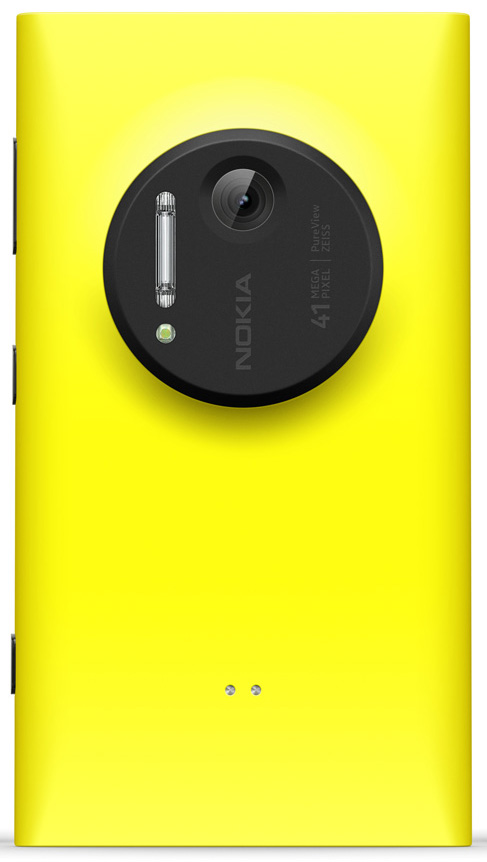 Since its announcement in July of this year, the Nokia Lumia 1020 has created quite a stir. There’s pretty much only one reason for this; the 41 megapixel camera.
At 41 megapixels (38MP effective) not only is the sensor on the Nokia Lumia 1020 the highest pixel count on a mobile phone, but it’s among the highest pixel counts of any camera on the market and even many high-end Digital SLR cameras don’t go that high.
So what of the rest of the 1020, have there been huge compromises elsewhere in order to accommodate that huge sensor? On the face of the answer is no. The rest of the phone specification seems to be pretty good too with a large AMOLED screen, 1.5GHz quad-core CPU, 2GB RAM and a host of other to of the line features, if there are compromises it’s not that obvious.
In the unboxing video below you’ll get to see what accessories come with the Lumia 1020, have a tour around the hardware and I’ll take a look at the OS as well as having a quick play with that amazing camera.

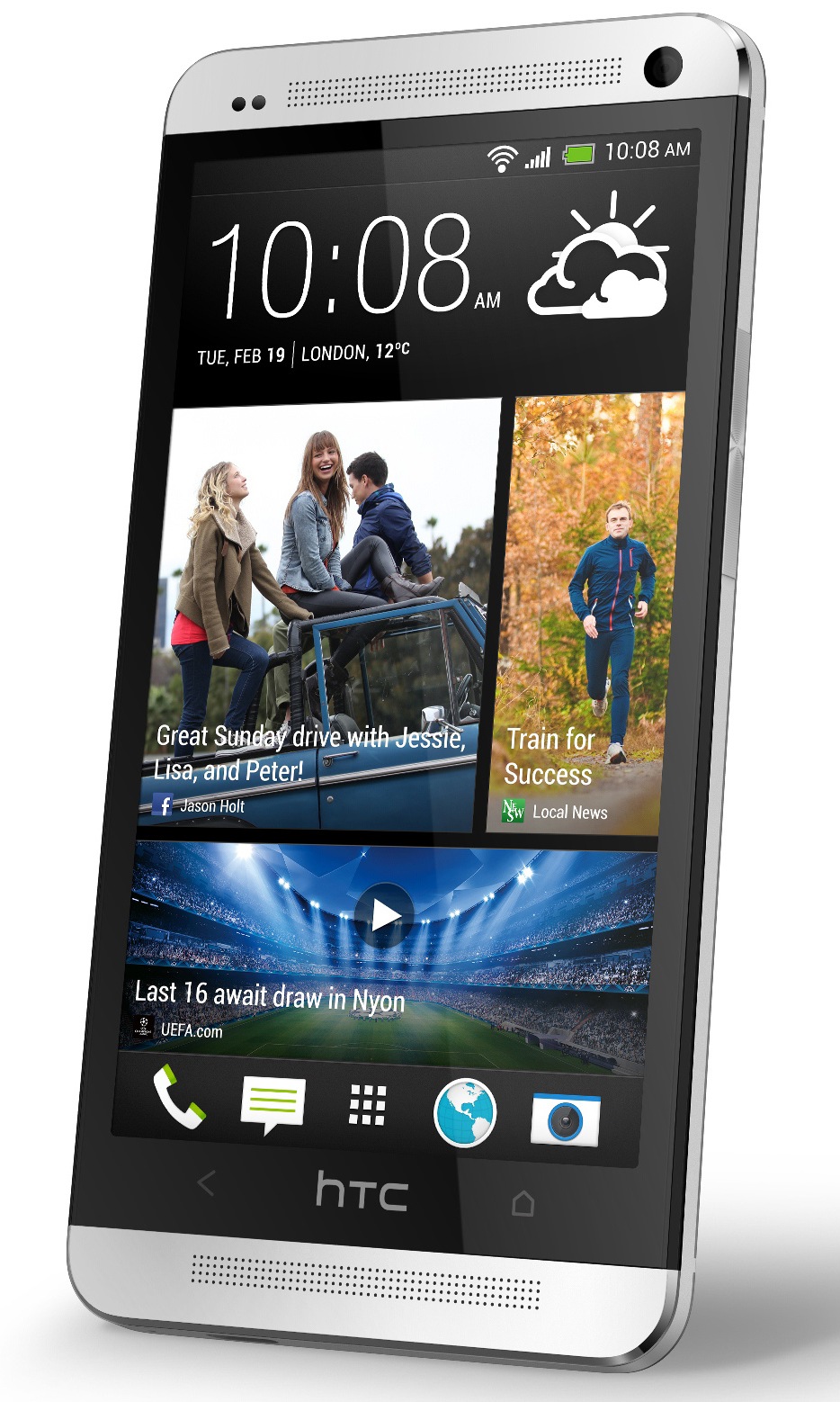 Great news for HTC One owners like me as HTC have announced that the HTC One will get an update to Android 4.3, and if you are an AT&T customer you’ll start getting that update OTA starting next week.
Good news for One users on AT&T. 4.3 update passed AT&T certification today. Will begin to push to your phones early next week. @HTCUSA
No further update for users of the HTC One on other networks or unlocked versions either in the US or the rest of the world but it has been reported that this could be some time this month. We’re seeing details from HTC.
The 4.3 update for the the HTC One is set to be a significant one bringing new features and will include improvements to Sense which will result in the addition of Instagram as a source for streaming updates on BlinkFeed, more video highlight capabilities and the ability to disable the on-screen menu button.

 With so many Android tablets on the market at the moment it can be hard to make a choice between them and with various sizes, various prices and various manufacturers it has become a bit of a mine field.
When making a choice, many consumers will opt for the brands that they recognise but all too often this can result in having to pay premium prices. That doesn’t have to be the case though and perhaps with the Lenovo ideatab range there is something of a compromise to be found.
Lenovo have a great reputation in the PC market and not too long ago set their sites more firmly on the consumer market. There are now a few tablets in the Lenovo range and we’ll be taking a look at them all over the coming weeks.
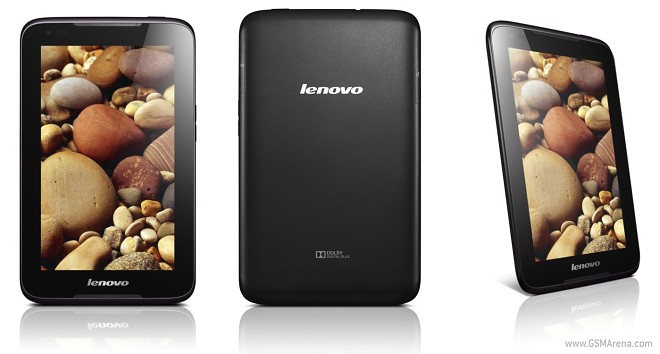
We’re starting here with our Lenovo ideatab A3000 unboxing video, where we look at what’s included with the tablet, tour around the hardware and demo some of the features of the device.
The A3000 that we have for review is the WiFi only version. This has a 1.2GHz quad-core CPU, 1GB ram, 4GB rom and 7-inch 1024×600 display. There’s also a 3G version available and even a dual-sim model too.
So check out our unboxing below and we’ll have the review for you soon as well.

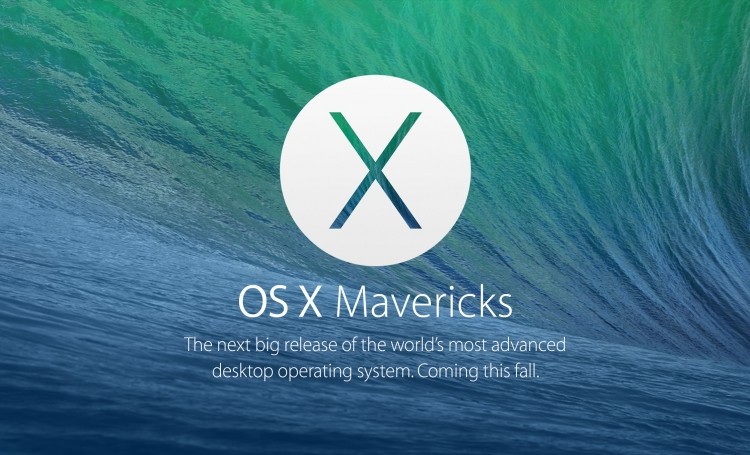 Apple announced the latest version of their desktop operating system, OS X Mavericks, back in June of this year and since then developers have been able to get their hands on regular beta updates to the new OS at regular intervals.
There’s no clear release date but Apple have just released the gold master version of which means that OS X Mavericks release is imminent. We suspect that it’ll go on general release around the 15th of this month, probably to coincide with the anticipated iPad event.
OS X Mavericks brings more than 200 new features along with it. Most notably iBooks for Mac, Maps for Mac, tabbed Finder, iCloud Keychain, Tags and a whole lot more. Typically a gold master release from Apple precedes the final public release by around 2 weeks and the GM means that OS X Mavericks has reached the final build and is ready to go to customers.

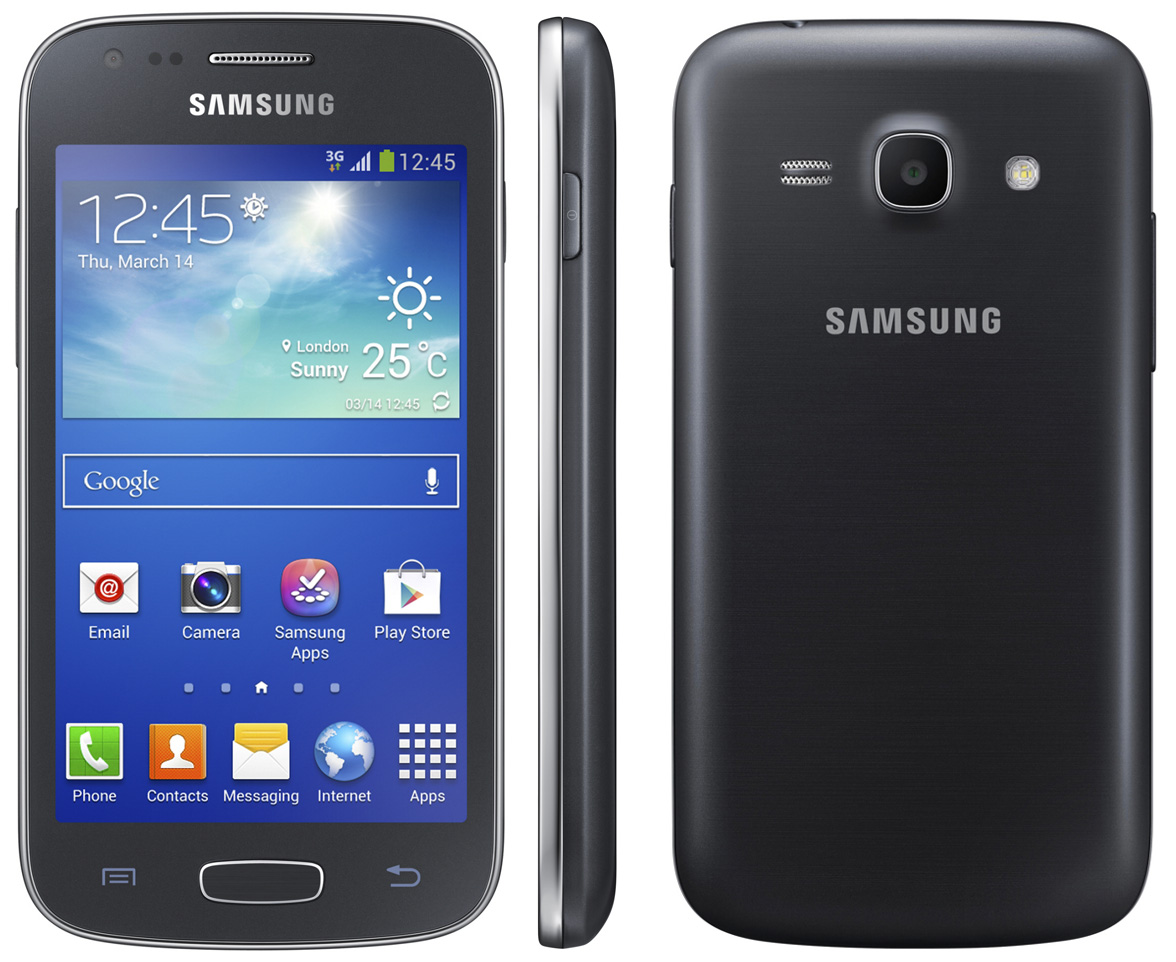 Samsung have today announced the UK release date of their latest device in the Galaxy range, the Samsung Galaxy Ace 3.
Featuring a 4-inch 480×800 display, 1.2GHz dual-core CPU, 8GB internal storage and 5 megapixel camera, the Ace 3 will one of the more affordable 4G capable phones from Samsung.
UK LAUNCH DATE ANNOUNCED FOR SAMSUNG GALAXY ACE 3
Latest addition to the Galaxy portfolio to hit shops on 5th October
London, UK – October 4th, 2013 – Following the launch announcement earlier this year, Samsung has today revealed that the 4G enabled Galaxy Ace 3, an updated version of the popular Galaxy Ace 2, will be available to buy in the UK from 5th October.
The Galaxy Ace 3 is powered by Android™ Jellybean 4.2 and thanks to its superfast 4G connectivity, it is quicker and easier to load and browse the web, and stream and download content whilst you’re out and about. The Galaxy Ace 3 also has numerous smart features such as S Translator, S Travel, S Voice, Easy Mode and Smart Stay, which uses advanced facial recognition to detect when the phone is in use, saving battery life by dimming the screen. In addition, the new handset has a 5-megapixel camera and boasts a 4.0 inch display so you can enjoy an amazing experience when viewing content, making it a great device for playing games and viewing videos and photos.
Simon Stanford, Vice President of IT & Mobile Division, Samsung Electronics UK & Ireland said: “Our latest addition to the Galaxy portfolio, the Galaxy Ace 3 is packed with loads of features designed to provide a smoother and more intuitive user experience. Following the success of the Galaxy Ace 2, we are confident that our customers will enjoy this new device when it hits the shelves this month.”
The Galaxy Ace 3 will be available in the UK from EE stores, followed by selected retailers including Carphone Warehouse and Tesco.

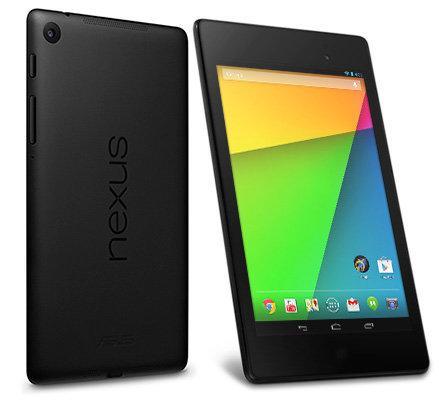 Those wishing to pick up the new Nexus 7 have another option to get their hands on the device on contract from Three here in the UK.
Featuring the world’s highest resolution 7-inch display with over 2.3 million pixels, the new Nexus 7 is now available to buy on Three in-store.
The Nexus 7 is available for £199.99 as a WiFi only tablet. Or you can combine the Nexus 7 (2013) with a pocket-sized Huawei E5220 MiFi. This creates a portable Wi-Fi hotspot and gives you the freedom to connect your tablet to Three’s award-winning network to stay in touch when out and about.
Building on the success of its predecessor, the Nexus 7 is thinner, lighter and faster and the first device to run the latest Android 4.3 operating system. A powerful quad-core processor also allows people to smoothly switch between apps, tracks, games and maps for instance.
Dual stereo speakers and surround sound add finely tuned, rich and immersive audio to your music and with built-in wireless charging, you can simply charge it whilst on the go*.
Sylvia Chind, head of devices at Three, said: “The Nexus 7 has incorporated the latest technologies into an affordable tablet that is fast and looks impressive. The new lightweight design and wireless charging means you can take it out and about with ease. Combined with a MiFi it’s a great tablet option to make the most of downtime when commuting, whether that’s catching up on work emails or simply playing your favourite game.”
The Huawei E5220 MiFi is available for a one-off upfront cost of £29.99 on a one-month rolling contract at £15.99 per month including 5GB of data or from £49.99 on Pay As You Go with 1GB of data pre-loaded.
Key features:
- The world’s sharpest 7-inch tablet screen
- Wi-Fi connectivity
- Android 4.3
- Thinner, lighter and faster than the previous Nexus 7
- Quad-core Qualcomm Snapdragon™ processor
- 2GB of RAM
- Wireless charging
*Wireless charging plate sold separately

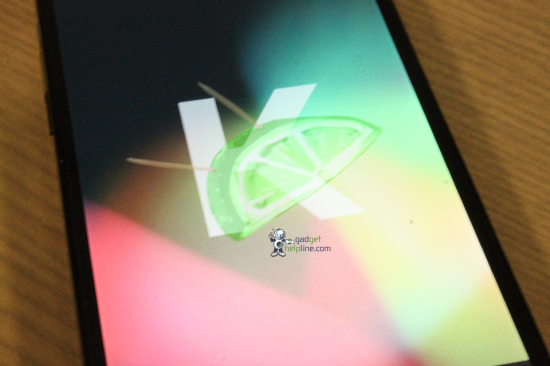 As we head closer to the release of the latest version of Android OS, 4.4 KitKat, the increase in interest seems to be met with an increase in the number of leaks.
We’re expecting to see some official announcements and even some Android 4.4 KitKat powered devices released later this month but if you just cant wait that long to find out more about 4.4, in particular what it’s going to look like, then there’s good news for you as there’s a great selection of leaked image for you to check out courtesy of the blog Gadgethelpline.
As you’ll no doubt appreciate from a few of the images below, 4.4 is quite significantly different to the existing versions of Android that we have.
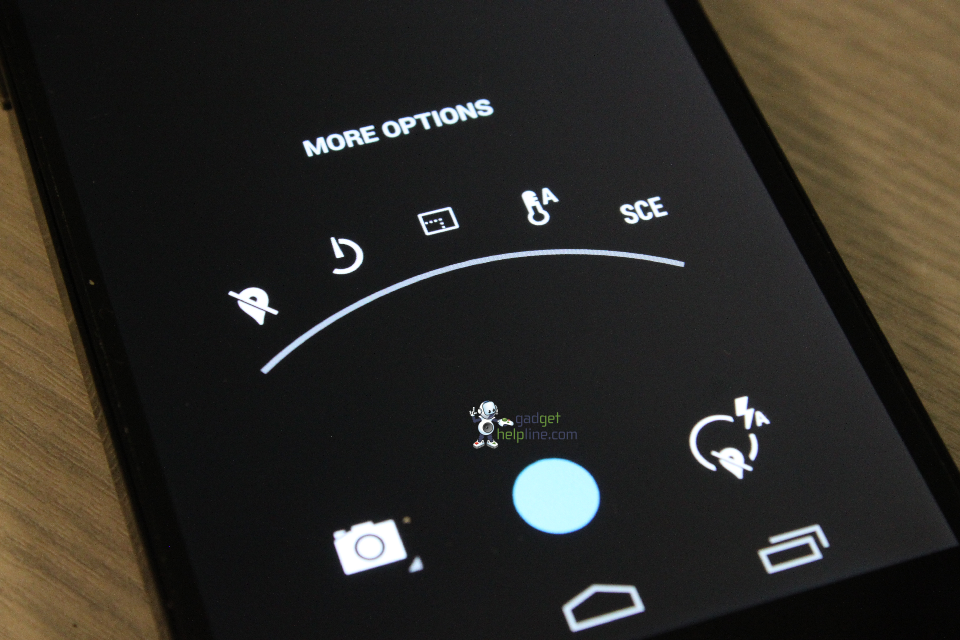
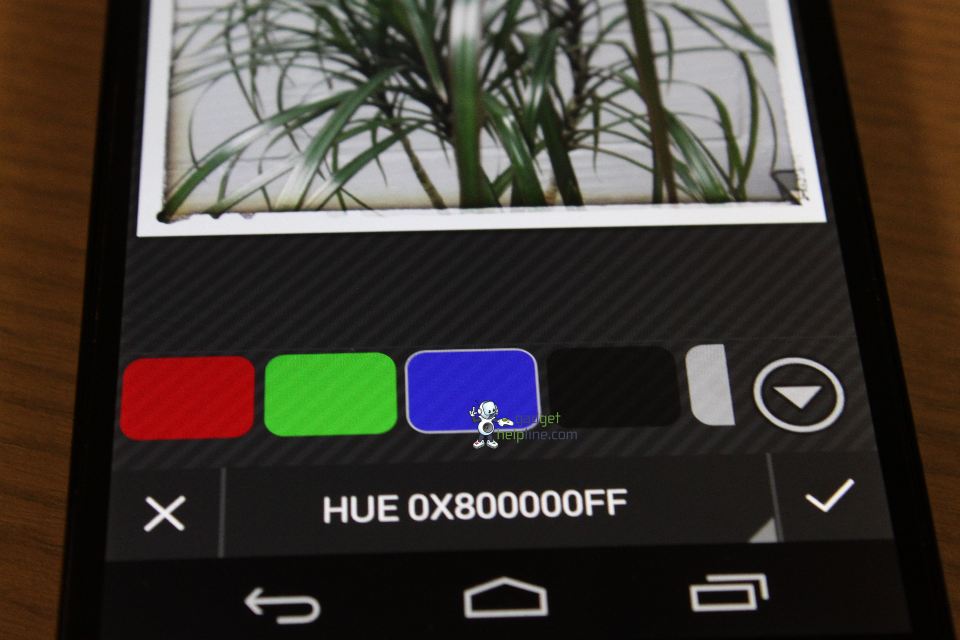
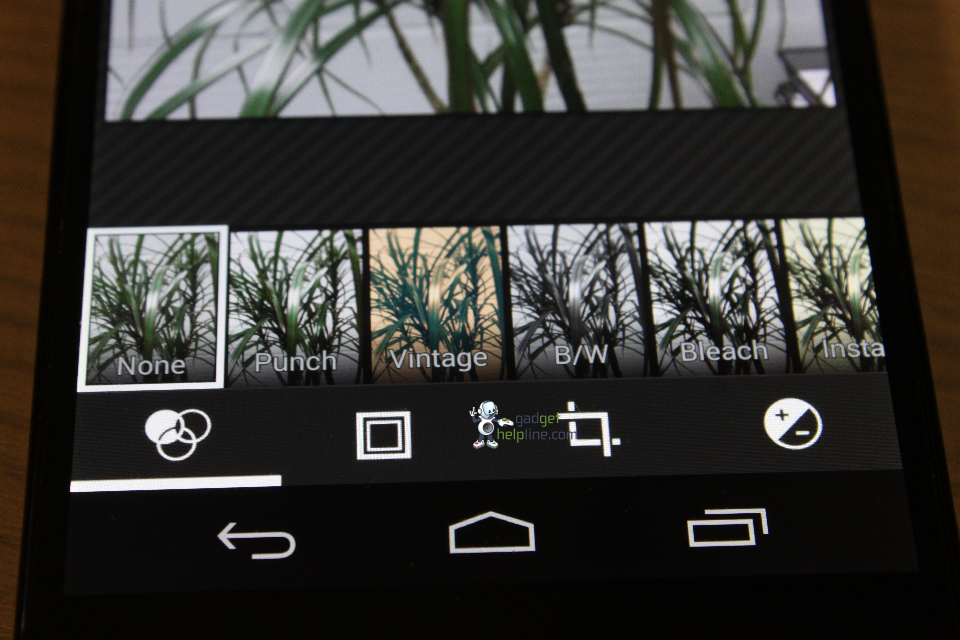
Check out the rest of the image gallery over at Gadgethelpline or via Coolsmartphone, we’ll be keeping our eyes peeled for more!

 Here we are with a selection of this week’s latest and greatest Windows Phone apps available from the Windows and Windows Phone store.
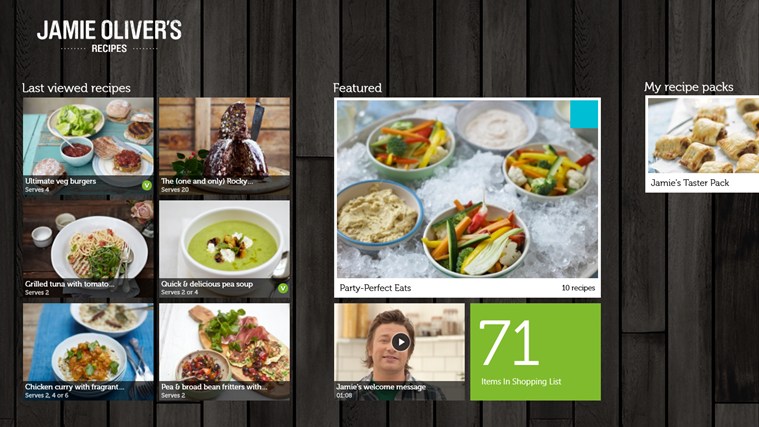
Pick up some of Jamie Oliver’s skills with this new tasty app. Jamie has selected 10 delicious & nutritious recipes to get you started for free!
You can choose to buy from over 200+ delicious recipes to satisfy every taste. There are mouth watering step-by-step photos and great HD videos to explore. Unleash your inner chef!

 Most of us feel safe ordering everything from clothes to books and even food delivery via computer. In fact, TIME Magazine published a story June of last year exclaiming how comfortable we are ordering pizza online, now. But when it comes to shopping via mobile device, many people are overly cautious while other’s aren’t nearly cautious enough!
The simple truth is that shopping from a smartphone or tablet isn’t generally very safe–at least, not the way most people do it. Fortunately, there are a few simple precautions that you can take to ensure your finances stay safe when you use your mobile device.
1. Use Your Mobile Apps–Not Your Web Browser
Most major and many smaller ecommerce sites have their own mobile application to not only help you find what you want, but to allow you to buy what you want securely. The best way to keep your information secure is to only purchase through a mobile application (as opposed to a live website) every time you pay for something via mobile device.
This may sound extreme, but there is a method behind the reasoning. The simple fact is that web browsers just aren’t as secure as mobile applications. The risk doubles if you’re using a public WiFi hotspot.
If you’re set up in a coffee shop, using WiFi, T-Mobile’s 4G coverage map or your carrier’s 3G network to order that luxury watch you’ve always wanted, just be sure to use an app, and buy from trusted vendors only.
Using a mobile app also provides safety from keyloggers, viruses, and other malicious software that can invade your privacy and record your logins (yes, this type of software exists for mobile devices too!).
What’s that? You say your favorite online shopping spot doesn’t have its own mobile app? It will soon enough. Until that time, protect yourself by shopping only when on your secure, password-protected home network.
2. Make Sure You’re Using the Best App for the Job
In other words, never download or use a third-party application for your mobile device-based shopping. Instead, you should always obtain the appropriate app directly from the Google Play Store or Apple Apps.
Keep in mind that the occasional rogue app does sneak into these stores at times. It happens with Google Play more often than with Apple. In either case, verify the publisher of the application before you download it. If it doesn’t match up with the online store’s business name or parent company, contact the site’s customer support before you download the app.
3. Lock Your Device
Crazy Egg blog recently published a post on some very innovative mobile solutions for e-commerce that’s worth checking out. Whether your applications store your payment information on the device or on your favorite merchant’s servers, most ecommerce mobile apps allow anyone to make a purchase by simply tapping your device’s screen.
Unfortunately, this also means that anyone who somehow gets their hand on your device can tank your bank account in a single afternoon! Mobile devices get lost. Especially phones. It’s just a fact of life, and while most people are honest enough to hand your phone in to the nearest lost and found, not everybody is. So it’s essential that you passcode-protect your device.
With Apple devices, this means a password, four-digit code, or even your fingerprint. Android users can choose between a password and a customized trace pattern. In either case, the most important thing is that you secure your device against intrusion. Add a passcode feature–and make your device require it for every use.
Shop via mobile app instead of directly on the web. Avoid shopping via public wireless networks when possible. Make sure you’re using a safe, authorized application directly from the Apple or Google app store. Always keep your device security locked.
As long as you follow these three security measures, you’ll be 1,000% safer with your mobile shopping than you were before.
Connect
Connect with us on the following social media platforms.