

Matt
More than 20 years in the IT industry. Blogging with a passion and thirst for new technology since 2005.


 Not a good headline for Apple. In a Vodafone store in the city of Canberra, Australia, one of Apple’s new flagship iPad Air’s explodes during shopping hours leading to a full scale evacuation of the store and requiring the fire brigade to be be called to extinguish the fire.
According to several reports the store filled with smoke and sparks flew as the iPad literally exploded while on charge.
No official word from Apple as yet but it is believed that a faulty charging circuit was the culprit as the lithium polymer batteries used in the iPad, and common in a variety of other electronic products, are predisposed to exploded when over charged.
Worrying perhaps but considering the 100’s of thousand iPad devices sold each year having just one recorded explosion isn’t a huge cause for concern just yet as this is the first such recorded incident.

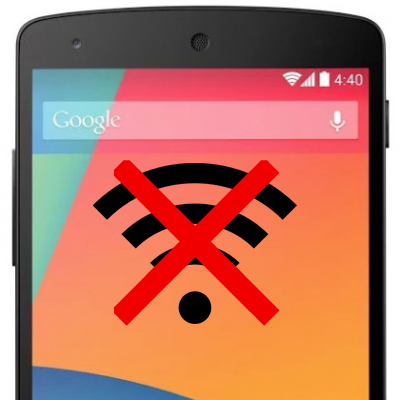 I’ve had my Google Nexus 5 for just over a week and one of the questions I’ve been frequently asked via twitter and Google+ 1 was whether or not I had experienced any issued with the WiFi in the Nexus 5.
Up until yesterday the answer I gave was no. Despite using a large number of WiFi networks almost daily, from the few WiFi access points I have at home to the WiFi on the train I commute on to the WiFi at work and in coffee shops in London, none had given me any WiFi issues with my Nexus 5.
That’s until yesterday. Suddenly my Nexus 5 dropped off one if my home WiFi points, it connected to the other but then despite showing as connected would not transfer any data. Initially I thought this was a problem with my internet connection but soon realised that my Mac and iPhone were still working fine over the same WiFi.
I switched to a different access point but the problem persisted. I rebooted the phone… the problem remained. I’ve tried removing the WiFi networks and re-adding them but that also had no effect.
WiFi access points I have tried using are a D-Link DSL-3680, TP-Link, Airport Extreme, Airport Express and a Vodafone Mifi. All have the same issue: The WiFi shows as connected but there’s no internet connectivity. Furthermore, the WiFi disconnects and reconnects frequently.
Reading other posts on the internet it would see that many other Nexus 5 owners also have the same issues and this seems to be related to an existing Nexus 7 problem too.
Possible Nexus 5 WiFi bug solution
After literally hours of playing around with settings on the Nexus 5, a hard reset, and pulling out old WiFi access points to try I have managed to get my Nexus 5 working again and this is the solution that works for me…
Connect to the WiFi network and then go and ‘Modify Network’. Under the IP Settings I’ve switched to static and have specified an IP address and DNS server addresses. In both instances I’m using the same addresses that were being assigned through DHCP anyway.
Having done that my WiFi comes back to life. The only drawback so far is that I’ve had to do this with each WiFi network that I use. Switching back to DHCP breaks the connection again.
Give it a try and let me know if it solves your problem!
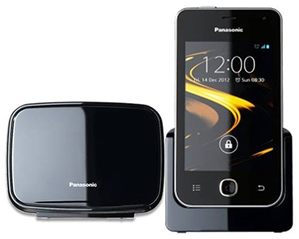
 Android has long been used on smartphones and tablets but what about home, fixed-line phones? Here we have the Panasonic PRX-120, a home phone system where the handset is running Android 4.1.
It’s perhaps a little surprising that there aren’t more phone systems that run on Android. With the PRX-120 we have a base unit that plugs in to your phone line and a Android handset that looks like a standard smartphone from about 2 years ago.
One of the benefits of this phone, other than being able to run standard android apps, is that you can receive your fixed-line phone calls as well as being able to use Skype over WiFi from the same phone.
In almost every other way the PRX120 is just like a regular smartphone and while it may not have cutting edge specs relative to an equivalent smartphone, it can perform most functions, although I’m not sure how useful the GPS will be unless you have a REALLY big house!
Here’s a quick unboxing of the Panasonic PRX-120 so that you can see what it’s all about.

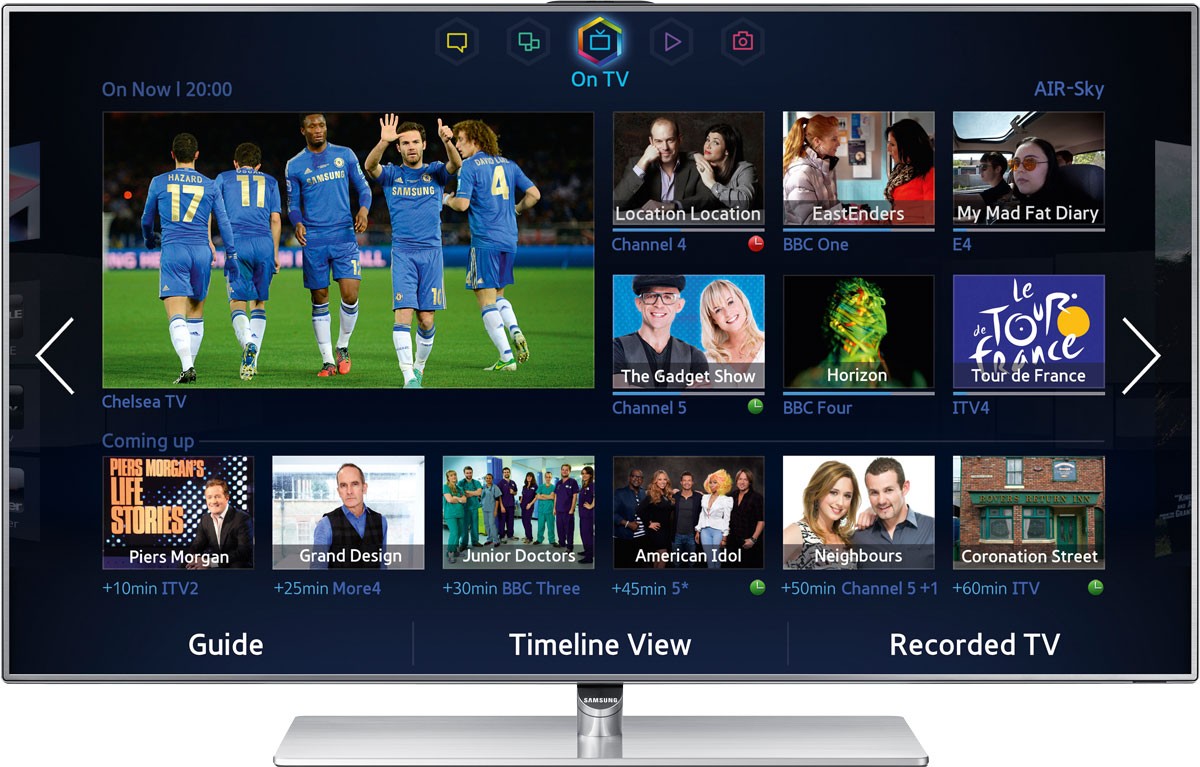 This month I started my Samsung 46″ F7000 Series 7 review. It has been a while since we last had a TV here to review in the office and a lot has changed since then. Prices have plummeted while screen sizes have increased and the thickness of display panels has dramatically reduced.
Much of this is thanks to LED back lighting technology and no one seems to be using this technology quite as much as Samsung and their range of LED HD TV’s is huge.
The Samsung F8000 is the top end of the Samsung range and has a price tag to match. However, many of the top-end features from the F8000 range can now be found on the 2013 F7000 models. Features such as build-in camera, voice and motion control, micro dimming and a touchpad controller are all added to the F7000 range yet it’s still able to come in at several hundred pounds cheaper than the F8000’s
We are looking at the 46″ version but the range offers sizes from 40 to 60 inches and, at the moment, the 46″ can be found on Amazon for just under £1100.
You do get a lot of hardware for your money there too. This smart TV comes with built in WiFi, integrated webcam, motion and voice control features, 2 bundled 3D glasses and two remote control units.
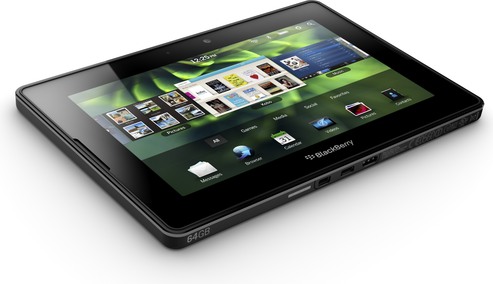
 Earlier this year, following the official launch of BlackBerry 10, there was a lot of speculation that BlackBerry would release another version of their relatively unpopular and many news stories of the coming PlayBook 2 were in circulation. Many of these were very definite with the news and stated that Q2 2013 would see BlackBerry release their second tablet.
Obviously a lot has happened to BlackBerry since February this year including a name change from RIM, numerous possible sales, a less than smooth launch of BBM on iOS and Android, and now another interim CEO.
However, in the last 48 hours, rumours that the PlayBook 2 project has been brought back to life have started to hit the headlines again.
Following a $1bn investment agreement with Fairfax Financial, John Chen was appointed new interim CEO of BlackBerry. Chen insists that it’s not over yet for BlackBerry’s hardware division. A statement that has led many to jump to the PlayBook 2 conclusion.
At this point in time there’s really nothing at all to substantiate the rumours and until we start to see anything more concrete than a ‘maybe they will’ I for one will certainly consider this to be nothing more than vapour-ware or maybe hope-ware.
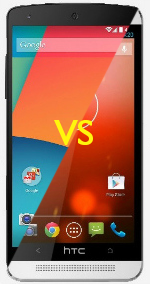
 There has been a lot of questions and discussion about the camera on the Google Nexus 5 and opinions seem to be polarised.
Questions such as “How bad can the Nexus 5 camera be?” and asking us to rate it against the HTC one have been common on our YouTube channel.
What we have here is a series of photos taken with both the HTC One and the Google Nexus 5 so that you can make up your own mind. Looking at them myself, I think there are images that are good and bad in both sets.
Just to recap, the HTC One has a 4MP Ultrapixel camera with F/2.0 Aperture and optical image stabilizer (OIS). whereas the Nexus 5 has an 8MP camera with F/2.5 Aperture and optical image stabilizer (OIS). The HTC also has a dedicated image processing chip whereas the Nexus 5 does not.
The shots you see below are straight from the device with no manipulation or editing on either the phone or PC.
As much as possible I have taken the photos standing in exactly the same location so where you see a difference in the framing this is largely down to the field of view of each camera being different. I’ve set the scene modes to normal on both phones and used auto modes.
In the two columns below you can find the Nexus 5 on the left and the HTC One on the right. Click each for a larger version.

When you want to capture your outdoor adventures on film, a compact action camera is ideal. Small and light enough to not be a burden in your backpack, yet robust enough to cope with the toughest conditions, these pieces of kit are a must for any photographer on the go. Here are our top three picks:
 1. Olympus TOUGH TG-820
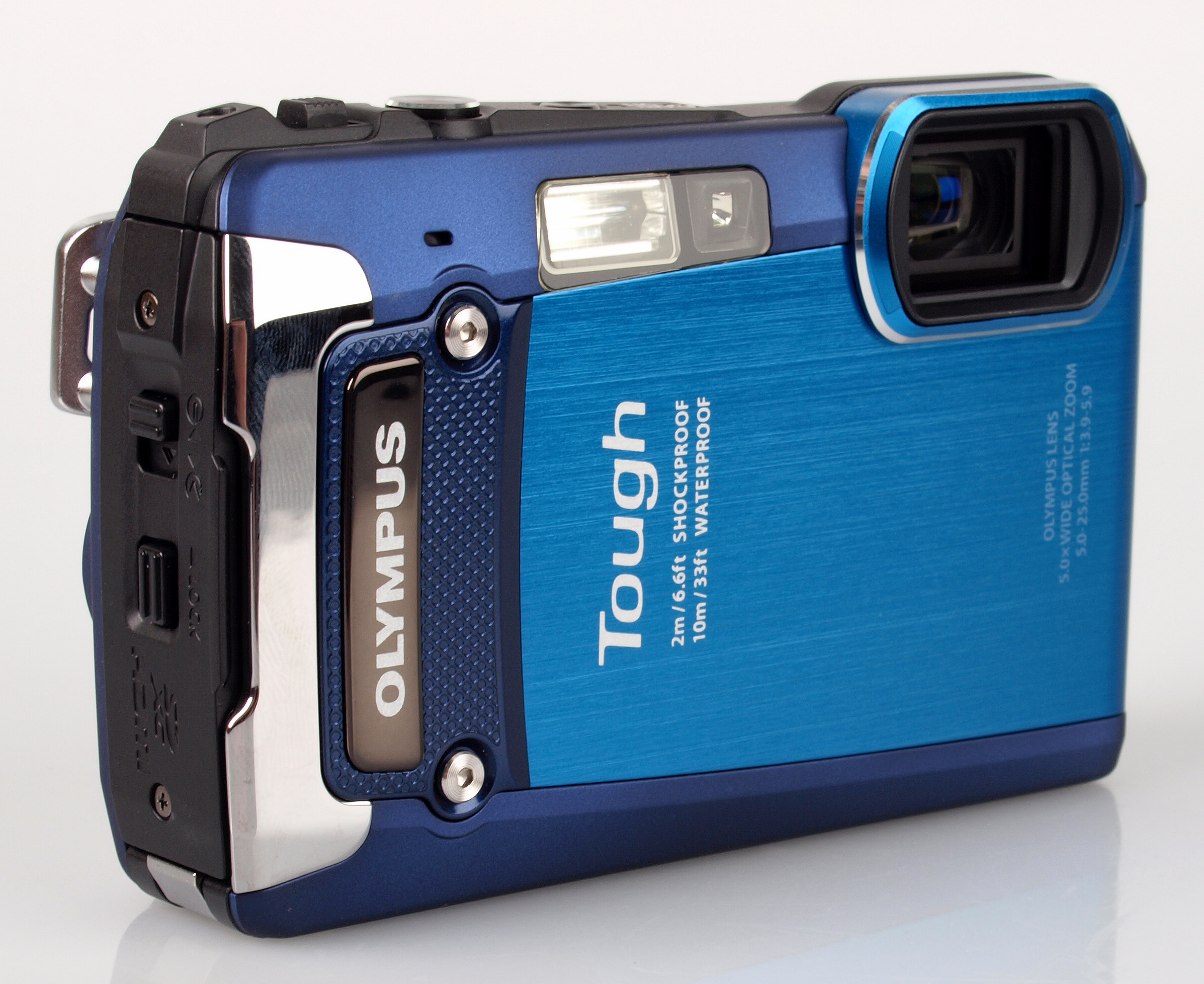
This camera is crushproof to 100kg, waterproof to 10m, shockproof to 2m and freezeproof to -10 degrees C, so you can take snaps on any outdoor adventure in confidence. No matter what your environment or activity, the Olympus TOUGH TG-820 is prepared to join you.
It doesn’t sacrifice photography specifications in favour of durability, either. The 12-megapixel camera has a 5x optical zoom, can record in 1080p, and even has a 3D photo shooting mode. Trusted Reviews says: “If you’re on the lookout for a bombproof compact then the TG-820 is definitely worth putting on your shortlist.”
You can order the camera online through Jessops, which offers free next-day delivery or the option to collect from store in as little as 30 minutes. The Olympus TOUGH TG-820 comes with a two-year guarantee, and accessories including memory cards and cases are available.
 2. Fuji FinePix XP200
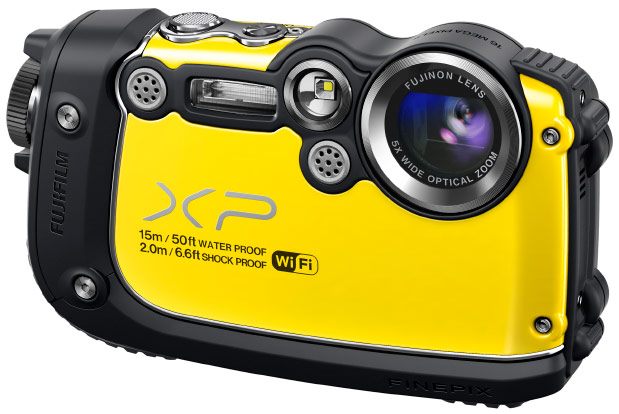
This Fuji camera is almost as robust as the Olympus compact: it is waterproof to 15m, shockproof to 2m, freezeproof to -10 degrees C and dustproof, too. The body of the FinePix XP200 also boasts ribbed rubberised grips, which can be handy while on the go.
Again, the photography specifications are impressive, with the effective number of megapixels at 16.4 million and the option for full HD recording. Even the LCD screen is built for the great outdoors, with an anti-reflective coating allowing you to frame effectively even in bright light.
We also love the wireless capabilities, which enable you to view snaps on your smartphone using the FUJIFILM app, or transfer images straight to your PC over Wi-Fi. The selection of filters also mean there’s no need to go through an editing program for an artistic look.
 3. Sony Cyber-shot DSC-TX30
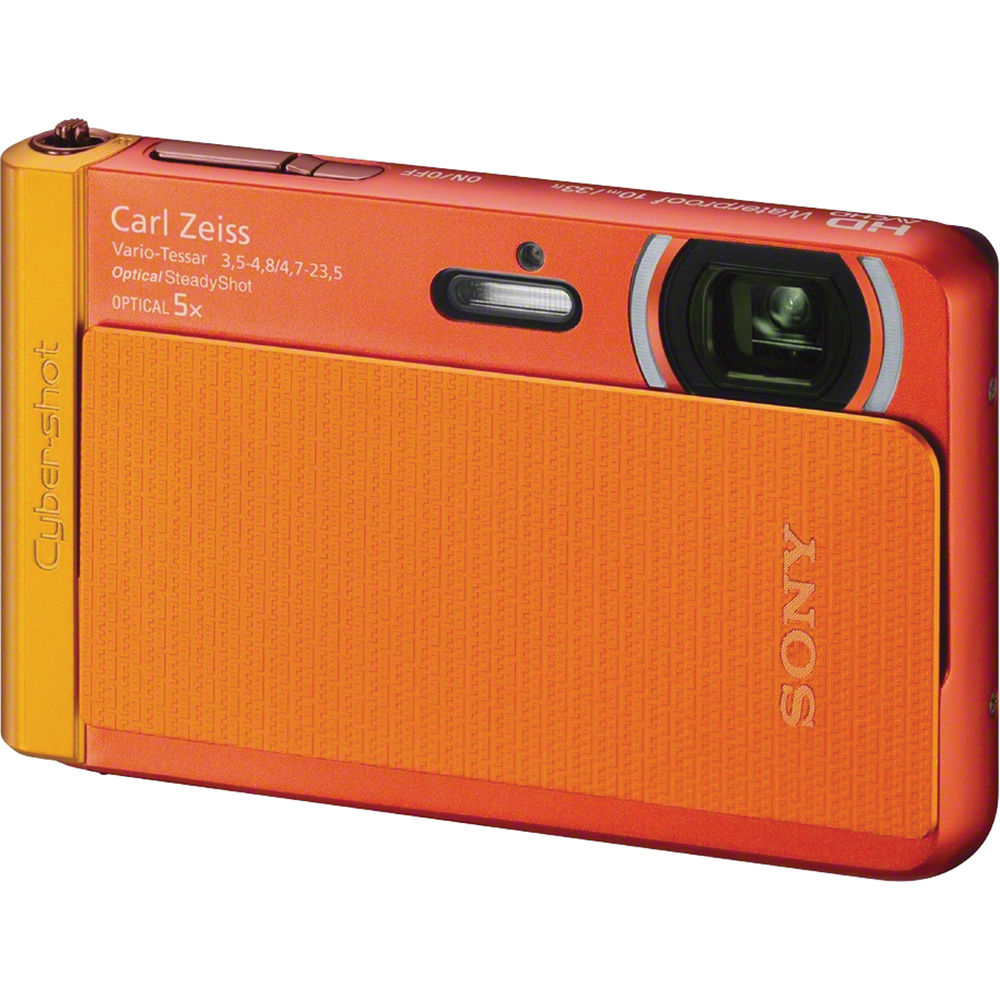
The smallest and lightest of the bunch, weighing in at a mere 125g and measuring just 96.4 x 59.3 x 15.4mm, the Sony Cyber-shot DSC-TX30 is great for slotting in your pocket. The Carl Zeiss lens captures 18.2 effective megapixels, and boasts a 5x optical zoom.
It’s great for those with limited photography skills, with the Intelligent Auto feature recognising scenes and adjusting settings automatically, and Superior Auto technology combatting blur, so you get the best shots without the effort. Find out more here.

 If you’re concerned about creating more traffic on your website and making it more visible to new readers or customers, you need to hire Boutique PPC agency to improve its accessibility. This means considering all the ways in which you can make your website’s design more functional, as well as considering how you can make your website available to people who use mobile devices to access the Internet. To get started on increasing your site’s accessibility, first work on your original page’s design, then consider creating and designing a mobile version of your website.
Enhancing Your Website’s Design
First, focus on the design of your current website. To make it is easily accessible, you need to reevaluate its design every few months. Things move quickly in the world of technology and web design, so you always need to have your website up to date. Evaluate your page’s content every few months, considering details such as the wording you use to write about your product or focus on your website’s home page. Just as technology advances, so does the language used to discuss it, so make sure your terms are accurate. You also need to have a website that looks current. Web design has trends, just like fashion or home décor, so keep yours moving with the times. If people view your homepage and it looks unprofessional or dated, you’re likely to lose readers or customers.
Creating a Mobile Version of Your Website
Because so many people access the Internet via smartphones and tablets, it’s important to create a mobile version of your site so that everyone can have access to it through all modes of Internet browsing. Mobile websites are specifically meant to look good on smaller screens, and are made to be easier to navigate with touch screens, so your site’s accessibility will be increased if you create a mobile version of it. You can do this easily by accessing mobile website templates online. These templates will allow you to import the content you already have on your regular website, then make any necessary adjustments and customizations. You can use the same content as your regular site, but in a way that is easier to view and navigate on a mobile device. Once you’ve finished your mobile web design, make sure to test your new content on an actual mobile device so that you know everything looks good and works well.
Increasing accessibility to your website basically means keeping up with current trends in technology and web design. You need to keep your site’s appearance modern and professional, and you also need to make sure people can access it from any type of device, whether that means viewing your regular website on a laptop or desktop computer, or viewing your mobile website on a tablet or smartphone. If you need any extra help getting started, take a look at your favorite website. It probably changes its appearance periodically to stay current, and has a mobile version. Take note of the elements you like most about it, and incorporate them into your designs to make your website as accessible as possible.

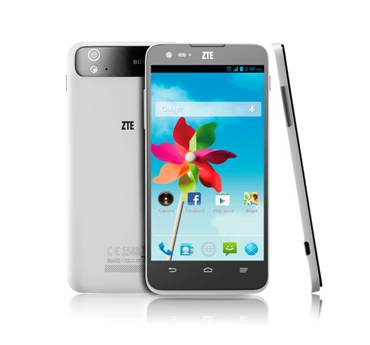 ZTE have again announced another new handset today. This time the ZTE Grand S Flex.
Offering a 4G/LTE connectivity and 5″ 720p display the ZTE Grand S Flex is already available in Spain, Czech Republic and Slovakia and will be launched shortly in Germany, Finland and Poland.
The full press release follows.

 There has been a long tradition of including hidden messages or features in software. These hidden messages, called Easter Eggs, have featured in each version of the popular Google Android OS and with the latest release of Android 4.4 KitKat the included Easter Egg is a pretty good one.
Accessed by entering the Settings menu and clicking repeatedly on the Android Version number we’re treated to a spinning ‘K’ and then a series of tiles with logos from each of the Android versions including KitKat.
So here’s a quick video of the Android 4.4 KitKat Easter Egg in action on the Nexus 5 for a little Sunday fun.
Connect
Connect with us on the following social media platforms.